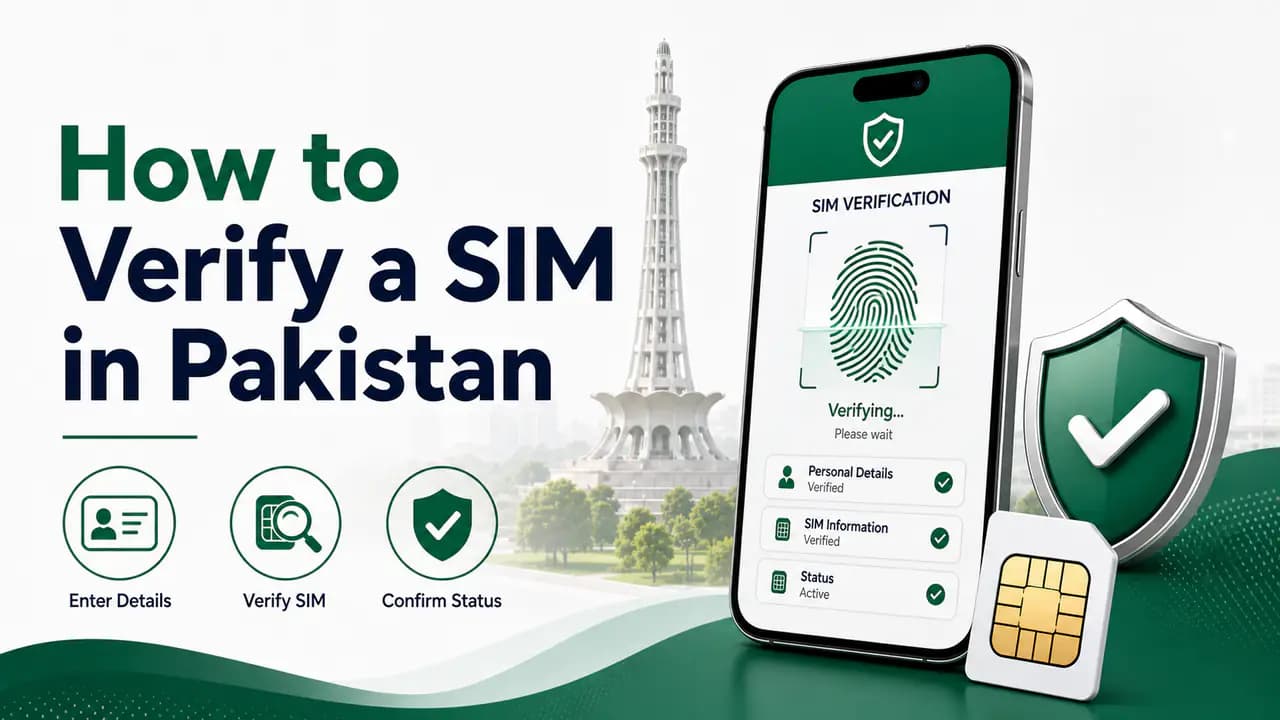
How to Verify a SIM in Pakistan
Learn how to verify a SIM in Pakistan using biometric verification, CNIC SIM checks and official operator channels, plus what to do if verification fails.
Quick answer
If you have recently purchased a SIM, received a replacement SIM, transferred a number, or simply want to make sure a mobile connection is properly registered to you, it is a good idea to verify its registration.
In Pakistan, SIM registration is tied to the subscriber's identity and biometric verification. Mobile operators use the required verification process to confirm the identity of the person receiving or using the connection. Zong's current terms, for example, state that the customer's CNIC information and fingerprint are sent for verification from NADRA, and that the same general biometric procedure is used for SIM activation, duplicate SIMs, ownership changes and disowning connections.
This guide explains the practical ways to verify a SIM and what to do if something looks wrong.
What Does SIM Verification Mean?
SIM verification means confirming that a mobile connection has been issued and registered through the required identity-verification process.
It is important to understand that there are several different things people call "SIM verification."
You might mean:
- checking whether a SIM is registered in your name
- checking how many SIMs are registered against your CNIC
- confirming that a newly purchased SIM was properly activated
- checking the ownership information of a particular mobile number
- confirming that your biometric verification was completed
- checking whether a SIM is active on the operator's network
These are related, but they are not exactly the same service.
For example, the official SIM Information System is primarily useful for checking the number of SIMs associated with your identity, while biometric verification is used during SIM-related registration procedures.
How SIM Verification Works in Pakistan
When a new SIM is issued through the proper process, the operator verifies the customer's identity.
The customer provides the required identity document and completes biometric verification through an authorized process. The biometric information is then checked against the relevant identity records.
Zong's current published procedure describes the process as providing a valid CNIC, scanning the customer's thumb or finger through a designated biometric scanner, and sending the information for verification from NADRA.
The same official terms explain that biometric verification is also relevant to duplicate SIM issuance, change of ownership and disowning a SIM.
This is why you should not buy a SIM from an unknown person on the street simply because they say it has already been "verified."
For the full registration process, see how to register a SIM and the SIM registration page.
How to Verify That a SIM Is Registered to You
If your main concern is whether the SIM is actually associated with your identity, start with the official methods available for checking SIMs registered against your CNIC.
The official SIM Information System can show the number of SIMs associated with your identity, broken down by mobile operator.
For example, the result may show something like:
The exact numbers will depend on your own record.
The important point is that the system provides a count, rather than acting as a public directory of all mobile numbers registered to an individual.
See how to check SIMs registered on a CNIC for step-by-step instructions.
Check Your SIM Count After Buying a New SIM
One of the simplest precautions is to check your registered SIM count after completing a new SIM registration.
Suppose you previously had four SIMs registered against your CNIC and then purchased one new connection.
After the registration has been processed, checking your SIM count gives you another way to make sure the number of connections associated with your identity is what you expect.
This is especially useful if you are concerned about unauthorized SIM registrations.
If the number is higher than expected, contact the relevant mobile operator and ask them to investigate.
The 668 SMS Method
The 668 service is another commonly used method for checking SIMs associated with your CNIC.
The basic purpose is similar to the online SIM Information System: it helps you check the number of SIMs issued in your name.
SMS charges may apply, so check the current applicable charges before using the service.
It is important not to confuse 668 with biometric verification itself. The SMS service is a checking method; it does not replace the biometric process used when a SIM is issued or when another service requires biometric verification.
Biometric Verification at an Operator Outlet
If you are purchasing a SIM or completing another service that requires biometric verification, use an official operator franchise, customer service center or authorized retailer.
Take your original identity document with you.
The representative will use the approved biometric equipment to verify your identity.
Operators themselves emphasize that SIMs should be issued through biometric verification. Zong and Ufone currently display the reminder that the SIM is your identity and that customers should use SIMs issued through biometric verification.
What You Need for Biometric Verification
For Pakistani citizens, the usual starting point is your original valid CNIC.
Depending on the service, the operator may require additional information or documents.
For a normal SIM-related procedure, take:
- your original CNIC
- the mobile number or SIM involved
- any relevant receipt or previous documentation
- the required biometric information
If your CNIC is expired, renew it before attempting a service that requires a valid identity document.
Do not rely on an old photocopy or an unofficial verification method when the operator requires the original document.
If your CNIC details have changed, see how to update CNIC for SIM.
What If Your Fingerprint Does Not Verify?
A failed fingerprint does not automatically mean that the SIM is fraudulent.
Biometric verification can fail for different reasons.
For example, fingerprints can sometimes be difficult to read because of worn fingerprints, skin conditions, equipment problems or other verification issues.
If the biometric transaction fails, ask the operator what the specific reason is and what you should do next.
Zong's published terms state that when the customer's fingerprint cannot be verified by NADRA, the customer is informed of the reason and may need to contact NADRA for further support.
If the problem continues, use official channels rather than repeatedly giving your biometric information to different unofficial sellers.
How to Verify a Newly Purchased SIM
If you have just purchased a SIM, you can follow a simple checklist.
Step 1: Buy the SIM From an Authorized Outlet
Use an official franchise, customer service center or authorized retailer.
Avoid street sellers or unknown individuals offering SIMs that are supposedly already registered.
Step 2: Provide Your Own CNIC
Make sure the SIM is being issued using your own identity information.
Do not allow someone to register a connection on another person's CNIC for you.
Step 3: Complete Biometric Verification
Complete the required biometric verification yourself.
Do not let another person provide biometric information on your behalf.
Step 4: Keep the SIM and Receipt
Keep the SIM and any receipt or transaction information provided by the operator.
This can be useful if you later need customer support.
Step 5: Check Your Registered SIM Count
After the registration has been completed, check the SIM count associated with your identity.
If the number of registered connections does not match what you expect, contact the relevant operator.
How to Verify a SIM if You Are Not Sure Who Owns It
If you are using a SIM that was purchased years ago or given to you by another person, do not assume that the number is registered in your name.
The safest approach is to contact the network that operates the number and ask about the appropriate ownership or verification procedure.
If the SIM is registered to another person, you may need a formal change-of-ownership process rather than a simple verification.
See how to transfer SIM ownership and how to check SIM registration status.
SIM Verification Is Different From Checking the Current Network
Another common misunderstanding is confusing SIM verification with network checking.
A mobile number can move from one operator to another through mobile number portability.
Therefore, the network currently serving a number may not necessarily be the network on which that number originally started.
If your purpose is simply to determine the current network of a mobile number, use the appropriate network-checking service rather than treating it as an ownership verification.
SIM Verification Is Different From SIM Owner Information
You may also see websites claiming to provide "SIM owner details."
Official SIM registration procedures are not the same thing as a public search system for private subscriber information.
The official SIM Information System is intended to provide information about the number of SIMs associated with an identity, not to expose a person's private subscriber database to the public.
If you need information about a particular SIM, use the operator's official customer-service and verification procedures.
For more context, see SIM verification and PTA SIM information.
How to Verify SIM Registration Through Your Network
If you have a specific problem with a SIM, contacting the operator directly is often the best option.
For example, Ufone currently provides customer support through its call center and sales/service centers. Its official customer-care page lists 333 from a Ufone number and 033-11-333-100 as its telephone contact.
Other operators have their own official helplines, apps, franchises and service centers.
Because short codes and service procedures can change, check the operator's current official customer-care information before relying on an old number found on a third-party website.
Operator-specific information is available on the Jazz, Zong, Ufone, and Telenor network pages.
What If the SIM Is Not Registered Correctly?
Suppose you purchased a SIM yourself, completed biometric verification, but later discover that something is wrong.
Do not immediately purchase another SIM.
First contact the operator that issued the connection.
Explain:
- the mobile number
- when you purchased the SIM
- where you purchased it
- that you completed biometric verification
- and what information appears to be incorrect
The operator can check the subscriber record and tell you what procedure is required.
If the issue cannot be resolved by the operator, you can escalate the matter through the appropriate PTA complaint channel.
What If an Unknown SIM Appears on Your CNIC?
This is more serious and should not be ignored.
If your SIM count shows more connections than you actually have, first consider whether you have forgotten an old SIM or another connection such as a data SIM.
If you still cannot explain the additional connection, contact the relevant operator.
Ask them to investigate the connection associated with your identity.
Keep records of your complaint or reference number.
If necessary, escalate the matter through the relevant regulatory complaint process.
See how to report a fraudulent SIM for further guidance.
Check Your SIMs Periodically
You do not need to check your SIM count every day.
However, checking periodically is a useful security habit, especially after:
- buying a new SIM
- replacing a SIM
- transferring ownership
- changing identity documents
- losing a SIM
- closing an old connection
- or discovering suspicious activity
The goal is simple: the SIMs associated with your identity should match the connections you actually know about.
Be Careful With Your CNIC and Biometrics
Your CNIC number and biometric information should be treated as sensitive information.
Never give your fingerprint or CNIC details to someone simply because they claim they can check SIM ownership.
Use official operator channels.
If someone asks you to perform several biometric transactions when you only requested one SIM service, ask exactly what each transaction is for before proceeding.
A legitimate SIM procedure should be understandable to you.
For broader protection advice, see how to protect your CNIC from SIM fraud.
What About Data and Internet SIMs?
Verification is not limited to ordinary voice SIMs.
Mobile operators also issue data, broadband and other types of SIM-based connections.
This is one reason why your total SIM count may sometimes be different from the number of ordinary phone numbers you remember using.
If your registered SIM count appears higher than expected, ask the operator whether an old data or internet connection is associated with your identity.
What About a Replacement SIM?
A replacement or duplicate SIM is another situation where identity verification matters.
If your SIM is lost, damaged or no longer working, use the operator's official replacement procedure.
The operator may require biometric verification before issuing the replacement.
Zong's published terms specifically state that the biometric procedure is also used for duplicate SIM issuance.
See how to block a lost SIM if your SIM has been lost or stolen.
What About a SIM Purchased From a Street Seller?
Avoid it.
A SIM should be issued through the proper biometric process and through an authorized channel.
A cheap or convenient SIM is not worth the risk of having a connection associated with the wrong identity.
If you have already purchased a SIM from an unofficial seller, verify its registration as soon as possible through official channels.
If anything looks wrong, contact the network immediately.
A Simple SIM Verification Checklist
Before considering your SIM properly verified, check the following:
- Your SIM was obtained from an authorized outlet.
- You provided your own valid identity document.
- You completed the required biometric verification yourself.
- You know which mobile number was registered.
- You kept the transaction receipt or other record.
- Your registered SIM count is consistent with your own connections.
- You know which operator currently provides service to the number.
- You know how to contact the operator if a problem occurs.
Frequently Asked Questions
Related articles
SIM Verification in Pakistan — How Subscriber Verification Works
Learn SIM verification in Pakistan, including biometric BVS verification, CNIC SIM checks, operator verification and solutions for verification problems.
How to Check SIM Registration Status in Pakistan
Check SIM registration status in Pakistan and learn how CNIC registration, biometric verification and official mobile operator verification work.
How to Register a SIM in Pakistan
Learn how to register a SIM in Pakistan with CNIC and biometric verification, authorized franchises, SIM limits and post-registration checks.
How to Check SIMs Registered on Your CNIC in Pakistan
Learn how to check SIMs registered on your CNIC in Pakistan using cnic.sims.pk and SMS 668, understand network counts and identify unknown SIMs.

How to Check SIMs Registered on Your CNIC in Pakistan
Check SIMs registered on your CNIC in Pakistan using the official SIM Information System and SMS 668. Find your network-wise SIM count safely.
How to Protect Your CNIC From SIM Fraud in Pakistan
Protect your CNIC from SIM fraud in Pakistan with secure biometric practices, official SIM checks, fraud prevention tips and unknown SIM reporting.
About the author
Bottom Line
SIM verification is mainly about making sure your mobile connection has gone through the proper identity and biometric registration process.
The safest approach is simple: use an authorized operator outlet, provide your own valid CNIC, complete biometric verification yourself, and keep track of the SIMs registered against your identity.
If you have recently purchased or replaced a SIM, checking your registered SIM count afterward is a useful extra step.
And if something does not look right—especially an unexpected SIM registration—contact the operator rather than trying to fix the problem through an unofficial seller.