How to Register a SIM in Pakistan
Learn how to register a SIM in Pakistan with CNIC and biometric verification, authorized franchises, SIM limits and post-registration checks.
Quick answer
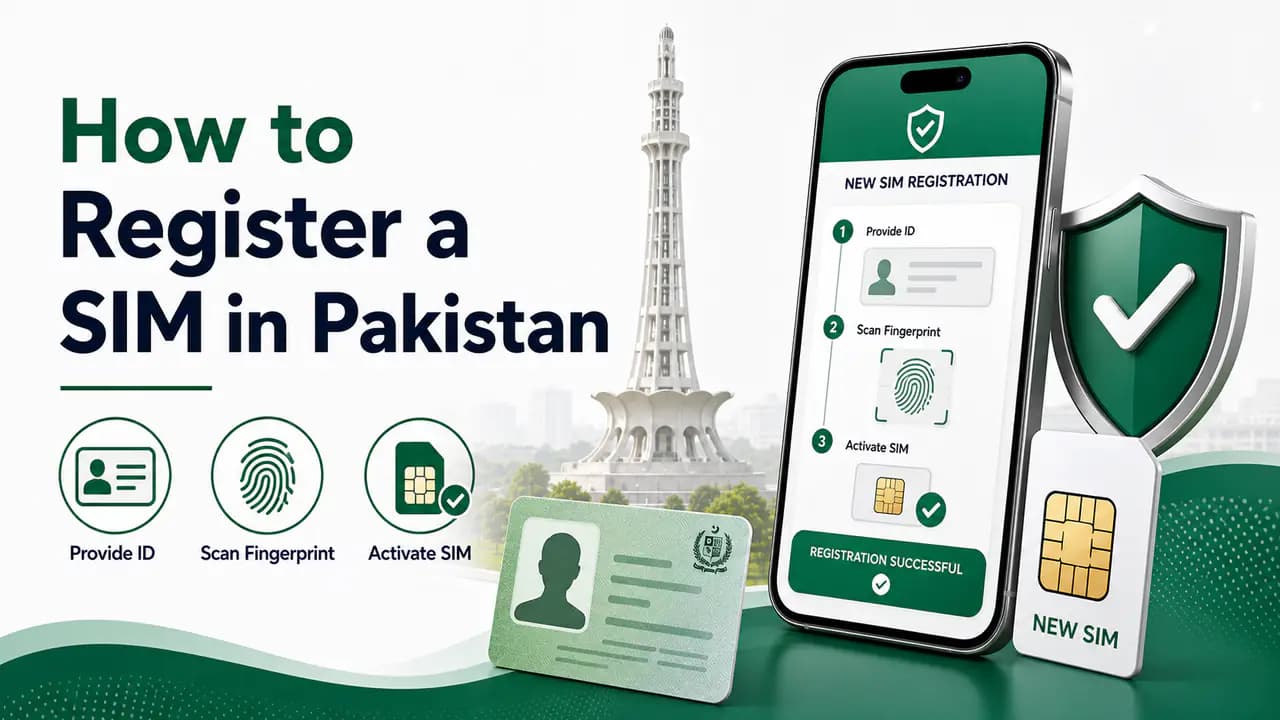
Getting a new SIM in Pakistan is a fairly simple process, but it should always be done through a proper cellular operator channel. A SIM is not supposed to be issued simply because someone has a copy of your CNIC. The subscriber's identity has to be verified through the required authentication process before the connection is issued.
If you want to register a new Jazz, Zong, Telenor, or Ufone SIM, the safest approach is to visit an authorized franchise or customer service center of the network you want to use, take your original identity document with you, complete the biometric verification process, and make sure the newly issued SIM is actually registered under your name.
The most important part is not just getting the SIM working. You should also check your registered SIM count afterward so you can confirm that no unexpected connection was added to your CNIC.
For the broader registration overview, see the SIM registration page.
What You Need to Register a SIM
For a normal individual SIM registration, you should have your valid original CNIC or other identity document accepted by the cellular operator.
You should normally have:
- Your original CNIC
- Your own presence at the authorized outlet
- Access to the biometric verification process
- The mobile network you want to use
- The required amount for the SIM or package, if applicable
Do not rely on a photocopy, photograph, or a person claiming that they can register the SIM without you being present.
The important point is that the SIM should be registered using your own identity and biometric verification through the operator's approved process.
Where Should You Register a SIM?
The safest option is to visit the official or authorized franchise, customer service center, or other properly authorized outlet of the mobile network.
For example, if you want a Jazz SIM, visit a Jazz-authorized outlet. If you want a Zong SIM, use a Zong-authorized outlet. The same principle applies to Telenor and Ufone.
You may see SIM sellers at roadside stalls, temporary booths, markets, outside shops, or other informal locations offering quick SIM registration. The fact that someone has a biometric device does not automatically mean that the person is a safe or authorized place to obtain a SIM.
PTA's own cybersecurity guidance specifically advises consumers to purchase SIMs from a cellular franchise rather than kiosks, portable vans, standalone booths, or door-to-door sellers. PTA also warns about illegal SIM issuance and misuse of biometric information.
A few extra minutes spent visiting a proper franchise is much safer than handing your biometric information to an unknown seller.
Operator-specific outlets and support channels are listed on the Jazz, Zong, Ufone, and Telenor network pages.
Step 1: Choose Your Mobile Network
First decide which network you want to use.
You can choose among the major cellular operators available in Pakistan, depending on coverage, packages, data requirements, calling needs, and availability in your area.
If you already know which network you want, go directly to its authorized franchise or customer service center.
You can also ask the representative about available prepaid or postpaid options before completing the registration.
Step 2: Take Your Original CNIC
Take your original CNIC with you.
The representative will need your identity information to process the SIM registration. Do not give your original CNIC to an unrelated person or leave it with someone who is not handling your registration through an authorized operator channel.
If your identity document has expired, is damaged, or has another problem, the operator may not be able to complete the registration until the identity issue is resolved.
The exact documentation requirements can vary depending on the type of subscriber and the operator's current procedures, so follow the instructions provided at the official outlet.
Step 3: Complete Biometric Verification
The next important step is biometric verification.
Your identity is authenticated using the approved biometric process before the SIM can be registered.
Follow the instructions given by the representative and provide the required fingerprint verification yourself.
Biometric information is particularly important because it can be used as part of the subscriber verification process. PTA has specifically warned consumers to be vigilant when providing fingerprints for new SIMs and has highlighted the risk of illegal SIM issuance.
Be Careful With Repeated Biometric Attempts
If the biometric verification fails, do not simply keep allowing different people to perform repeated attempts without understanding what is happening.
Ask the authorized representative why the verification failed and what the correct next step is.
Your fingerprint should only be used for the legitimate service you are requesting.
You should never agree to a person registering additional SIMs under your identity just because they say it is necessary for verification.
Step 4: Select the SIM Type
Depending on the network and service available, you may be able to choose between prepaid and postpaid service.
A prepaid SIM generally works by purchasing balance or packages before using the service.
A postpaid connection is billed according to the operator's postpaid terms.
If you only need a normal mobile connection, ask the representative to explain the available options and charges before completing the purchase.
Do not accept an additional connection or service that you did not request.
Step 5: Wait for the SIM to Be Activated
After your identity and biometric verification have been successfully completed, the operator processes the SIM registration.
The SIM may not become usable immediately in every situation. Activation time can depend on the operator and the particular registration process.
Once the SIM becomes active, insert it into your phone and check whether it can connect to the mobile network.
If there is an activation problem, contact the same operator through its official customer-service channel or visit its franchise.
Check Your CNIC After Registering the SIM
This is one of the most useful steps that many people skip.
After registering a new SIM, check the number of SIMs associated with your CNIC.
The purpose is simple: you want to make sure the expected connection has been added and that there are no unexpected registrations.
Pakistan's SIM Information System provides a way to check the number of SIMs associated with an identity and shows the count by operator. PTA's cybersecurity guidance also recommends periodically checking the number of SIMs issued in your name.
You can use the official SIM Information System for this purpose.
The result is a count rather than a public directory of somebody's private subscriber information.
For example, your result might show something similar to:
The exact numbers will depend on your own identity record.
If you registered one new SIM and your count unexpectedly increased by more than you expected, contact the relevant operator and investigate the issue.
See how to check SIMs registered on a CNIC for step-by-step instructions.
How Many SIMs Can Be Registered on One CNIC?
There is a limit on the number of SIM connections that can be registered against one identity.
The commonly used limit is 8 SIMs in total, divided into 5 voice/call SIMs and 3 data SIMs.
Because operator rules and regulatory procedures can change, check the current limit through an official PTA or operator channel if you are already close to the maximum.
This is particularly important if you already have several old connections that you no longer use.
For example, if your CNIC already has the maximum number of allowed connections, you may need to close an old connection before registering another one.
Do not assume that an unused SIM automatically disappears from your CNIC.
An old connection can remain associated with your identity until it is properly deactivated or removed according to the operator's procedure.
What If You Already Have 8 SIMs?
If your CNIC has reached the applicable limit and you want another SIM, first review your existing connections.
You may find that you have old SIMs that you no longer use.
Instead of keeping every old connection active, consider closing connections that you genuinely no longer need through the relevant mobile operator.
After the old connection has been properly closed, check your registered SIM count again before attempting to register another SIM.
This is better than repeatedly trying to register new SIMs without knowing what is already associated with your identity.
Do Not Register SIMs for Other People Without Understanding the Consequences
One important rule is simple:
For this reason, avoid registering connections under your CNIC for friends, acquaintances, customers, employees, or other people simply because they ask you to help them.
If another person needs a SIM, they should normally register it using their own identity and biometric verification.
Allowing additional SIMs to be registered under your identity can create problems later if you forget about the connection or if the number is misused.
The safest approach is to keep the SIMs registered under your CNIC limited to connections that you personally know and control.
Avoid Unknown SIM Sellers
One of the biggest precautions is choosing where you obtain the SIM.
An unknown seller may offer to register a SIM quickly and may claim that the process is easier through them.
That is exactly where you should be careful.
PTA's cybersecurity guidance says consumers should purchase SIMs from cellular franchises rather than kiosks, portable vans, standalone booths, or door-to-door sellers. The same guidance warns about illegal SIM issuance and misuse of biometric information.
This does not mean every small retailer is necessarily fraudulent. The important distinction is whether the outlet is properly authorized and whether the registration is being performed through the approved process.
When in doubt, use the operator's official franchise or customer service center.
Never Give Your Fingerprint for a "Free SIM"
Be particularly careful if somebody approaches you with an offer such as:
- Free SIM
- Free internet package
- Free prize
- Free government scheme registration
- Free mobile offer
- SIM verification
- BISP or other program registration
If biometric verification is involved, make sure you know exactly what service you are receiving and who is processing your information.
PTA's NT CERT guidance specifically describes cases where criminals have collected biometric information from people under false pretenses and then used it for illegal SIM issuance.
A legitimate SIM registration should be connected to a genuine request that you made yourself.
Do Not Perform Unnecessary Biometric Verification
Another useful precaution is to avoid giving your biometric information repeatedly to different people.
If you need a SIM, go directly to the relevant authorized operator outlet.
If a verification attempt fails, ask the representative about the reason and follow the official procedure.
Do not let someone tell you that they need to perform several unrelated biometric registrations "just to check the system."
Your fingerprint is sensitive information. Treat it accordingly.
What to Do If You See an Unexpected SIM
If you check your CNIC after registering a SIM and discover an unexpected connection, first determine whether it could be an old SIM that you had forgotten about.
Think about:
- Old numbers you stopped using
- SIMs you replaced
- Connections used for mobile internet
- SIMs registered for previous work or business use
- Numbers that you may have given to someone else
If you still cannot identify the connection, contact the relevant cellular operator through its official customer-service channel or franchise.
Explain that a connection appears to be associated with your identity and that you do not recognize it.
If the operator does not resolve the issue, PTA's Complaint Management System provides a channel for telecom consumers to submit and track complaints.
Keep screenshots, complaint numbers, receipts, or other relevant records until the issue has been resolved.
See how to report a fraudulent SIM for further guidance.
Can You Register a SIM Online?
For normal new SIM registration, do not assume that entering your CNIC information on a random website is enough to create a legitimate mobile connection.
SIM registration involves identity verification and the operator's approved procedures.
Use the official channels of the mobile operator instead.
Online services may exist for other telecom tasks, but a new SIM should be obtained through a legitimate registration process with the required identity verification.
What About Replacing an Existing SIM?
Registering a new SIM and replacing a lost or damaged SIM are different processes.
If you already have a mobile number and need a replacement SIM, contact your network's official franchise or customer-service channel.
The operator may need to verify your identity before issuing the replacement.
Do not purchase a replacement SIM from an unrelated person claiming that they can transfer your number.
Your mobile number can be connected to banking, WhatsApp, email accounts, social media, and other services, so protecting the number is important.
See how to block a lost SIM if your SIM has been lost or stolen.
What Should You Check Before Leaving the Franchise?
Before leaving the outlet, take a moment to make sure everything is correct.
Check:
Correct network
The SIM belongs to the network you requested.Your own identity
The registration was completed using your own identity.No extra registrations
You did not authorize any additional SIM registration.Receipt
You received the information or receipt provided by the operator.Activation
The SIM is working as expected after activation.Prepaid or postpaid
You understand whether the connection is prepaid or postpaid.Your number
You know the number associated with the SIM.CNIC check planned
You plan to check your CNIC SIM count afterward.
This small check can prevent confusion later.
After Registration, Check Your SIM Count
Checking your registered SIM count after obtaining a new connection is a good habit.
The official SIM Information System can show how many SIMs are associated with your identity and provide a network-wise count.
You can also use the SMS-based method identified in PTA cybersecurity guidance by sending your CNIC number to 668. SMS charges may apply according to the current service and operator charges.
The purpose of this check is not to obtain private information about another person. It is to verify your own registered connections.
If the result matches your records, there is normally nothing more you need to do.
If something does not match, contact the relevant operator.
What If the SIM Was Registered Without Your Permission?
If you discover that a SIM has been registered under your identity without your permission, take the matter seriously.
Start by contacting the mobile operator associated with the connection.
Explain that you do not recognize the connection and ask the operator what procedure is available to investigate or block it.
If the issue cannot be resolved through the operator, you can use PTA's complaint process.
Do not ignore an unknown connection simply because you are not using it.
The purpose of periodically checking your registered SIMs is precisely to identify these situations early.
SIM Registration and Your Personal Information
Your CNIC number and biometric information are sensitive personal information.
Avoid sharing them unnecessarily.
In particular, do not send a picture of your CNIC to random WhatsApp numbers, Facebook pages, websites, or people claiming to be SIM agents.
Likewise, never share OTPs or account verification codes with someone simply because they claim to be helping you register a SIM.
If you need assistance, contact the relevant operator through its official customer-service channels.
For broader protection advice, see how to protect your CNIC from SIM fraud.
A Simple Safe SIM Registration Routine
The safest process can be summarized in a few steps:
This process is straightforward and avoids many unnecessary risks.
The important thing is not to rush the registration just because somebody offers a faster method.
Frequently Asked Questions
Related articles
SIM Registration in Pakistan — How New Connections Are Registered
Learn SIM registration in Pakistan, including CNIC requirements, biometric verification, authorized franchises, SIM limits and registration problems.
How to Verify a SIM in Pakistan
Learn how to verify a SIM in Pakistan using biometric verification, CNIC SIM checks and official operator channels, plus what to do if verification fails.
How to Check SIMs Registered on Your CNIC in Pakistan
Learn how to check SIMs registered on your CNIC in Pakistan using cnic.sims.pk and SMS 668, understand network counts and identify unknown SIMs.
How to Check SIM Registration Status in Pakistan
Check SIM registration status in Pakistan and learn how CNIC registration, biometric verification and official mobile operator verification work.
How to Protect Your CNIC From SIM Fraud in Pakistan
Protect your CNIC from SIM fraud in Pakistan with secure biometric practices, official SIM checks, fraud prevention tips and unknown SIM reporting.

How to Check SIMs Registered on Your CNIC in Pakistan
Check SIMs registered on your CNIC in Pakistan using the official SIM Information System and SMS 668. Find your network-wise SIM count safely.
About the author
Bottom Line
Registering a SIM in Pakistan is not difficult, but the safest method is to do it properly.
Take your original CNIC, visit the mobile operator's authorized franchise or customer service center, complete the required biometric verification yourself, and make sure you receive the SIM you actually requested.
Do not let an unknown person register additional SIMs under your CNIC, and avoid giving your biometric information to informal sellers simply because they promise a quick or cheap connection.
After the SIM has been activated, check the SIMs registered against your CNIC. This gives you an additional opportunity to confirm that the new connection was recorded correctly and that no unexpected SIM has been added.
A few extra minutes during registration and a quick check afterward can go a long way toward protecting your identity and keeping control of the mobile connections registered in your name.