How to Report a Fraudulent SIM in Pakistan
Learn how to report a fraudulent or unauthorized SIM in Pakistan, check unknown CNIC-linked SIMs, contact your operator and escalate to PTA.
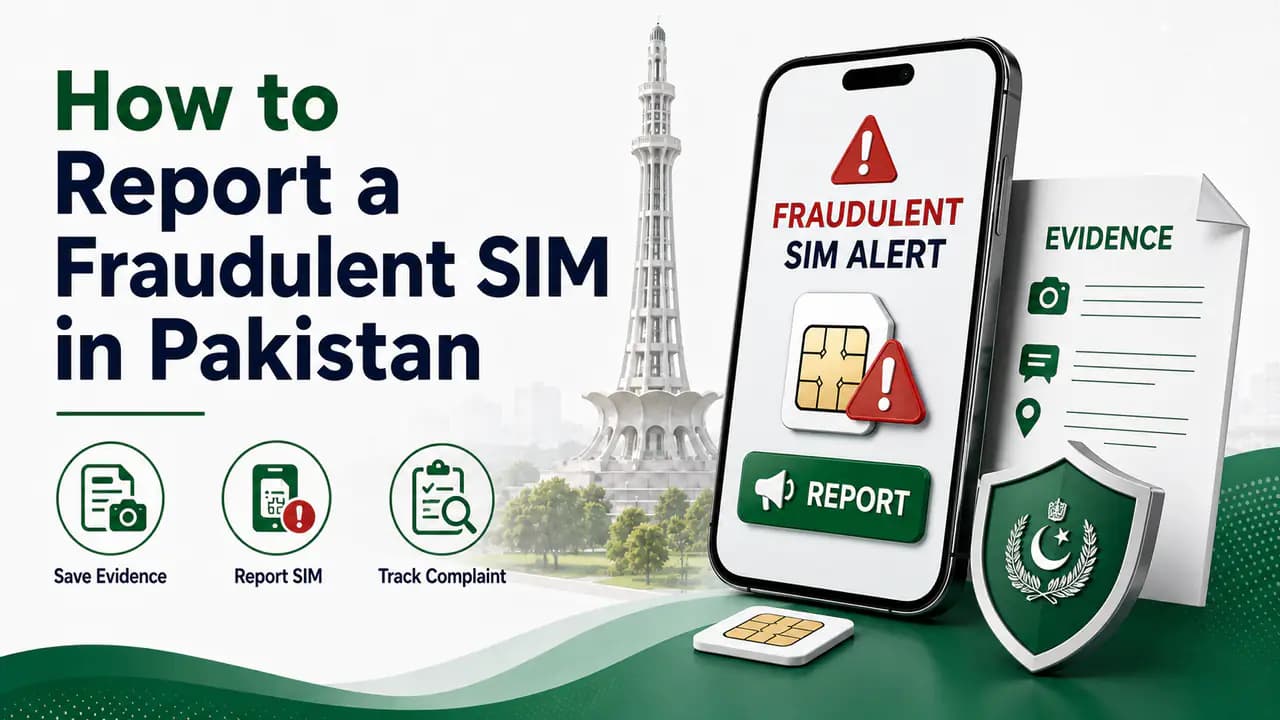
Quick answer
Your CNIC is one of the most important pieces of identification used for mobile SIM registration in Pakistan. When a new SIM is issued, the cellular operator has to verify the subscriber before the connection can be activated.
That verification process is designed to connect the SIM with the correct person. However, problems can still occur when CNIC information or biometric verification is misused, when a SIM is issued through an unauthorized channel, or when people fail to keep track of the SIMs registered in their name.
If you discover a SIM registered against your identity that you did not authorize, reporting it promptly through the correct channel can limit further misuse and help you protect your CNIC record.
One of the most useful habits is to periodically check how many SIMs are registered against your CNIC. If the number does not match the SIMs you actually use or have registered, investigate it rather than ignoring it.
Pakistan's telecom regulator, PTA, has specifically advised consumers to periodically check the number of SIMs issued in their name and to block illegally issued SIMs. PTA's cybersecurity guidance also recommends obtaining SIMs through cellular franchises rather than informal kiosks, portable vans or door-to-door sellers.
What Is SIM Fraud?
SIM fraud generally means that a SIM connection has been obtained, activated or used through unauthorized or deceptive means.
This can happen in different ways. For example, someone may use another person's identity information to obtain a SIM, or biometric information may be collected under a false pretext.
It is also possible for people to lose track of old SIMs. An unused connection may remain associated with a person's CNIC even though they no longer remember having it.
Not every unexpected SIM count automatically means that someone has committed fraud. There may be an old connection that you forgot about or a SIM that was registered previously for a legitimate reason.
The important thing is to identify anything you do not recognize and take action.
Why Your CNIC Matters for SIM Registration
A mobile SIM is not supposed to be issued anonymously.
Subscriber verification is part of the SIM registration process, and the identity of the subscriber is recorded by the relevant telecom operator.
This is why an unauthorized SIM registered against your CNIC should not simply be ignored.
PTA's cybersecurity material warns that the illegal sale or provision of SIMs without the required verification is prohibited and can carry legal consequences. The same guidance warns consumers about techniques criminals may use to obtain biometric information for illegal SIM issuance.
Your responsibility is not to investigate the entire telecom database yourself. Your first job is much simpler: know how many SIMs are registered against your identity and act when something does not look right.
Check Your SIM Count Regularly
The easiest preventive measure — and the first step before reporting — is to periodically check the number of SIMs registered against your CNIC.
The official SIM Information System at cnic.sims.pk provides a network-wise count. You can see how many SIMs are associated with your identity under operators such as Jazz, Telenor, Ufone and Zong.
The result is a count rather than a public directory of all phone numbers.
For example, your result might show something like:
If you know that you have five SIM connections and the result shows five, everything may be normal.
If you know that you have three but the result shows six, you should investigate the difference.
The SMS-based 668 service is another established method for checking SIMs issued in your name. PTA cybersecurity guidance specifically recommends periodically checking SIMs issued in your name by sending your CNIC number to 668.
Because service charges and procedures can change, check the current instructions or applicable SMS charges before using a paid SMS service.
For a step-by-step walkthrough, see how to check SIMs registered on a CNIC or use the CNIC SIM check page.
Don't Wait Until There Is a Problem
A common mistake is checking SIM registration only after hearing about fraud.
It is better to make the check part of your normal digital-security routine.
You do not need to check every day. Checking occasionally is enough for most people, particularly after situations where your identity documents or biometric verification may have been used.
You should also check after:
- registering a new SIM
- replacing a SIM
- closing an old SIM
- transferring a SIM
- discovering a lost CNIC
- noticing an unexpected mobile connection
- giving your CNIC information to an organization for another purpose
- receiving an unexpected telecom message
The goal is simple: make sure the SIM count on your CNIC matches your own records.
Buy SIMs From an Official Franchise
Where you buy a SIM matters.
PTA's National Telecom CERT guidance specifically recommends purchasing SIMs from a cellular franchise rather than informal sources such as kiosks, portable vans, stand-alone booths or door-to-door sellers.
An official franchise gives you a much better opportunity to verify what is happening during the registration process.
When purchasing a new SIM, prefer:
- the network's official franchise
- an authorized customer service center
- another official channel clearly provided by the operator
Avoid accepting a new SIM from a person who approaches you on the street and asks for your biometric verification without clearly explaining the registration.
A cheap or convenient SIM is not worth putting your identity at unnecessary risk.
Be Careful With Your Biometric Verification
Your fingerprint is not something you should treat casually.
When registering a SIM, biometric verification is required to confirm the subscriber's identity. That does not mean you should provide your fingerprint whenever someone claims that a SIM needs to be checked.
Before placing your finger on a biometric device, know:
- Which operator you are dealing with.
- Why biometric verification is required.
- Which SIM or service is being registered.
- Whether you are at an official or authorized location.
- What information you are being asked to provide.
PTA's cybersecurity awareness material specifically warns consumers to be vigilant when providing fingerprints for a new SIM.
Do not allow an unknown person to perform repeated biometric verification without a clear reason.
If you are registering one SIM, make sure you understand that you are registering that particular SIM — not giving someone permission to perform unrelated registrations.
Do Not Let a Stranger "Help" You Register a SIM
One of the easiest ways to reduce your risk is also one of the simplest: register your SIM yourself through the official channel.
You may see people offering SIM registration services outside markets, shops or busy areas. Some may be legitimate sales representatives, but it can be difficult for an ordinary customer to determine whether a person is properly authorized.
PTA's own cybersecurity guidance recommends using cellular franchises instead of informal SIM-selling channels.
If you need a new SIM, go directly to the network's franchise or authorized customer center.
This may take a few extra minutes, but your CNIC and biometric information are worth protecting.
Never Share Your CNIC Information Unnecessarily
Your CNIC number is frequently required for legitimate services, but that does not mean you should send a copy of your CNIC to everyone who asks for it.
Be especially careful with:
- CNIC photographs
- scans of both sides of your CNIC
- screenshots containing your CNIC number
- biometric information
- OTP codes
- SIM-related verification codes
Before giving your CNIC information to an organization, ask yourself why they need it and whether the request is coming from a legitimate organization.
Do not send your CNIC photograph to an unknown person on WhatsApp merely because they claim they can check SIM ownership.
A website promising "complete SIM owner details" is not a reason to hand over your identity documents.
Be Careful With Free SIM Offers
Free SIM offers can be attractive, particularly when someone claims that the SIM can be activated immediately.
But the fact that a SIM is free does not remove the requirement for proper subscriber verification.
PTA's cybersecurity guidance has warned about illegal SIM issuance and describes situations in which biometric information has been collected from people under false pretenses, including promises involving free SIMs or other services.
If someone asks for your fingerprint for a free SIM, make sure you know:
- which operator is issuing it
- where the registration is taking place
- what number is being registered
- why your biometric verification is required
If anything feels suspicious, do not proceed.
Check Your CNIC After Getting a New SIM
This is one of the most useful habits you can develop.
After registering a new SIM, check your SIM count again.
Suppose you had four registered SIMs before buying a new one. After completing the registration, you would expect the total to reflect the new connection.
If the result suddenly shows more connections than expected, investigate.
For example:
- Before registration: 4 SIMs
- You register: 1 new SIM
- Expected total: 5 SIMs
If the system instead shows 6 or 7, there is something you should investigate with the relevant operator.
This does not automatically prove fraud. There could be another legitimate connection you forgot about. But checking immediately makes it much easier to identify a problem.
Keep Track of Your Own SIMs
Many SIM-related problems are not caused by sophisticated fraud.
Sometimes people simply forget.
You may have:
- an old Jazz SIM
- a spare Telenor SIM
- a data SIM
- a SIM that was used in an old phone
- a replacement connection
- a number you stopped using years ago
Keeping a simple record can make your CNIC SIM check much easier.
You can write down:
You do not need to publish this information anywhere. It is simply a private record so that you know which connections belong to you.
What If Your CNIC Shows an Unknown SIM?
Don't panic.
An unexpected SIM count does not automatically mean that someone has stolen your identity.
First, compare the result with your own records.
Think about old SIMs, replacement SIMs, data connections and numbers that you may have forgotten.
If you still cannot explain the extra connection, contact the relevant mobile operator.
Explain that a SIM appears to be registered against your CNIC that you do not recognize and ask what procedure is available to investigate or block it.
If the operator does not resolve the matter, you can escalate the telecom complaint through PTA's official complaint system.
PTA's Complaint Management System allows telecom consumers to register and track complaints relating to telecommunications services.
For broader PTA channels and complaint routing, see PTA SIM information.
Keep Evidence of the Problem
If you discover a suspicious SIM, keep records of what happened.
Save:
- a screenshot of your SIM-count result
- relevant SMS messages
- dates and times
- the network involved
- complaint/reference numbers
- correspondence with the operator
- any documents you were given during the investigation
Do not post your complete CNIC publicly while sharing screenshots.
If you need to show a screenshot to someone, hide sensitive information that is not necessary for the complaint.
Report the Problem Through the Correct Channel
The correct organization depends on what has happened.
Mobile operator
If the issue concerns a particular SIM or mobile connection, start with the network that appears to have the connection registered.
Use the operator's official helpline, customer service center or franchise.
Ask for the connection to be investigated and, where appropriate, blocked or removed from your identity.
PTA
If the operator does not resolve the issue, a telecom complaint can be submitted through PTA's Complaint Management System.
The system provides facilities for registering and tracking complaints.
For more detail on telecom complaints, see telecom complaints in Pakistan.
Law-enforcement or cybercrime matter
If the situation involves a broader fraud, identity theft, harassment, financial loss, threats or another criminal matter, the appropriate law-enforcement or cybercrime authority may also be relevant.
Do not assume that every SIM-registration problem requires the same authority. Start with the mobile operator for a telecom registration issue and escalate when necessary.
What If Your SIM Was Used for Fraud?
This is more serious than simply finding an old SIM.
If you discover that a SIM registered against your CNIC has been used for scams, harassment, financial fraud or another criminal activity, keep all available evidence.
Do not attempt to confront or investigate an unknown person yourself.
Instead:
Reporting a SIM used for fraud
Identify the mobile operator
Determine which network has the unauthorized connection registered against your CNIC.Contact the operator
Report the unauthorized connection through the operator's official helpline or franchise.Request appropriate blocking or investigation
Ask the operator to investigate the connection and block or remove it from your identity where appropriate.Keep the complaint/reference number
Write down the complaint number, date, and any instructions given to you.Submit a PTA complaint if needed
If the operator does not resolve the telecom issue, escalate through PTA's Complaint Management System.Report criminal activity if applicable
If there is suspected criminal activity, report it to the relevant law-enforcement or cybercrime authority.
PTA's cybersecurity guidance notes that illegal SIM issuance can have serious legal consequences and recommends blocking illegally issued SIMs.
Protect Yourself From SIM-Swap Problems Too
SIM fraud is not limited to a SIM being registered against your CNIC.
Another risk is SIM swapping or unauthorized replacement, where an attacker attempts to take control of a mobile number by obtaining a replacement SIM.
PTA's National Telecom CERT has also published cybersecurity material addressing SIM-swapping fraud.
Protect yourself by paying attention to unexpected changes in your mobile service.
For example, if your phone suddenly loses network service without an obvious reason and you receive information suggesting that your SIM has been replaced, contact your mobile operator immediately.
Do not wait several days before asking what happened.
Your mobile number may be connected to:
- WhatsApp
- email accounts
- banking services
- social media
- digital wallets
- other accounts that use SMS verification
That makes control of your mobile number important beyond ordinary phone calls.
Do Not Trust Websites Claiming to Show Private SIM Databases
Searches for terms such as "SIM owner details", "SIM database", or "CNIC SIM information" can lead to websites and social-media accounts making unrealistic claims.
Be careful.
A website claiming that it can provide the complete private information of any subscriber simply from a phone number should not be treated as an official PTA service.
Do not enter your CNIC, phone number, OTP or other sensitive information into an unknown website just because it promises a detailed result.
For checking the SIMs registered against your own identity, use the official channels.
The purpose of the official SIM-checking system is to help you audit your own identity record — not to provide a public directory of private subscriber information.
What Information Should You Never Give to an Unknown Person?
Never send sensitive information merely because someone says it is required for a SIM check.
Be particularly cautious with requests for:
- CNIC photographs
- fingerprints or biometric information
- OTP codes
- banking information
- ATM or card details
- passwords
- WhatsApp verification codes
- screenshots of private accounts
A legitimate telecom employee should be identifiable through the operator's official channel.
If someone contacts you privately and claims to represent a mobile operator, end the conversation and contact the operator yourself through its official customer-service channel.
A Simple CNIC SIM Security Routine
You do not need a complicated security system.
A simple routine is enough.
When buying a SIM
- Go to an official franchise or authorized service center.
- Take your original identity document as required.
- Complete the proper biometric verification.
- Understand which SIM is being registered.
After registration
- Check the SIM count associated with your CNIC.
- Make sure the result is consistent with your own records.
- Keep the new mobile number and network information somewhere private.
Every few months
- Run another CNIC SIM check.
- Compare the result with your list of active connections.
- Investigate anything you do not recognize.
If you find something suspicious
- Contact the relevant operator.
- Request investigation or blocking where appropriate.
- Keep the complaint/reference details.
- Escalate through PTA's complaint system if the telecom operator does not resolve the problem.
If fraud is involved
- Preserve evidence and contact the appropriate authorities.
- Do not try to resolve a criminal matter by confronting an unknown person yourself.
Can Someone Register a SIM Without My Knowledge?
An unauthorized SIM registration should not be considered normal.
Proper subscriber verification is required for SIM issuance, and illegal issuance without the required verification is prohibited.
However, identity and biometric information can be targeted by criminals or misused through fraudulent practices.
That is why monitoring your registered SIM count is useful.
The important point is not to live in fear that someone will automatically register a SIM against you. Instead, use the official verification system periodically so that an unexpected registration can be detected and addressed.
Is Sharing a CNIC Copy Always Dangerous?
Not necessarily.
There are many legitimate situations where an organization may need your identity information.
The problem is giving your CNIC information to people or organizations without knowing why they need it or how it will be handled.
Before providing a copy, ask:
- Why is this required?
- Who is collecting it?
- Is this an official organization?
- Is the request necessary for the service?
- Can I verify the request through an official channel?
If a copy is genuinely required, provide it through the organization's legitimate process rather than sending it to an unknown individual.
Can I Completely Prevent SIM Fraud?
No security measure can guarantee that fraud will never happen.
But you can significantly reduce your exposure by controlling where you provide your identity information, using official SIM-registration channels and checking the connections registered against your CNIC.
The most important habits are simple:
- Use official franchises.
- Be careful with biometric verification.
- Do not give your CNIC information to unknown people.
- Check your registered SIM count periodically.
- Investigate unexpected registrations.
- Report unauthorized connections promptly.
These steps make it much easier to detect a problem before it becomes a bigger one.
For broader prevention advice, see how to protect your CNIC from SIM fraud.
What to Do After Finding an Unauthorized SIM
If you have already discovered a SIM that you did not register, follow this order:
Steps after finding an unauthorized SIM
Confirm the result
Run the CNIC SIM check again if necessary and note the network showing the unexpected connection.Think about old connections
Make sure it is not an old SIM or connection you legitimately registered in the past.Contact the operator
Visit an official franchise or contact the network's official customer-service channel. Explain that you do not recognize the connection.Request appropriate action
Ask the operator how the connection can be investigated and blocked or removed from your CNIC where appropriate.Keep the complaint record
Write down the complaint number, date and any instructions given to you.Escalate if necessary
If the operator does not resolve the matter, use PTA's official complaint system.Report criminal activity
If the SIM has been involved in fraud, threats, harassment or another crime, preserve evidence and contact the appropriate authority.
Frequently Asked Questions
Related articles

How to Check SIMs Registered on Your CNIC in Pakistan
Check SIMs registered on your CNIC in Pakistan using the official SIM Information System and SMS 668. Find your network-wise SIM count safely.
PTA SIM Information in Pakistan — Official Channels & Services
Find official PTA SIM information services in Pakistan, including CNIC SIM checks, SMS 668, PTA complaints, helplines and SIM verification guidance.
How to Protect Your CNIC From SIM Fraud in Pakistan
Protect your CNIC from SIM fraud in Pakistan with secure biometric practices, official SIM checks, fraud prevention tips and unknown SIM reporting.
Telecom Complaints in Pakistan: How to Register and Escalate a Complaint
Learn how to file a telecom complaint in Pakistan, contact your mobile operator, escalate complaints through PTA CMS and report cybercrime to NCCIA.
How to Check SIMs Registered on Your CNIC in Pakistan
Learn how to check SIMs registered on your CNIC in Pakistan using cnic.sims.pk and SMS 668, understand network counts and identify unknown SIMs.
How to Block a Lost or Stolen SIM in Pakistan
Learn how to block a lost or stolen SIM in Pakistan using operator helplines and official channels, then secure your number, accounts and device.
About the author
Bottom Line
Protecting your CNIC from SIM fraud does not require complicated technical knowledge.
Start by being careful about where you register SIMs and where you provide your biometric information. Use official cellular franchises instead of informal sellers, and do not allow an unknown person to collect or use your identity information without a legitimate reason.
Most importantly, keep an eye on the SIMs registered against your CNIC.
PTA itself recommends periodically checking the number of SIMs issued in your name and blocking illegally issued SIMs.
If you find an unexpected SIM, do not ignore it and do not immediately assume the worst. Confirm the result, contact the relevant operator, keep your complaint records and escalate through official channels when necessary.
A quick CNIC SIM check every few months can give you an early warning that something needs attention.