How to Block a Lost or Stolen SIM in Pakistan
Learn how to block a lost or stolen SIM in Pakistan using operator helplines and official channels, then secure your number, accounts and device.
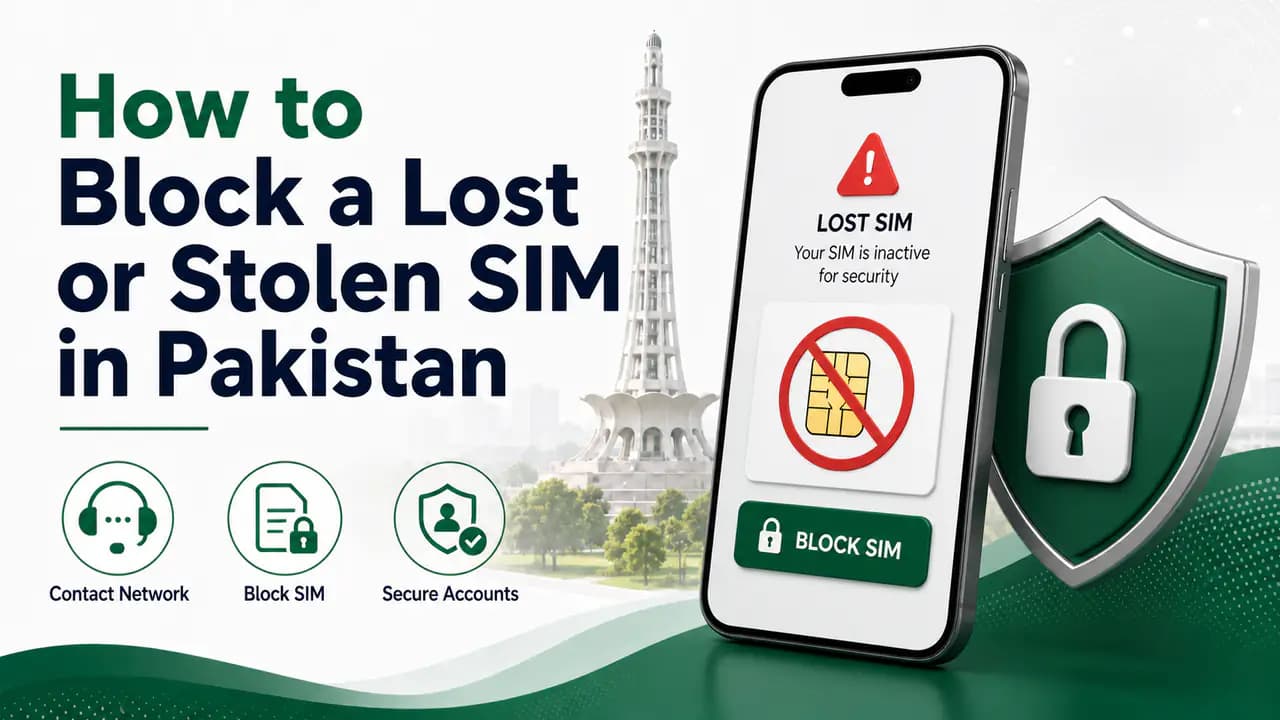
Quick answer
Losing your phone is bad enough. Losing the SIM inside it can be a bigger problem because your mobile number may be connected to WhatsApp, banking apps, email accounts, social media, and other services that use SMS or calls for verification.
If your SIM is lost or stolen, the safest thing to do is block the number as soon as possible. In Pakistan, you can generally start by contacting your mobile network's helpline and requesting a temporary block. You can also visit the network's authorized franchise or service centre if you need in-person verification, SIM replacement, or further assistance.
The exact process depends on your network, but the basic idea is the same: stop the lost SIM from being used before someone else can misuse it.
What Should You Do After Losing Your SIM?
If you have just discovered that your SIM is missing, don't wait until you are certain that it has been stolen. A SIM that has simply fallen somewhere can still be used by anyone who finds it.
Immediate steps after losing your SIM
Contact your mobile network immediately
Use another phone if you no longer have access to the lost SIM. Keep your operator's helpline number saved somewhere other than the SIM itself.Ask customer care to temporarily block the lost SIM
Tell the representative that the SIM has been lost or stolen and that you want the number secured right away.Provide the required verification information
The operator will verify that you are the legitimate subscriber before processing the request. Have your CNIC and account details ready.Visit an authorized franchise or service centre if needed
Some requests — such as replacement or biometric verification — may require an in-person visit to an official operator location.Request a replacement SIM if you want to keep the same number
If the original SIM is permanently lost, ask the operator about its current duplicate or replacement procedure.Check important accounts connected to the number
Review banking apps, email recovery, WhatsApp, mobile wallets, and other services that use the number for verification or OTPs.Report or block the device if your phone was also stolen
Blocking the SIM and blocking the mobile phone are two different things. A stolen handset may need to be reported separately through the applicable PTA IMEI process.
Blocking the SIM stops the mobile connection from being used through that SIM. Blocking a stolen handset involves the phone's IMEI and is handled through the relevant PTA procedure.
How to Temporarily Block a Lost SIM
The quickest option is usually to call your mobile operator's customer-care helpline. Tell the representative that your SIM has been lost or stolen and that you want the number temporarily blocked.
The operator will need to verify that you are the legitimate subscriber before processing the request. You may be asked for information such as your CNIC and other account or subscriber details.
This verification is important. A telecom company cannot simply block someone else's number because an unknown caller requests it. Once the temporary block has been placed, the lost physical SIM should no longer be usable for normal cellular services. The exact timing and verification requirements can vary between operators.
Why Temporary Blocking Is Useful
Temporary blocking is particularly useful when you are not sure whether the SIM is permanently gone. For example, imagine that you lose your phone while travelling. You do not know whether it was left in a taxi, dropped somewhere, or stolen.
You can ask your operator to temporarily block the SIM first. If you later recover the SIM, some operators allow the number to be restored through their customer-service process.
Jazz, for example, currently states that a stolen SIM can be blocked through its self-service code or helpline and that a recovered SIM can subsequently be restored through the same channels. For Jazz-specific blocking and restoration options, see Jazz SIM information.
Ufone's current Code of Commercial Practice also specifically provides for temporary number blocking in case of a lost SIM through its call centre and service centre, subject to customer verification.
This is why it is useful to distinguish between a temporary block and permanently replacing or cancelling a connection. If you recover the SIM later, see how to unblock a blocked SIM for restoration guidance.
How to Block a Jazz SIM
If your lost SIM is a Jazz number, Jazz currently provides a specific self-service option for stolen SIMs.
Jazz stolen-SIM blocking
If You Recover Your Jazz SIM
If you find the SIM again after blocking it, Jazz states that you can restore the number using *8822# or by contacting the 111 helpline. This is an example of why a temporary block can be useful when a SIM may still be recoverable.
If you instead need a replacement SIM because the original is permanently lost, contact Jazz or visit an authorized Jazz Experience Center or franchise and ask about the current replacement procedure. See Jazz SIM information or the guide on how to replace a damaged SIM for related replacement context.
How to Block a Zong SIM
If your Zong SIM has been lost or stolen, contact Zong customer support as soon as possible.
Zong customer-care numbers
The representative will guide you through the required verification. Zong also provides sales and service centres and franchises, so if you need an in-person SIM replacement or another SIM-related service, you can use an authorized Zong location.
If You Cannot Call From the Lost Zong SIM
This is one of the reasons it is important to keep your network's customer-care information available somewhere other than the SIM itself. If you no longer have access to your Zong number, use another phone to contact the Zong UAN or visit a Zong service centre.
Do not assume that you must have the lost SIM in your possession before you can report it. The operator will verify your identity and determine what can be done with the connection. For more Zong support channels, see Zong SIM information.
How to Block a Ufone SIM
If your Ufone SIM is lost, contact Ufone customer care and request temporary number blocking.
Ufone customer-care numbers
This makes the Ufone helpline a useful first step when the physical SIM is no longer available.
Ufone Verification
When you call Ufone about a lost SIM, expect the operator to verify that you are the subscriber. This protects your number from unauthorized blocking or other changes. Keep your CNIC and relevant account information available before calling.
If telephone verification is not sufficient for the requested service, Ufone may direct you to a service centre. For additional Ufone contact and service details, see Ufone SIM information.
How to Block a Telenor SIM
If your Telenor SIM has been lost or stolen, contact Telenor customer care and request that the number be blocked.
Telenor customer-care number
If you no longer have the Telenor SIM, contact customer care using another available phone or visit an authorized Telenor service or franchise location. Tell the representative that the SIM has been lost and that you need to secure the number. The operator may ask you to provide identity and subscriber information before processing the request. See Telenor SIM information for more operator-specific details.
Should You Visit a Franchise After Blocking the SIM?
Calling the helpline is useful when you need the number stopped quickly. A franchise or service centre becomes more useful when you need to do something that requires physical verification.
- replacing the lost SIM
- obtaining a duplicate SIM
- completing biometric verification
- resolving an ownership problem
- updating subscriber information
- handling a problem that cannot be completed over the phone
The exact services available at a particular location can vary, so it is sensible to contact the operator first if you are unsure what documents you need. When visiting, take your original CNIC or the identity document applicable to your registration.
Use only authorized operator channels
Temporary SIM Block vs Permanent SIM Cancellation
These two actions should not be confused. A temporary block and permanent cancellation serve different purposes.
Temporary block
A temporary block stops the lost SIM from being used while keeping the number associated with the subscriber. This can be useful when:
- you think the SIM may be recovered
- your phone was temporarily misplaced
- you want to secure the number immediately
- you plan to obtain a replacement SIM
Some operators have specific restoration procedures after a temporary block.
Permanent cancellation or deactivation
Permanent cancellation is a different decision. If you no longer want the number at all, you can ask the operator about permanently closing the connection. Before doing that, think about where the number is currently used.
- WhatsApp
- email recovery
- social-media accounts
- banking services
- mobile wallets
- government services
- shopping accounts
- two-factor authentication
- other online accounts
If you permanently cancel a number that is still connected to important accounts, recovering access later can become difficult.
What If Your Lost SIM Contains Your Banking Number?
Take extra care if the lost SIM is linked to a bank account, mobile wallet, or other financial service. Blocking the SIM should be one of your first steps, but it should not necessarily be the last.
If you use the number for banking OTPs, mobile banking, JazzCash, Easypaisa, other financial services, email recovery, or account verification, contact the relevant service provider if you believe someone may have access to your number or phone.
If the phone itself was stolen, protect your online accounts from another trusted device where possible. Change important passwords if you believe the thief may also have access to your unlocked phone.
What If the Phone Was Also Stolen?
Blocking the SIM does not automatically block the handset. A mobile phone has an IMEI, which identifies the device on cellular networks. If your phone was stolen, you may also need to report the device separately.
PTA's current complaint documentation provides a process for stolen mobile handsets and IMEI-related blocking and unblocking complaints through its complaint system. The complaint can require information such as the IMEI, the last number used in the handset, and other device details. See PTA SIM information for regulatory complaint routes.
Find your IMEI
For a stolen handset, do not assume that blocking the SIM is enough.
SIM Block vs IMEI Block
If both the phone and SIM were stolen, consider both the SIM and handset separately.
What Information Should You Keep Before Calling?
When reporting a lost SIM, having your information ready can make the process easier. Keep available:
- your CNIC
- the lost mobile number, if you know it
- the operator name
- the name under which the SIM is registered
- recent account or recharge information if the operator requests it
- another phone from which you can call customer care
Protect your identity information
Can Someone Use a Lost SIM Before You Block It?
Yes. A physical SIM can potentially be used by whoever possesses it while it remains active. That is why delaying the block is not a good idea.
A lost SIM can be particularly sensitive if it receives SMS verification codes, calls, password-reset messages, banking alerts, or account recovery codes. The longer the SIM remains active after you lose control of it, the longer someone else may potentially have access to communications sent to that number. Block it as soon as you reasonably can.
What Happens After You Block the SIM?
The exact result depends on the operator and the type of block requested. Generally, the purpose of the block is to stop the lost SIM from being used.
If you want to keep the same number, ask the operator about getting a replacement SIM. The replacement process normally requires subscriber verification and may require a visit to an authorized service centre or franchise.
Avoid unofficial replacement offers
How to Get a Replacement SIM After Losing It
If the original SIM is permanently lost, you will usually want to retain the same mobile number rather than abandon it. Contact your operator and ask for a duplicate or replacement SIM.
Typical replacement SIM requirements
Bring your original CNIC or applicable identity document
The operator needs to verify the registered subscriber before issuing a replacement.Attend in person where required
Many replacement procedures require your physical presence at an authorized service centre or franchise.Complete biometric verification
Biometric authentication is commonly part of the replacement process for identity-sensitive SIM services.Verify the subscriber account
The operator may ask for account details, recent recharge history, or other subscriber information.Pay any applicable replacement fee
Requirements and fees can change, so confirm the current procedure with your network before visiting.
The important thing is that the replacement should be issued through the operator's authorized process. For broader replacement context, see how to replace a damaged SIM.
What If the Lost SIM Was Registered to Someone Else?
This situation is more complicated. Suppose you were using a SIM that was registered under your father's, brother's, employer's, or another person's CNIC. If the SIM is lost, you may not be able to replace it simply because you were the person using it.
The registered subscriber is the person whose identity is associated with the connection. Contact the operator and explain the situation.
If you need ownership transferred, follow the operator's official ownership-transfer process instead of attempting to obtain a replacement through an unofficial channel. See how to transfer SIM ownership. This is also a good reason to make sure the SIMs you regularly use are properly registered under the correct person's identity.
Check Your CNIC After a SIM Is Lost
After dealing with a lost SIM, it can be useful to review the SIMs registered against your CNIC periodically. The nationwide SIM Information System provides a network-wise count of SIMs associated with your identity.
This is different from blocking one specific lost SIM. A CNIC check can help you notice unexpected connections that you may have forgotten about or do not recognize.
PTA cybersecurity guidance recommends periodically checking the number of SIMs issued in your name and taking action if you find an illegally issued SIM. Use the CNIC SIM check or the guide on how to check SIMs registered on a CNIC for the official procedure.
Protect Your Number After SIM Loss
Blocking the SIM solves the immediate problem, but there are a few other things worth checking.
Review important accounts
Think about which accounts use the lost number for recovery or verification. Check email, WhatsApp, banking apps, mobile wallets, social media, cloud accounts, and shopping accounts.
Secure your email
Your email account is particularly important because it may be used to reset other passwords. Make sure your recovery email and authentication methods are up to date.
Watch for suspicious messages
If you receive unusual messages after recovering or replacing your SIM, do not click suspicious links or provide OTPs.
Do not share OTPs
A telecom employee should not need you to disclose an OTP sent to your number to an unrelated person. If somebody calls claiming that they need your OTP to restore or block a SIM, verify the request through the operator's official channel before doing anything. For broader fraud-prevention guidance, see how to protect your CNIC from SIM fraud.
What If Someone Calls You About Your Lost SIM?
Be careful with unexpected calls after losing your phone. A scammer may claim:
- your SIM has been found
- your SIM is being blocked
- your number needs verification
- you have won a prize
- your account needs an OTP
- a replacement SIM is ready
Do not provide your OTP, banking PIN, password, or other authentication information simply because the caller claims to represent a mobile operator. If you need to confirm something, end the call and contact the operator using its official number.
If you suspect fraud involving your number or identity, see how to report a fraudulent SIM for escalation guidance.
When Should You Contact PTA?
Your mobile operator should normally be your first contact for blocking your lost SIM. If you have a telecom complaint that is not resolved appropriately through the operator, you can use PTA's consumer complaint mechanisms.
For a stolen mobile handset, PTA also provides an IMEI-related complaint and blocking process. Do not confuse a complaint about a lost SIM with a stolen handset complaint. The SIM and the handset are separate matters. See PTA SIM information for official regulatory channels.
Important: Do Not Confuse SIM Blocking With IMEI Blocking
Two separate security steps
This is one of the most common points of confusion. If you lost only your SIM but still have your phone, you generally need to secure the SIM. If you lost the phone and the SIM together, you may need to deal with both.
Network Helpline Numbers for Lost SIMs
Keep these numbers somewhere safe:
Jazz currently documents 111 for stolen-SIM blocking, while Zong lists 310 as its customer helpline, Ufone lists 333, and Telenor's current self-service documentation lists 345 as its individual customer helpline.
If you are calling from another network, use the operator's current official contact information rather than assuming the short code will work from every network.
What Is the Best Way to Block a Lost SIM?
For most people, the simplest approach is: lost your SIM → call the network → verify your identity → request a temporary block → visit the authorized franchise or service centre if you need a replacement.
If the phone was stolen too, handle the handset separately through the appropriate IMEI process. This is better than waiting to see whether the SIM turns up.
Frequently Asked Questions
Lost SIM blocking FAQ
Related articles
How to Unblock a Blocked SIM in Pakistan
Learn how to unblock a blocked SIM in Pakistan through Jazz, Zong, Ufone or Telenor, including franchise visits and verification requirements.
How to Protect Your CNIC From SIM Fraud in Pakistan
Protect your CNIC from SIM fraud in Pakistan with secure biometric practices, official SIM checks, fraud prevention tips and unknown SIM reporting.
How to Check SIMs Registered on Your CNIC in Pakistan
Learn how to check SIMs registered on your CNIC in Pakistan using cnic.sims.pk and SMS 668, understand network counts and identify unknown SIMs.

How to Check SIMs Registered on Your CNIC in Pakistan
Check SIMs registered on your CNIC in Pakistan using the official SIM Information System and SMS 668. Find your network-wise SIM count safely.
How to Replace a Damaged SIM in Pakistan
Learn how to replace a damaged SIM in Pakistan with required documents, biometric verification, operator procedures, charges and activation checks.
PTA SIM Information in Pakistan — Official Channels & Services
Find official PTA SIM information services in Pakistan, including CNIC SIM checks, SMS 668, PTA complaints, helplines and SIM verification guidance.
About the author
Bottom Line
If you lose your SIM, don't wait several days to see whether it turns up. Call your mobile network as soon as possible and request a temporary block. The operator will verify your identity before processing the request.
- Jazz: 111 or *8822#
- Zong: 310
- Ufone: 333
- Telenor: 345
If you recover the SIM, ask the operator whether it can be restored. If it is permanently lost, visit an authorized franchise or service centre and request a replacement SIM for the same number where available.
And if your phone was stolen along with the SIM, remember that blocking the SIM is not the same as blocking the handset. Deal with the SIM through your mobile operator and the handset/IMEI through the appropriate PTA process.
The most important step is simple: block a lost SIM quickly, use only official operator channels, and never give your OTP or sensitive identity information to an unknown person.