How to Replace a Damaged SIM in Pakistan
Learn how to replace a damaged SIM in Pakistan with required documents, biometric verification, operator procedures, charges and activation checks.
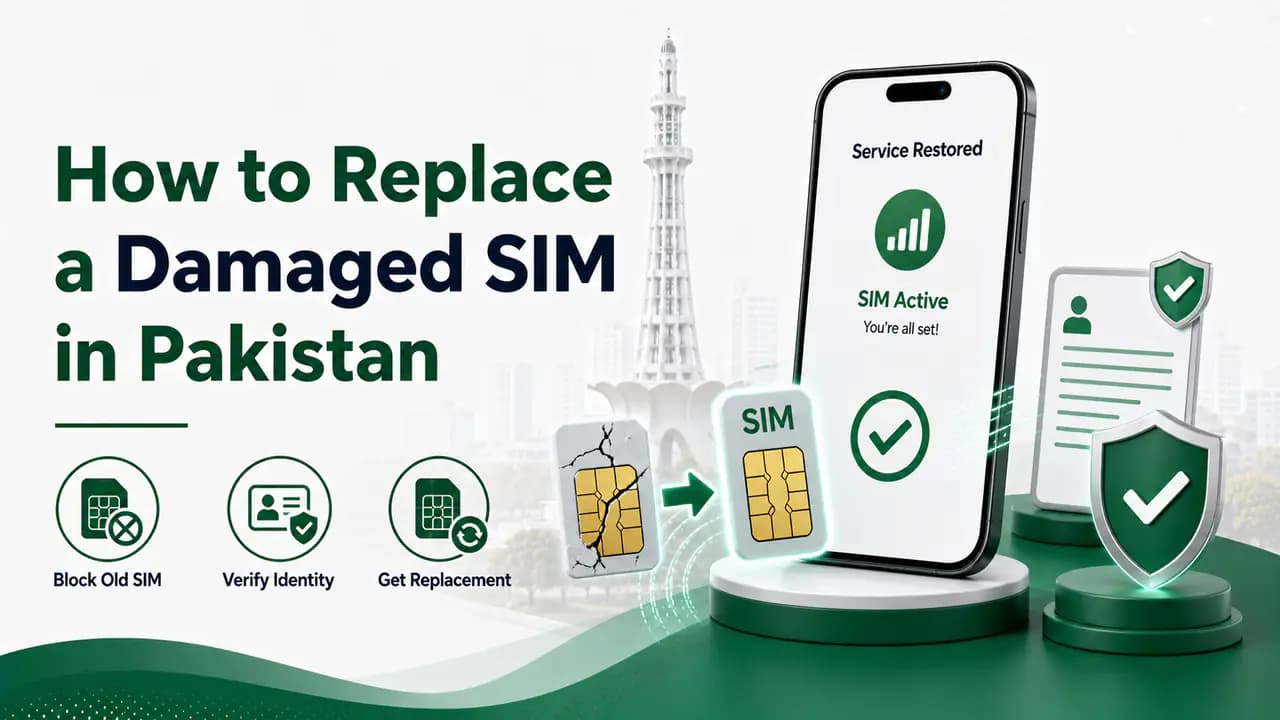
A damaged SIM can become a frustrating problem when your phone suddenly stops detecting it, calls and SMS stop working, or the SIM has been physically broken.
The good news is that you normally do not need to get a completely new mobile number. If the number is still registered in your name, you can request a replacement or duplicate SIM from your mobile network and keep the same number.
The replacement process is designed to verify that the person requesting the replacement is the actual registered subscriber. In Pakistan, biometric verification is an important part of SIM-related services. Operators also advise customers to use SIMs issued through biometric verification.
This guide explains what to do when your SIM is damaged, what documents you need, what happens to the old SIM, and what you should check after receiving the replacement.
8 min readQuick answer
What Is a Damaged SIM?
A damaged SIM is a SIM card that no longer works properly because of physical damage, wear, corrosion, a damaged chip, or another problem affecting the SIM.
Common signs include:
- Your phone shows No SIM.
- The phone repeatedly says Insert SIM.
- The network disappears even though other phones have coverage.
- Calls and SMS stop working.
- Mobile data no longer connects.
- The SIM works intermittently.
- The SIM is physically cracked or damaged.
- The SIM has been cut incorrectly.
- The SIM becomes unreadable after being used for a long time.
Before replacing it, however, make sure the problem is actually with the SIM.
Try removing the SIM, cleaning it gently with a dry soft cloth and inserting it again. You can also test the SIM in another compatible phone.
If the same SIM does not work in another phone, replacement is more likely to be necessary.
Can I Keep My Existing Number?
Yes, in a normal SIM replacement, the purpose is to replace the physical SIM while keeping the existing mobile number.
You are not normally requesting a new number. You are requesting a replacement/duplicate SIM for your existing connection.
The exact procedure, charges and activation time depend on the mobile operator.
For example, Jazz currently lists SIM replacement through its outlets and says the original customer must be present for biometric fingerprint verification. Jazz also currently lists immediate replacement and activation after successful biometric verification.
How to Replace a Damaged SIM
The basic process is straightforward.
How to replace a damaged SIM
Step 1: Identify Your Network
First determine whether your number belongs to Jazz, Zong, Ufone, or Telenor. If you have forgotten the network, you can check the current network of a Pakistani mobile number through the SIM Information System by sending N 03xxxxxxxxx to 76367. The official SIM Information System currently states that this network check costs Rs. 2 + tax. Remember that this checks the network currently associated with the number. It does not mean that the number can never have been transferred between operators.Step 2: Visit an Official Service Point
The safest option is to visit the network's official franchise, customer service center or another authorized outlet that provides SIM replacement. Do not give your CNIC or biometric verification to an unknown person on the street simply because they claim they can replace your SIM. Using an official service point provides a much safer way to make sure the replacement is processed against your existing number. For example, Jazz currently lists retailers, franchise centers and experience centers as locations where customers can get a SIM replaced.Step 3: Take Your Original CNIC
Take your original valid CNIC with you. The operator needs to verify that you are the legitimate subscriber associated with the number. Do not rely on a photograph or an unofficial copy if the operator requires the original document. If your CNIC information has changed or the CNIC has expired, you may need to resolve that issue before certain SIM services can be completed.Step 4: Complete Biometric Verification
At the authorized service point, you will normally have to complete biometric verification. Your fingerprint or another approved biometric verification method is used to establish that you are the registered customer. Zong's published SIM terms state that duplicate SIM issuance follows the same biometric-verification framework used for SIM activation and other subscriber services. Do not allow someone else to perform the biometric process on your behalf. You should be physically present and should know exactly which service you are requesting.
What Happens to the Damaged SIM?
Once the replacement process is successfully completed, the old SIM is normally no longer the active SIM for that mobile number.
The replacement SIM becomes the active physical SIM associated with your number.
You should therefore not expect both the old damaged SIM and the replacement SIM to continue functioning normally as two separate active copies of the same mobile connection.
How Long Does SIM Replacement Take?
The exact activation time depends on the operator and the result of the verification process.
Some operators can activate the replacement shortly after successful biometric verification.
For example, Jazz currently states that replacement and activation are immediate after successful biometric verification.
However, customers should not assume that every network, location or case will have exactly the same processing time.
If your replacement SIM does not start working after the operator's stated activation period, contact the operator's customer support or return to the service center.
How Much Does a Replacement SIM Cost?
The replacement fee depends on the network and can change over time.
For example, Jazz currently lists a Rs. 550 SIM replacement charge for prepaid and postpaid customers. Zong's current published SIM pricing page lists Rs. 400 for a change of SIM.
Because operator charges can change, check the current price with your network before visiting the outlet.
Do not assume that an old price found on a blog or social-media post is still valid.
Jazz Damaged SIM Replacement
If your number is on Jazz, visit a Jazz-authorized outlet.
Jazz currently lists:
- Retailer shops
- Franchise centers
- Experience centers for SIM replacement.
Jazz says the original customer must be present for biometric fingerprint verification. It currently lists Rs. 550 as the replacement charge for prepaid and postpaid customers and states that replacement and activation are immediate after successful biometric verification.
For the latest procedure, charges and outlet locations, use Jazz's official customer information rather than relying on old numbers or unofficial websites.
Zong Damaged SIM Replacement
For a Zong number, visit an authorized Zong customer service center, franchise or other authorized service point that handles SIM replacement.
Zong's published terms explain that duplicate SIM issuance uses the applicable biometric verification process and that the subscriber's eligibility is checked against the SIM count associated with the CNIC.
Zong's current published pricing page lists Change of SIM: Rs. 400.
Because prices and procedures can change, confirm the current charge at an official Zong outlet before completing the replacement.
Ufone Damaged SIM Replacement
If your damaged SIM belongs to Ufone, visit a Ufone sales or service center or another authorized Ufone outlet.
Ufone provides customer support through its official helpline and lists sales and service centers for customer assistance. Its current customer-care information lists 333 when calling from Ufone and 033-11-333-100 from a landline.
Take your original CNIC and be prepared for the required verification.
Telenor Damaged SIM Replacement
For a Telenor number, visit an authorized Telenor franchise or customer service location.
Take your original CNIC and request a replacement/duplicate SIM for your existing number.
The exact replacement fee and processing procedure can change, so confirm the current information through Telenor's official customer support or an authorized service point.
What Should You Check After Getting the Replacement SIM?
Do not simply put the new SIM in your phone and leave the franchise.
Take a few minutes to make sure everything is working.
Check:
1. Network signal
Make sure the phone detects the network.
2. Incoming calls
Ask someone to call your number.
3. Outgoing calls
Make a test call.
4. SMS
Send and receive a test SMS.
5. Mobile internet
Turn on mobile data and confirm that it works.
6. OTP messages
If the number is used for banking, social media, email or other accounts, check that SMS verification messages can reach the replacement SIM.
Most Important: Check Your SIMs Registered on Your CNIC
There is one additional security step that many people forget.
After replacing your SIM, check the SIMs registered against your CNIC.
This is important because you want to make sure that the replacement was processed correctly and that no unexpected connection has been registered against your identity.
The official SIM Information System at cnic.sims.pk allows you to check the total number of SIMs registered against your CNIC. Foreign nationals can use the Foreign ID option provided on the system.
The system displays the number of registered SIMs by network, including categories for voice/data and data-only SIMs.
Why should you do this?
Suppose you visit an outlet to replace your damaged SIM.
You expect only your existing number to be replaced.
Afterward, you check your CNIC and discover an unexpected SIM count.
That is something you should investigate immediately.
Checking your SIM count gives you another opportunity to identify an unauthorized connection associated with your identity.
Check Your SIM Count Regularly
You do not need to check your CNIC every day.
But it is sensible to check after important SIM-related activities such as:
- Getting a new SIM
- Replacing a damaged SIM
- Transferring ownership
- Getting an additional data SIM
- Changing networks
- Suspecting unauthorized SIM activity
The SIM Information System is particularly useful because it shows the total registered SIMs and the operator-wise count.
What If You Notice an Extra SIM?
If the number of SIMs registered against your CNIC is higher than expected, do not ignore it.
Contact the relevant mobile operator and explain that you do not recognize the connection.
You can also contact the Pakistan Telecommunication Authority through its official complaint/support channels when the issue cannot be resolved through the operator.
Keep records of:
- Your CNIC
- The unexpected operator
- The number, if available
- Your complaint/reference number
- The date you reported the issue
- Any SMS or communication you received
Do not provide your CNIC, OTP or biometric information to an unknown person claiming they will solve the issue for you.
Protect Yourself During SIM Replacement
SIM replacement involves access to an important communication identity, so treat the process seriously.
Use an official outlet
Avoid street sellers or unknown individuals offering to replace your SIM cheaply.
Be physically present
Do not allow someone else to complete biometric verification on your behalf.
Know what service you are requesting
Tell the representative clearly that you need a replacement/duplicate SIM for your existing number.
Keep your original CNIC with you
Do not hand your identity document to an unknown person.
Do not share OTPs
If an SMS verification code arrives on your phone, do not disclose it to someone unless you understand exactly why it is required and who is requesting it.
Check your SIM count afterward
This is one of the simplest ways to notice an unexpected change in your registered connections.
What If the SIM Is Damaged but Still Working?
If the SIM still works but has visible physical damage, do not wait until it completely stops working if you rely heavily on the number.
A SIM that works intermittently can become completely unusable later.
If the number is important for:
- Banking
- WhatsApp
- Email
- Business
- Social media
- Government services
- Two-factor authentication
it is better to arrange a proper replacement before the damaged SIM fails completely.
What If My Phone Is the Problem?
Before requesting a SIM replacement, make sure the problem is not your phone.
Try:
Phone troubleshooting before SIM replacement
Restart the phone
Power off and restart your device.Remove and reinsert the SIM
Take the SIM out, inspect the tray and contacts, then insert it again securely.Test the SIM in another phone
Place the same SIM in a different compatible handset to see whether the problem follows the SIM or the phone.Test another working SIM in your phone
Use a known-good SIM in your handset to check whether your phone can detect a network normally.Check whether the SIM tray is damaged
Look for bent pins, a loose tray, or other physical damage that could prevent proper contact.Check whether other people using the same network have service
If others on the same operator also have no signal, the issue may be temporary network disruption rather than a damaged SIM.
If your SIM works perfectly in another phone, the problem may be with your handset rather than the SIM.
This simple test can save you an unnecessary replacement visit.
Damaged SIM vs Lost SIM
A damaged SIM and a lost SIM require slightly different thinking.
Damaged SIM
You still have the physical SIM, but it does not work correctly.
Lost SIM
You no longer have the physical SIM.
If a SIM is lost, contact your operator as soon as possible to prevent unauthorized use. Depending on the operator and situation, you may be able to temporarily block the connection and later obtain a replacement SIM.
Do not wait unnecessarily when a SIM containing your banking or authentication messages has been lost.
What About an Expired or Invalid CNIC?
Your identity document is important for SIM-related services.
If your CNIC has expired or your identity information needs updating, the operator may not be able to complete certain services until the required identity verification is resolved.
Therefore, if you are planning to replace a SIM and your CNIC is expired, first check whether your identity document needs renewal.
Do not assume that an expired CNIC can be used normally for every SIM service.
Can Someone Replace My SIM Without My Permission?
SIM-related fraud is one reason biometric verification and identity checks are important.
You should never knowingly provide your fingerprint, CNIC details or verification codes to an unauthorized person.
If you suddenly lose network service without explanation, especially when your phone previously worked normally, investigate the situation rather than assuming the network is temporarily down.
If you suspect an unauthorized SIM replacement, contact your mobile operator immediately and report the problem.
A Simple Checklist for Damaged SIM Replacement
Before visiting the outlet:
- Confirm that the SIM is actually damaged.
- Test it in another phone if possible.
- Identify your mobile network.
- Take your original CNIC.
- Visit an authorized outlet.
- Request a replacement/duplicate SIM.
- Complete the required biometric verification yourself.
- Confirm the replacement charge.
- Confirm when the new SIM will activate.
- Test calls after activation.
- Test SMS.
- Test mobile data.
- Check important OTP messages.
- Check your SIM count against your CNIC.
- Report any unexpected SIM immediately.
Frequently Asked Questions
Damaged SIM replacement FAQ
Related articles

How to Check SIMs Registered on Your CNIC in Pakistan
Check SIMs registered on your CNIC in Pakistan using the official SIM Information System and SMS 668. Find your network-wise SIM count safely.
How to Check SIMs Registered on Your CNIC in Pakistan
Learn how to check SIMs registered on your CNIC in Pakistan using cnic.sims.pk and SMS 668, understand network counts and identify unknown SIMs.
How to Block a Lost or Stolen SIM in Pakistan
Learn how to block a lost or stolen SIM in Pakistan using operator helplines and official channels, then secure your number, accounts and device.
How to Protect Your CNIC From SIM Fraud in Pakistan
Protect your CNIC from SIM fraud in Pakistan with secure biometric practices, official SIM checks, fraud prevention tips and unknown SIM reporting.
How to Report a Fraudulent SIM in Pakistan
Learn how to report a fraudulent or unauthorized SIM in Pakistan, check unknown CNIC-linked SIMs, contact your operator and escalate to PTA.
Jazz SIM Information in Pakistan
Find Jazz SIM information in Pakistan, including number check, SIM ownership, verification, replacement, Jazz codes, SIMOSA and official support.
Zong SIM Information in Pakistan
Find Zong SIM information in Pakistan, including *8# number check, SIM registration, biometric verification, replacement, eSIM and official support.
Ufone SIM Information in Pakistan: Number, Ownership, Verification and Registration Guide
Find Ufone SIM information in Pakistan, including number and ownership checks, SIM verification, registration, replacement and official support.
Telenor SIM Information in Pakistan
Find Telenor SIM information in Pakistan, including number and ownership checks, SIM verification, replacement, USSD codes and official support.
SIM Card Security Tips in Pakistan: How to Keep Your SIM and CNIC Safe
Learn SIM card security tips in Pakistan to protect your CNIC, OTPs and mobile number, prevent SIM fraud and safely handle lost or unknown SIMs.
About the author
Bottom Line
Replacing a damaged SIM is normally a straightforward process. The most important things are to use an authorized service point, take your original CNIC, complete the required biometric verification yourself and make sure the replacement is for your existing number.
Do not treat the process as simply getting another piece of plastic. Your mobile number may be connected to banking, WhatsApp, email, social-media accounts and other important services.
After the replacement, take one extra step that is easy to forget: check the SIMs registered against your CNIC.
If the number of registered SIMs is different from what you expect, contact the relevant operator and investigate it.
That small check can help you catch an unauthorized connection before it becomes a bigger problem.