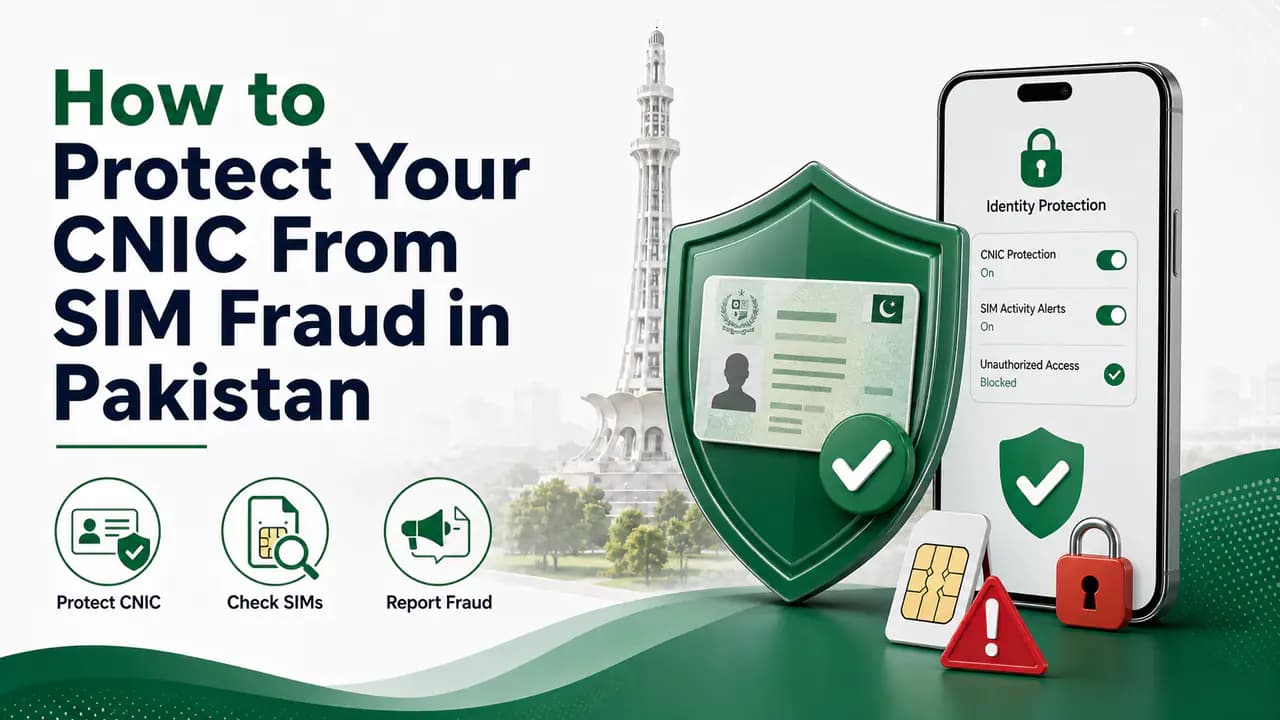
How to Protect Your CNIC From SIM Fraud in Pakistan
Protect your CNIC from SIM fraud in Pakistan with secure biometric practices, official SIM checks, fraud prevention tips and unknown SIM reporting.
Quick answer
Your CNIC is one of the most important pieces of personal information you have in Pakistan. It is used to establish your identity for many services, including mobile SIM registration.
That is why losing control of your CNIC information can create problems beyond receiving unwanted calls or messages. If a mobile connection is issued using your identity without your knowledge, the SIM can become associated with your CNIC even though you never personally used it.
The good news is that there are several simple things you can do to reduce this risk.
You do not need to become an expert in cybersecurity. Most SIM-related fraud prevention comes down to a few basic habits: protect your CNIC information, be careful where you provide fingerprints, use official SIM registration channels, regularly check the SIMs registered in your name, and act quickly when something looks wrong.
What Is SIM Fraud?
SIM fraud generally refers to situations where a mobile connection is obtained or used through someone else's identity without proper authorization.
In Pakistan, SIM registration involves identity verification and biometric processes. The purpose of these controls is to connect a mobile subscriber with the correct identity.
A fraudulent SIM registration can happen when criminals misuse identity information or obtain biometric data through deceptive means.
For example, a person may be approached by someone claiming to be offering a free SIM, government assistance, a survey, or another service. If fingerprints or identity information are collected improperly, that information may potentially be misused.
Pakistan's National Registration & Biometric Policy Framework documents illegal SIM issuance as an identity-fraud risk and describes cases involving misuse of biometric information.
PTA's National CERT guidance also warns about illegal SIM issuance and recommends practical steps such as obtaining SIMs from cellular franchises and periodically checking the number of SIMs issued in your name.
Why Your CNIC Needs Protection
Your CNIC number by itself does not automatically allow someone to register a legitimate SIM. SIM registration involves additional verification requirements.
However, your CNIC is still sensitive information.
A CNIC copy can contain information that may be useful to someone attempting identity-related fraud, especially when combined with other information such as your phone number, address, photographs, or biometric data.
This is why you should avoid treating a CNIC photocopy as an ordinary piece of paper.
If a company or organization genuinely needs a copy, provide it only for a legitimate purpose and through a trustworthy channel.
Never Give Your Fingerprint for an Unclear Reason
One of the most important precautions is also one of the easiest: do not allow anyone to scan your fingerprint unless you understand why the biometric verification is being performed.
Biometric verification is used for legitimate services, including SIM registration and identity verification. The problem is not the technology itself. The problem is allowing your biometric information to be captured by an unknown or unauthorized person.
Be particularly careful with people offering:
- free SIMs
- free internet packages
- government schemes
- surveys
- prize offers
- financial assistance
- "verification" services
- SIM replacement services outside an official channel
If someone asks for your fingerprint, ask what service is being performed and why your biometric verification is required.
PTA's cybersecurity guidance specifically warns about the collection and misuse of thumb data and recommends using proper cellular franchise channels for SIM-related services.
Buy SIMs From Official Cellular Franchises
When you need a new SIM, replacement SIM, or another SIM-related service, use an official cellular operator franchise or another authorized channel.
Avoid buying a SIM from an unknown person, roadside seller, temporary booth, or someone who offers to "activate it for you."
PTA National CERT guidance specifically recommends purchasing SIMs from cellular franchises rather than kiosks, portable vans, standalone booths, or door-to-door sellers.
This does not mean every small retailer is fraudulent. The important distinction is whether the outlet is properly authorized to perform the service.
When in doubt, use the operator's official website or customer service to locate an authorized outlet.
Do Not Hand Your CNIC to Random People
You may be asked for a CNIC copy for legitimate reasons, but you should know who is requesting it and why.
Before giving a CNIC copy, consider:
- Who is asking for it?
- What service requires it?
- Is the organization legitimate?
- Can the service be completed without providing a full copy?
- Where will the copy be stored?
- Is the person authorized to collect it?
If you are giving a photocopy for a specific legitimate purpose, you can also consider writing the purpose on the copy so that it is harder to reuse for an unrelated purpose.
For example, if a copy is being submitted specifically for a particular service, clearly marking its intended purpose can help distinguish it from an unrestricted copy.
Do not alter the actual CNIC or obscure information that the legitimate service requires. The goal is simply to make the purpose of the copy clear.
Do Not Share CNIC Photos With Unknown People
A common mistake is sending a photograph of a CNIC through WhatsApp, Facebook, Telegram, or another messaging platform simply because someone claims they need it.
If you do not know the person or organization, do not send it.
Be especially suspicious when someone says:
Send your CNIC picture and I will check your SIM details.
You do not need a stranger to check your SIM count for you.
The official SIM Information System provides a way for you to check your own registered SIM count.
The safer approach is to perform the check yourself through the appropriate official service.
Check the SIMs Registered in Your Name
One of the best ways to detect a problem is to check your registered SIM count periodically.
The official SIM Information System can show the number of SIMs associated with your CNIC and provide a network-wise breakdown.
For example, your result may show that several SIMs are associated with Jazz, while others are associated with Zong, Telenor, or Ufone.
You can compare those numbers with the SIMs you actually own and use.
PTA's National CERT guidance specifically recommends periodically checking the number of SIMs issued in your name by sending your CNIC number to 668 and blocking illegally issued SIMs.
You can also use the online SIM Information System when you have internet access.
The purpose is simple: know how many SIMs are registered against your identity before someone else discovers the problem for you.
For step-by-step instructions, see how to check SIMs registered on a CNIC or the CNIC SIM check page.
Check Your SIMs After Losing an Old Connection
People often think that a SIM stops being their responsibility the moment they stop using it.
That is not a habit you should rely on.
If you have an old SIM that you no longer use, make sure it has been properly closed or handled through the operator's official procedure.
This is especially important when you have:
- changed your mobile number
- stopped using an old network
- replaced a SIM
- lost your phone
- stopped using a second SIM
- changed jobs where a work-related SIM was involved
- given a SIM to another person for temporary use
Keeping track of old connections makes it easier to notice something unusual when you check your CNIC later.
What to Do If You Find an Unknown SIM
Suppose you perform a CNIC SIM check and discover that the number of registered SIMs is higher than expected.
Do not immediately assume that you have been targeted by a criminal.
First, check whether an old or forgotten connection explains the difference.
If you still cannot explain the extra SIM, identify the network shown in the result.
Then contact that mobile operator through its official customer-service channel or visit an authorized franchise.
Explain that a connection appears to be associated with your CNIC that you do not recognize.
Ask the operator what verification and documentation is required to investigate the registration and, where appropriate, block or remove the connection.
If the operator does not resolve the issue, you can escalate the matter through the appropriate PTA complaint channel.
Keep records of what happened, including any complaint or reference number.
For a dedicated reporting walkthrough, see how to report a fraudulent SIM.
Keep Evidence of Suspicious Activity
If you discover an unexpected SIM, do not immediately delete every related message or throw away documents.
Keep useful evidence.
This can include:
- a screenshot of your SIM-count result
- the date you performed the check
- the network associated with the unexpected SIM
- SMS messages related to the connection
- complaint numbers
- receipts
- correspondence with the mobile operator
You may never need this information, but having it available can make a complaint easier to explain.
Protect Your Mobile Number Too
CNIC protection is only one part of protecting yourself from SIM-related fraud.
Your mobile number is also valuable because it can be used for OTPs, account recovery, banking notifications, social-media accounts, and other services.
Avoid posting your primary mobile number publicly unless necessary.
Be careful when responding to unexpected messages asking you to:
- confirm your number
- provide an OTP
- click a verification link
- update your CNIC information
- activate a SIM
- claim a prize
- receive a package
- verify a bank account
A legitimate organization will not normally need you to disclose an OTP to a random caller.
Never Share an OTP
An OTP is designed to prove that you control a particular account or phone number.
If someone calls and says:
You will receive a code. Tell me the code so I can verify your SIM.
Do not give it to them.
The same applies to codes received for banking, email, social-media accounts, government services, or other applications.
A caller may already know your name, mobile number, or even some CNIC information. That does not prove that the caller is legitimate.
Treat unexpected OTP requests as a warning sign.
Be Careful With SIM Replacement Requests
SIM replacement is a legitimate service, but it is also a sensitive process because your phone number can be connected to many other accounts.
If you lose your phone or SIM, contact your mobile operator through its official channel.
Do not ask an unknown person to arrange a replacement for you.
If you receive an unexpected message saying that a replacement SIM has been requested for your number, contact your operator immediately.
A sudden loss of mobile service can also be a reason to investigate.
For example, if your phone unexpectedly stops receiving calls and SMS while there is no obvious network outage, do not automatically assume it is a technical problem. Contact your operator through an official channel and ask whether anything has changed on your account.
If your SIM is lost, see how to block a lost SIM for immediate security steps.
Do Not Trust "SIM Database" Websites
Search engines contain many websites advertising services such as:
- SIM owner details
- CNIC SIM database
- mobile number owner information
- complete SIM records
- live SIM database
- CNIC owner details
You should be extremely careful with such websites.
A website appearing in Google search results does not make it an official PTA or government service.
Some may simply collect information submitted by visitors. Others may make exaggerated claims about access to private databases.
If a service asks you to enter your CNIC, phone number, OTP, or other sensitive information, first verify that the service is actually operated by the organization it claims to represent.
Avoid Unofficial SIM-Checking Apps
You should also be careful with Android applications claiming to provide SIM-owner information.
An application that asks for unnecessary permissions such as contacts, SMS, phone information, storage, or accessibility access should be treated cautiously.
Do not install an unknown APK simply because someone sends it to you through WhatsApp.
PTA's National CERT has issued cybersecurity guidance concerning malicious applications and identity-related risks.
For important identity-related services, prefer official websites and official applications.
Be Careful With WhatsApp and Social Media
Fraudsters often use WhatsApp because people naturally trust messages that appear to come from a local number.
A WhatsApp profile can contain:
- a company logo
- a government logo
- a person's photograph
- an official-looking name
- copied text from a real organization
None of these proves that the account is genuine.
Do not send your CNIC photograph, fingerprint information, OTP, or other sensitive information to an unknown WhatsApp account.
If an organization claims to have contacted you, independently find its official contact details rather than blindly using the number provided in the message.
For more on suspicious calls and messages, see unknown calls and messages.
Do Not Give Your Fingerprint to "Free SIM" Campaigns
This deserves special attention because biometric information cannot simply be changed like a password.
PTA's cybersecurity material describes cases in which criminals collected thumb data under false pretenses, including fake assistance programs and free-SIM offers.
That is why you should not allow an unknown person to capture your fingerprints just because they say:
It is only for verification.
Ask what is being verified.
If the service is legitimate, there should be a clear reason for the biometric process and an appropriate authorized channel.
Keep Your CNIC Copy Under Control
Many people have CNIC photocopies sitting in offices, shops, rental files, applications, or old documents.
You cannot always recover every copy you have provided in the past, but you can be more careful going forward.
When a CNIC copy is genuinely required:
- Confirm the organization requesting it.
- Understand the reason for collection.
- Provide it through the organization's proper channel.
- Avoid sending it to random individuals.
- Keep a record of where you submitted it when appropriate.
Do not assume that a CNIC photocopy is harmless simply because it is not the original card.
Use Official Identity Services
For identity-related services, use official channels whenever possible.
NADRA is Pakistan's national identity authority and provides official identity and biometric verification services. Its current services include biometric verification, Verisys, and other identity-verification systems.
NADRA has also strengthened its identity framework in recent years, including expanded biometric recognition and newer security features such as QR-based verification on identity documents.
This does not mean every identity problem can be solved through NADRA. SIM registration is also a telecom matter and may require dealing with the relevant mobile operator and PTA.
The important principle is to use the organization responsible for the particular service instead of relying on unofficial intermediaries.
What If Your CNIC Information Has Already Been Shared?
Do not panic.
Many legitimate services require CNIC information, so simply having provided a CNIC copy somewhere does not mean fraud has occurred.
The sensible response is to increase your awareness and monitor your registered services.
For SIM-related concerns, periodically check the SIMs associated with your identity.
If you discover something you do not recognize, investigate it promptly through the relevant operator.
If you believe your identity information has been deliberately misused, keep evidence and use the appropriate official complaint or law-enforcement channel.
What If Someone Is Already Using a SIM Registered on Your CNIC?
If you discover a SIM that you did not authorize, contact the mobile operator responsible for that connection.
Do not attempt to confront or locate the person using the SIM yourself.
Your objective is to get the unauthorized registration investigated and handled through the proper process.
If the matter involves suspected criminal activity, identity theft, fraud, harassment, or another serious issue, preserve the relevant evidence and consider using the appropriate official complaint or law-enforcement channel.
For telecom-related problems, PTA is the relevant regulatory authority for complaints that cannot be resolved through the operator.
PTA SIM Check and 668
The 668 service is useful as a monitoring tool.
PTA's National CERT guidance recommends periodically sending your CNIC number to 668 to check the number of SIMs issued in your name.
This is not something you need to do every day.
A periodic check is enough for most people, especially after major changes such as replacing or closing several SIMs.
The commonly quoted SMS charge is around Rs. 2 plus applicable tax, although charges can change, so verify the current cost with your operator.
What About 667?
The 667 service serves a different purpose and should not be confused with the CNIC SIM-count check.
The commonly used MNP SMS method is intended for information associated with a mobile connection and is different from checking the total number of SIMs registered against your CNIC.
You therefore do not need to use every available SIM-related service simply to protect your CNIC.
Use the service that matches the problem you are actually trying to solve.
What About the 76367 Network Check?
The network-check service is also a separate service.
Sending the appropriate network-check SMS can help determine the current network associated with a mobile number.
That can be useful in situations where you need to know which operator currently handles a number, but it does not replace a CNIC SIM-count check.
Again, the safest approach is to keep each service's purpose separate.
Signs That You Should Take Action
Pay attention if you notice things such as:
- an unexpected SIM count on your CNIC
- a mobile connection you do not recognize
- unexpected SIM replacement messages
- sudden unexplained loss of mobile service
- OTP messages you did not request
- telecom notifications about services you never activated
- repeated calls from people asking for your CNIC or biometric information
- someone offering a SIM without proper verification
- an unknown person claiming to have your SIM information
One sign alone does not necessarily prove fraud.
But several unusual events occurring together deserve immediate attention.
A Simple CNIC Protection Routine
You do not need a complicated security system.
A simple routine is enough.
Every few months
Check the number of SIMs registered in your name.
Whenever you stop using a SIM
Make sure you deal with the connection properly through the operator.
Whenever you lose a SIM or phone
Contact the operator promptly.
Whenever someone asks for your fingerprint
Ask why the biometric verification is required and make sure you are dealing with an authorized service provider.
Whenever someone asks for your CNIC
Confirm who is requesting it and why.
Whenever someone asks for an OTP
Do not share it.
Whenever you discover an unexpected SIM
Contact the relevant operator and investigate it rather than ignoring it.
A Note About Biometric Security
Biometric verification is designed to make identity fraud more difficult, but it is not a reason to become careless with your fingerprints.
NADRA describes biometric verification as an important identity-assurance mechanism and currently provides multiple biometric verification services.
NADRA's newer identity framework also places additional emphasis on stronger authentication and biometric recognition.
The practical lesson for ordinary users is simple: use biometric verification when it is legitimately required, but only through an authorized process.
Do not let an unknown person capture your fingerprint merely because they promise a free service.
What You Should Never Share With an Unknown Person
As a general rule, do not give an unknown person:
- your CNIC photograph
- your CNIC number without a legitimate reason
- your fingerprint
- an OTP
- banking credentials
- your ATM PIN
- passwords
- SIM replacement codes
- photographs of sensitive documents
A legitimate employee may legitimately need some of this information in the proper verification process. The important question is whether you know who is asking, why they need it, and whether the channel is authorized.
Frequently Asked Questions
Related articles
How to Report a Fraudulent SIM in Pakistan
Learn how to report a fraudulent or unauthorized SIM in Pakistan, check unknown CNIC-linked SIMs, contact your operator and escalate to PTA.

How to Check SIMs Registered on Your CNIC in Pakistan
Check SIMs registered on your CNIC in Pakistan using the official SIM Information System and SMS 668. Find your network-wise SIM count safely.
SIM Card Security Tips in Pakistan: How to Keep Your SIM and CNIC Safe
Learn SIM card security tips in Pakistan to protect your CNIC, OTPs and mobile number, prevent SIM fraud and safely handle lost or unknown SIMs.
Unknown Calls and Messages in Pakistan: What to Do and How to Stay Safe
Learn how to handle unknown calls and messages in Pakistan, recognize phone scams, protect your CNIC and OTPs, block numbers and report fraud.
How to Check SIMs Registered on Your CNIC in Pakistan
Learn how to check SIMs registered on your CNIC in Pakistan using cnic.sims.pk and SMS 668, understand network counts and identify unknown SIMs.
PTA SIM Information in Pakistan — Official Channels & Services
Find official PTA SIM information services in Pakistan, including CNIC SIM checks, SMS 668, PTA complaints, helplines and SIM verification guidance.
About the author
Bottom Line
Protecting your CNIC from SIM fraud does not require complicated technology.
Be careful about who receives your CNIC information. Do not allow unknown people to collect your fingerprints. Buy and replace SIMs through authorized cellular operator channels. Never give an OTP to a caller who asks for it.
Most importantly, keep an eye on the SIMs registered in your name.
PTA's own cybersecurity guidance recommends periodically checking SIMs issued in your name and blocking any illegally issued connection.
If you discover something you do not recognize, do not ignore it and do not try to solve it through an unofficial "SIM database" website. Contact the relevant mobile operator and use official complaint channels when necessary.
Your CNIC is part of your identity. Treat it — and the biometric information connected to it — with the same care you would give your bank account or other important personal information.