Unknown Calls and Messages in Pakistan: What to Do and How to Stay Safe
Learn how to handle unknown calls and messages in Pakistan, recognize phone scams, protect your CNIC and OTPs, block numbers and report fraud.
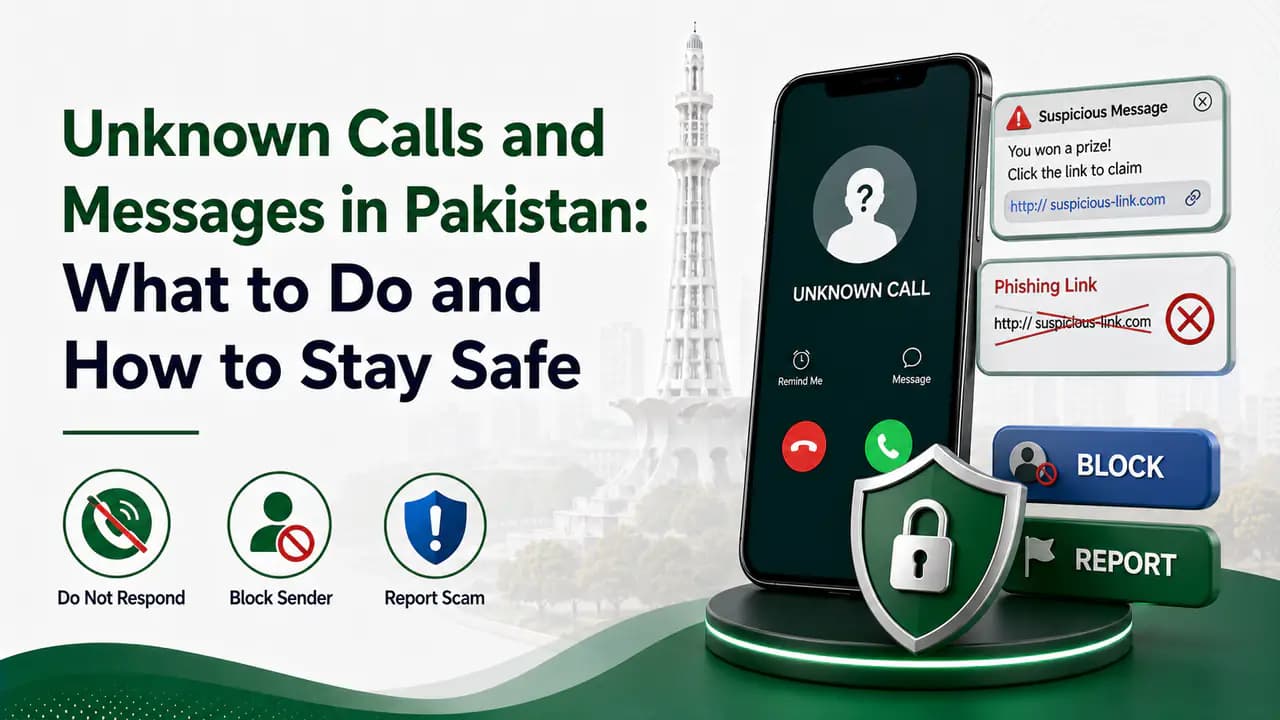
Quick answer
Getting a call from an unknown number is normal these days. Sometimes it is simply a wrong number, a delivery rider, a business call, or someone whose number you have not saved. But repeated calls, suspicious SMS messages, fake offers, and requests for personal information can also be signs of spam or fraud.
The safest approach is simple: do not trust an unknown caller just because they know your name, CNIC details, mobile network, or some other information about you.
If a number looks suspicious, you can block it immediately. If the calls or messages continue, contact your mobile network's helpline. For serious fraud, threats, financial loss, identity theft, or cybercrime, you may need to report the matter to the appropriate authority.
This guide explains what to do when you receive unknown calls and SMS messages in Pakistan, how to recognize suspicious callers, and when you should report them.
What Are Unknown Calls and Messages?
An unknown call is simply a call from a number that is not saved in your contacts.
An unknown SMS is a message from a number or sender you do not recognize.
Not every unknown number is dangerous. For example, you might receive a genuine call from:
- A delivery service
- A shop or business
- A friend using a new number
- A bank or service provider
- A government or private organization
- Someone who accidentally dialed your number
The problem begins when the caller or sender tries to make you reveal sensitive information, send money, open a suspicious link, or perform an action under pressure.
Common Types of Suspicious Calls and SMS in Pakistan
There is no single type of scam call. Fraudsters often change their stories depending on current events and popular services.
Some common examples include:
1. Fake Prize or Lottery Calls
You may receive a call saying that you have won:
- A cash prize
- A car
- A mobile phone
- A lucky draw
- A special reward
The caller may then ask you to pay a "tax", "processing fee", "registration fee", or "security deposit".
A genuine prize should not require you to send money to an unknown person simply to receive it.
2. Fake Bank or Account Messages
A message may claim that:
- Your account has been blocked.
- Your account will be suspended today.
The message may contain a link asking you to enter your login details, card information, PIN, or OTP.
Do not use the link provided in a suspicious SMS. If you genuinely think the message might be from your bank, open the bank's official app or contact the bank using a verified contact method.
3. Fake SIM or PTA Messages
Some scammers use telecom-related stories because almost everyone in Pakistan uses a mobile SIM.
A caller might claim:
- Your SIM is going to be blocked.
- Your CNIC needs verification.
- Your SIM has been used for illegal activity.
- You have won a telecom promotion.
- Your biometric verification has failed.
- Your SIM needs to be upgraded.
The caller may then request your CNIC number, OTP, PIN, or other information.
Do not provide sensitive information simply because someone claims to be calling from a mobile operator or government organization.
4. Fake Loan or Financial Offers
You may receive messages offering:
- Instant loans
- Easy cash
- Investment opportunities
- Unusually high returns
- Special financing
Be particularly careful when the sender asks for an upfront payment or sensitive financial information.
5. Fake Delivery or Parcel Messages
Another common approach is a message claiming that you have a parcel waiting for delivery.
It may contain a link asking you to:
- Pay a small delivery charge
- Confirm your address
- Enter your card details
- Provide an OTP
If you are actually expecting a parcel, verify it through the courier's official website or application instead of clicking the link in the SMS.
What Should You Do When You Receive an Unknown Call?
You don't have to investigate every unknown number.
If you don't recognize the caller and there is no reason to answer, you can simply let the call go unanswered.
If you do answer and the conversation immediately becomes suspicious, end the call.
Do not stay on the phone just because the caller says the matter is urgent.
Never share these details with an unknown caller
Do not give an unknown caller:
- CNIC number
- CNIC photograph
- OTP
- ATM PIN
- Mobile banking PIN
- Internet banking password
- Card number
- CVV
- Email password
- SIM verification codes
- Authentication codes
- Recovery codes
A caller may already know some information about you. That does not prove that the person is legitimate.
Block Suspicious Numbers Immediately
If you identify a number as spam, harassment, or a scam attempt, block it immediately.
Modern Android and iPhone devices generally provide options to block numbers from the call history or messaging application.
Blocking is particularly useful when:
- The same number repeatedly calls you.
- The caller refuses to identify themselves.
- The caller keeps asking for personal information.
- You receive repeated promotional messages you do not want.
- The caller uses threats or abusive language.
- The number sends suspicious links.
Blocking the number does not necessarily mean that the underlying problem has been reported. If the activity is serious or continues from different numbers, consider reporting it as well.
What If the Same Person Keeps Calling From Different Numbers?
This is where simply blocking one number may not be enough.
For example, you might block:
0300xxxxxxx
and then receive another call from:
0312xxxxxxx
If this happens repeatedly, keep a record of the numbers and messages rather than deleting everything immediately.
Save:
- Phone numbers
- SMS messages
- Screenshots
- Dates and times of calls
- Relevant links
- Transaction information, if money was involved
- Any identifying information provided by the caller
This information can become useful if you later make a complaint.
Contact Your Mobile Network
If the problem involves repeated spam, suspicious SMS, unwanted calls, or a problem with your SIM or mobile account, contact your network operator.
The major mobile operators in Pakistan provide customer support through their official channels.
For example:
- Jazz: 111
- Ufone: 333
- Zong: 310
- Telenor: 345
These numbers and available services can change, so for important matters it is better to verify the current contact method through your operator's official website or app.
Your operator may be able to help with issues related to your SIM, account, unwanted services, or network-level complaints.
Don't use a number supplied by the suspicious caller
This is important.
If someone calls and says:
"Call this number to verify your SIM."
don't automatically trust the number they provide.
Instead, find the operator's official contact information yourself.
When Should You Report an Unknown Number?
Not every wrong-number call requires a formal complaint.
However, reporting becomes more appropriate when there is:
- Repeated harassment
- Fraud attempts
- Threats
- Identity theft
- Financial fraud
- Fake identity or impersonation
- Malicious links
- Attempts to obtain OTPs or passwords
- Unauthorized SIM-related activity
- Repeated scam messages
- Extortion or blackmail
For telecom-related complaints, Pakistan's Pakistan Telecommunication Authority (PTA) provides a Complaint Management System through which consumers can submit and track telecom complaints.
For broader PTA channels and complaint routing, see PTA SIM information.
PTA Complaint Management System
When Should You Contact FIA or a Cybercrime Authority?
If the incident goes beyond ordinary spam and involves an actual cybercrime, you should consider reporting it to the appropriate law-enforcement/cybercrime authority.
Examples include:
- Online financial fraud
- Identity theft
- Serious cyber harassment
- Threats
- Blackmail
- Account compromise
- Fraud involving digital platforms
- Other serious cybercrime
The Federal Investigation Agency currently lists 1991 for cybercrime-related contact and provides complaint information through its official website.
FIA official complaint information
Keep your evidence when making a complaint. Screenshots and message records can be much more useful than simply saying, "Someone called me."
What If You Accidentally Shared Your OTP?
Act quickly.
If you gave an OTP to an unknown person, don't assume nothing happened just because the caller has ended the conversation.
Depending on what the OTP was for, immediately:
- Contact the relevant bank, mobile operator, or service.
- Secure the affected account.
- Change the password if applicable.
- Check recent account activity.
- Contact your bank immediately if financial information was involved.
- Report the incident if fraud occurred.
An OTP should be treated like a password. Never give an OTP to someone over the phone.
What If You Clicked a Suspicious Link?
Don't panic, but take the situation seriously.
If you only opened a webpage and did not enter any information, the risk may be different from a situation where you entered your:
- Password
- CNIC
- Bank details
- Card information
- OTP
- Email credentials
If you entered sensitive information, change the affected credentials and contact the relevant service immediately.
If money was involved, contact your bank or financial service provider without waiting.
Can an Unknown Number Hack Your Phone Just by Calling?
Simply receiving a normal phone call does not mean that your phone has automatically been hacked.
The bigger danger is usually social engineering: convincing you to reveal information, click a link, install something, transfer money, or provide an authentication code.
That is why you should focus on what the caller is asking you to do rather than becoming worried about the number itself.
If your device shows unusual behavior after installing an application or interacting with a suspicious link, investigate the device and the affected accounts separately.
Don't Trust Caller ID Completely
A phone number appearing on your screen is not proof that the person is who they claim to be.
Scammers can use different techniques to make communications appear more trustworthy.
Therefore, if somebody says:
"I'm calling from your bank."
don't verify their identity by asking them for information that they can simply tell you.
Instead, end the call and contact the organization using its official app, website, or customer-service number.
The same principle applies to:
- Mobile operators
- Banks
- Government departments
- Courier companies
- Social-media platforms
- Online marketplaces
Check Your SIMs Registered on Your CNIC
Unknown calls are not the only telecom-related security issue worth watching.
You should also periodically check which SIMs are registered against your identity.
Pakistan's SIM Information System can show the number of SIMs associated with an identity and their network/operator distribution. Use the official service rather than random websites claiming to provide private SIM-owner information.
You can check which SIMs are registered on your CNIC through the official PTA SIM Information System.
PTA SIM Information System
If you discover a SIM you don't recognize, contact the relevant network operator and ask them to investigate.
This is especially important if you suspect that someone has used your identity information without permission.
Don't Try to Find the Private Identity of an Unknown Caller
There are many websites and apps claiming that they can reveal the complete identity, CNIC, address, or private information of any mobile number.
Be careful with such services.
A website asking you to enter another person's number does not automatically have legitimate access to official subscriber records.
Instead of trying to obtain someone's private information, focus on:
- Blocking the number
- Preserving evidence
- Contacting your network
- Reporting abuse or fraud
- Contacting the appropriate authority when necessary
How to Stop Unwanted SMS Messages
If you repeatedly receive unwanted messages:
Steps to reduce unwanted SMS
Step 1: Don't respond
Replying to a suspicious sender can sometimes confirm that your number is active.Step 2: Don't click links
Especially avoid shortened or unfamiliar links in unexpected messages.Step 3: Block the sender
Use your phone's built-in messaging controls.Step 4: Report spam where possible
Many messaging applications provide a Report spam option.Step 5: Contact your operator
If the messages continue, contact your mobile network's customer support and ask about available spam or unwanted-message controls.
What About Promotional Messages?
Not every promotional SMS is a scam.
You may receive legitimate marketing messages from companies whose services you have used or from your mobile operator.
The important distinction is between ordinary marketing and messages that attempt to deceive you.
A legitimate promotion should still be verified before you provide sensitive information or make a payment.
If you don't want promotional communications, check whether the company or network provides an official opt-out mechanism.
Keep Evidence Before Blocking in Serious Cases
For an ordinary spam call, blocking immediately is usually fine.
But if the caller is threatening, blackmailing, attempting fraud, or repeatedly harassing you, take screenshots and save relevant information before deleting anything.
A useful record can look like this:
This makes it easier to explain the situation to your network operator or authorities.
What Not to Do With Scam Callers
Avoid these mistakes:
Don't argue with them
There is usually nothing to gain from arguing with a scammer.
Don't threaten them
If you believe the number is fraudulent, report and block it instead.
Don't send money to "verify" your identity
A request for an unexpected payment should immediately raise suspicion.
Don't provide your CNIC photograph
Your CNIC contains valuable identity information.
Don't share OTPs
This deserves repeating: never share an OTP with a caller.
Don't install an app because a caller tells you to
Especially if they ask you to install a remote-access or unknown application.
Don't click links simply because the message looks official
Verify independently.
A Simple Rule for Unknown Calls
You can remember this simple sequence:
Unknown number → Don't trust automatically → Don't share information → End the call → Block → Report if necessary.
If the issue is minor, blocking may be enough.
If it continues, contact your network operator.
If it becomes a telecom complaint, use PTA's complaint channels.
If it involves serious fraud, threats, financial loss, identity theft, or cybercrime, escalate it to the appropriate authority.
What to Do If Your SIM Is Being Misused
If you suspect that your SIM or identity has been used without your permission, don't wait.
First, contact your mobile operator.
You can also check the SIMs registered against your CNIC through the official SIM Information System.
If you discover an unfamiliar SIM, ask the operator about the appropriate process for blocking or resolving it.
If the matter involves fraud or criminal activity, preserve your evidence and report it through the relevant official channel.
Unknown Calls and Messages: Quick Safety Checklist
Before responding to an unknown caller or message, ask yourself:
- Do I know this person?
- Was I expecting this call?
- Are they asking for an OTP?
- Are they asking for my CNIC?
- Are they asking for money?
- Are they threatening me?
- Are they creating unnecessary urgency?
- Are they sending an unfamiliar link?
- Are they asking me to install an application?
- Can I verify their claim independently?
If several answers raise concerns, end the conversation and block the number.
Frequently Asked Questions
Related articles
How to Protect Your CNIC From SIM Fraud in Pakistan
Protect your CNIC from SIM fraud in Pakistan with secure biometric practices, official SIM checks, fraud prevention tips and unknown SIM reporting.
How to Report a Fraudulent SIM in Pakistan
Learn how to report a fraudulent or unauthorized SIM in Pakistan, check unknown CNIC-linked SIMs, contact your operator and escalate to PTA.
SIM Card Security Tips in Pakistan: How to Keep Your SIM and CNIC Safe
Learn SIM card security tips in Pakistan to protect your CNIC, OTPs and mobile number, prevent SIM fraud and safely handle lost or unknown SIMs.
Telecom Complaints in Pakistan: How to Register and Escalate a Complaint
Learn how to file a telecom complaint in Pakistan, contact your mobile operator, escalate complaints through PTA CMS and report cybercrime to NCCIA.

How to Check SIMs Registered on Your CNIC in Pakistan
Check SIMs registered on your CNIC in Pakistan using the official SIM Information System and SMS 668. Find your network-wise SIM count safely.
PTA SIM Information in Pakistan — Official Channels & Services
Find official PTA SIM information services in Pakistan, including CNIC SIM checks, SMS 668, PTA complaints, helplines and SIM verification guidance.
How to Check SIMs Registered on Your CNIC in Pakistan
Learn how to check SIMs registered on your CNIC in Pakistan using cnic.sims.pk and SMS 668, understand network counts and identify unknown SIMs.
About the author
Bottom Line
Unknown calls and messages are not automatically dangerous, but you should never give an unfamiliar caller your trust simply because they sound convincing.
The safest approach is straightforward:
Don't share sensitive information. Don't click suspicious links. Block suspicious numbers immediately. Contact your network helpline if the problem continues. Report serious telecom issues to PTA, and escalate genuine fraud or cybercrime to the appropriate law-enforcement authority.
Also make it a habit to check the SIMs registered against your CNIC from time to time. It is a simple step that can help you notice unauthorized SIM registrations early.
Most importantly, remember that legitimate organizations generally don't need you to disclose an OTP, PIN, password, or other secret authentication information to an unsolicited caller.