Telecom Complaints in Pakistan: How to Register and Escalate a Complaint
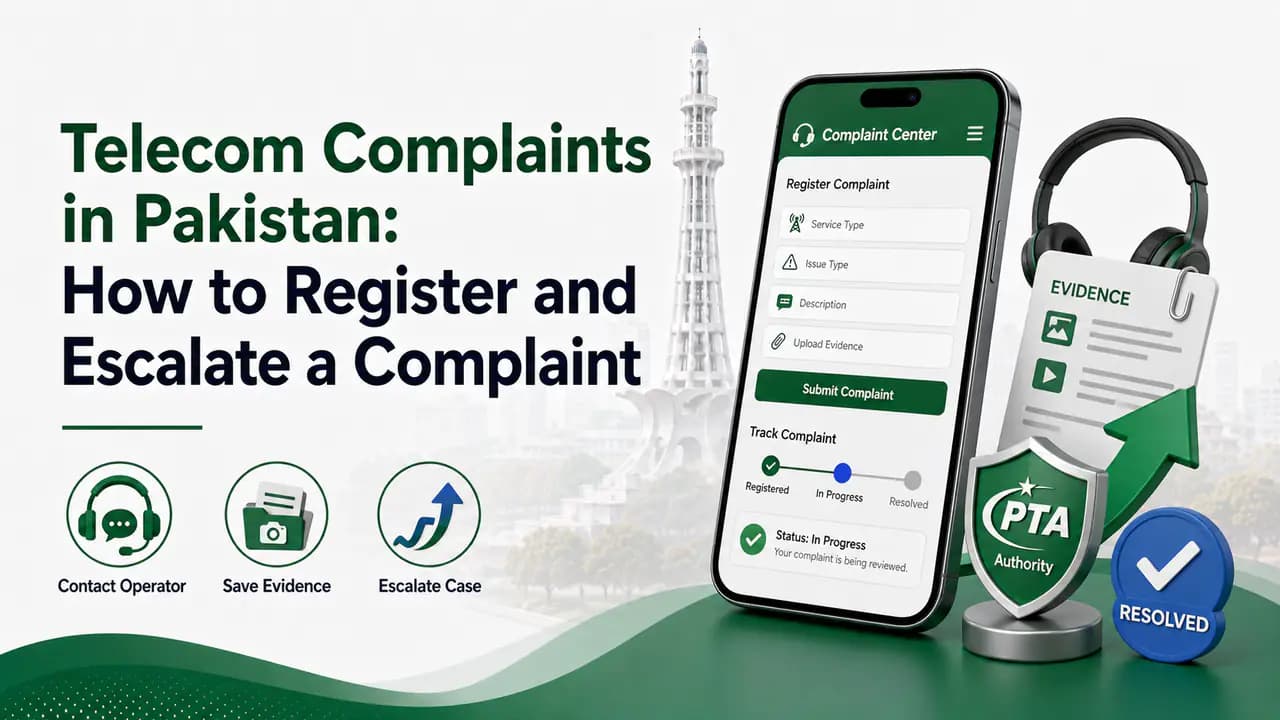
Learn how to file a telecom complaint in Pakistan, contact your mobile operator, escalate complaints through PTA CMS and report cybercrime to NCCIA.
Quick answer
If you are facing a problem with your mobile network, SIM, balance, internet service, unwanted deductions, unauthorized SIM registration, or another telecom-related issue, you do not have to simply accept it.
In Pakistan, the normal complaint process starts with your mobile network operator. If the operator does not resolve the problem properly, you can escalate the matter through the Pakistan Telecommunication Authority (PTA) Complaint Management System (CMS).
The important thing is to use the right complaint channel for the right problem and keep your complaint reference number and supporting evidence.
This guide explains how to file telecom complaints in Pakistan, when to contact Jazz, Zong, Ufone or Telenor, when to approach PTA, what information you should keep, and what to do when the problem involves fraud or cybercrime.
What is a telecom complaint?
A telecom complaint is a formal request for help or resolution concerning a telecommunications service.
It can involve your:
- Mobile SIM
- Mobile number
- Voice calls
- SMS
- Mobile internet
- Network coverage
- Balance
- Packages
- Unwanted services
- Billing
- SIM registration
- SIM replacement
- SIM blocking
- Unauthorized SIM
- Number portability
- Roaming
- Other mobile-network services
For example, if money is repeatedly deducted from your balance without your understanding why, you can complain to your operator.
Similarly, if you discover that an unexpected SIM is registered against your CNIC, that should be investigated rather than ignored.
Should you contact your network or PTA first?
For most ordinary service problems, contact your mobile network operator first.
Your operator is the company actually providing your cellular service, so it is normally in the best position to check your account, SIM, billing, package, network issue or complaint history.
If you contact the operator and the issue is not properly resolved, you can then escalate the matter through PTA's complaint system.
PTA's current Complaint Management System is designed to allow consumers to register and track telecom complaints, and complaints related to telecom services can be routed to the relevant service provider.
So the basic process is:
Mobile operator → Complaint/reference number → Wait for resolution → PTA escalation if necessary
Common telecom complaints in Pakistan
There are many reasons why someone may need to complain about a telecom service.
1. Wrong or unexplained balance deduction
You may notice that your prepaid balance is decreasing even though you did not knowingly subscribe to a service.
Before complaining, check whether:
- A package expired
- Mobile data was used outside a package
- A value-added service was activated
- A subscription renewed automatically
- Another service was charged
If the deduction is still unexplained, contact your operator and ask for an explanation.
Keep the relevant SMS or screenshot.
2. Unauthorized SIM registered on your CNIC
This is a more serious type of complaint.
If you check the SIMs registered against your identity and find a connection you did not purchase, contact the relevant mobile operator.
Do not assume that an unknown SIM will automatically disappear.
Ask the operator to investigate the registration and take the appropriate action.
You should also keep checking your SIM registrations periodically, particularly if you have recently purchased, replaced or transferred a SIM.
How to check SIMs registered against your CNIC
PTA's SIM Information System can be used to check the number of SIMs registered against your identity and the operators associated with those registrations.
This is particularly useful when you suspect that a SIM may have been issued using your identity without your permission.
The important thing to remember is that the SIM information system is primarily useful for checking how many connections are associated with your identity. It should not be treated as a general service for obtaining private details about another person's SIM.
If you discover an unexpected connection, contact the relevant operator and report it. You can also use the site's CNIC SIM check page or the guide to checking SIMs registered on a CNIC for more information.
3. Poor mobile network coverage
You can also complain if your network consistently performs poorly in a particular location.
Examples include:
- Very weak signal
- Calls frequently dropping
- Calls failing to connect
- Very slow mobile internet
- Internet disconnecting repeatedly
- Poor indoor coverage
- Problems occurring only at certain locations
When reporting a network problem, give as much useful information as possible.
For example:
- Problem: Mobile internet frequently disconnects
- Location: Your general area
- Problem started: Approximate date
- Frequency: Several times every day
- Device: Phone model
- Network: Your operator
- Other information: Whether the problem occurs indoors, outdoors or both
The more specific the information, the easier it is for the operator to investigate.
Ufone, for example, has an online network complaint form that asks for information such as the problematic location, problem frequency, signal strength, handset and the period since the problem started.
4. SIM blocked or not working
A SIM can stop working for different reasons.
For example:
- Temporary blocking
- Security-related blocking
- SIM damage
- Account issues
- Verification problems
- Network-side issues
- Regulatory restrictions
Contact your operator before assuming that the SIM is permanently unusable.
If the issue requires physical verification or replacement, you may be directed to an official franchise or service centre.
5. Lost or stolen SIM
If you lose your phone or SIM, do not wait until someone misuses the number.
Contact your network immediately and request blocking or suspension of the connection. See the guide to blocking a lost SIM for more detail.
Depending on the operator and circumstances, a temporary block may be possible, followed by SIM replacement or restoration after verification.
For a permanent SIM replacement, you may need to visit an authorized service location and complete the required verification.
6. Unwanted calls and SMS
You may also complain about:
- Repeated marketing calls
- Spam SMS
- Fraudulent messages
- Obnoxious calls
- Unwanted promotional services
First identify whether the communication is coming from the operator itself, a legitimate business, or an unknown person.
Do not give an unknown caller your:
- OTP
- PIN
- Password
- Banking information
- CNIC photograph
- SIM verification code
A message claiming to be from your mobile operator does not automatically mean it is genuine.
Jazz currently warns customers about fraudulent messages impersonating trusted brands and advises customers not to click suspicious links or share OTPs, PINs, passwords or payment information. For more on suspicious calls and messages, see unknown calls and messages.
How to complain to Jazz
Jazz customers can use Jazz's official customer-support channels for queries and complaints. See Jazz SIM information for operator-specific details.
Jazz currently lists:
- Prepaid helpline: 111
- From other networks: 0 111 300 300
Jazz also provides the SIMOSA app for account management and complaint handling.
When making a complaint, explain the problem clearly and ask for a complaint/reference number.
For example:
My balance has been deducted for a service that I did not knowingly subscribe to. Please investigate the deduction and provide the complaint reference number.
Do not simply say "my balance is gone." Give the approximate amount, date and any relevant SMS.
How to complain to Zong
Zong provides an official complaints channel for its customers. See Zong SIM information for more details.
Its current complaint information lists:
- Zong helpline: 310
Zong also provides online complaint registration and customer support through its official channels.
When contacting Zong, explain the problem and request a complaint/reference number.
Keep that number because it can become important if you later need to escalate the matter.
How to complain to Ufone
Ufone currently lists its helpline and support contacts. See Ufone SIM information for operator-specific guidance.
- Ufone helpline: 333
- Other contact: 033-11-333-100
- Email: customercare@ufone.com
For network problems, Ufone also provides an online network complaint form where customers can provide details about the affected location, handset, signal strength and problem frequency.
How to complain to Telenor
Telenor's current self-service information lists 345 as the individual customer helpline for prepaid/postpaid customers, including complaints such as network/service issues and obnoxious calls. See Telenor SIM information for more details.
When contacting customer support, explain the issue and keep the complaint/reference number provided to you.
What information should you provide in a telecom complaint?
A good complaint is specific.
Instead of writing:
My SIM is not working.
Give useful information such as:
- Mobile number
- Operator
- Nature of the problem
- Date the problem started
- Location, if it is a network issue
- Approximate time when the problem occurs
- Relevant package or service
- Transaction or deduction amount
- Previous complaint number
- Screenshots or SMS evidence
You should provide only the information that is actually required.
Do not unnecessarily send copies of your CNIC, passwords, OTPs or other sensitive information to random people claiming to represent the operator.
Always keep your complaint number
This is one of the most important steps.
After contacting your operator, ask:
"What is my complaint/reference number?"
Save it.
You may need it later when:
- Calling customer support again
- Following up
- Checking the complaint status
- Escalating to PTA
- Showing that you already contacted the operator
Take a screenshot if the complaint number appears in an app or online portal.
What if the mobile operator does not solve the problem?
This is where PTA's Complaint Management System becomes important.
PTA's CMS allows consumers to register telecom-related complaints and monitor their status. The current PTA manual explains that users create a profile, submit complaint information and can track complaints through the system. For more background, see PTA SIM information.
The system can collect information such as:
- Service provider
- Service type
- Complaint nature
- Subscriber complaint number
- Complaint reference number
This is why keeping your operator's complaint/reference number is so useful.
How to escalate a telecom complaint to PTA
If your operator has not properly resolved your issue, you can use the PTA Complaint Management System.
The general process is:
How to escalate a complaint through PTA CMS
Step 1: Create your PTA CMS account
The current PTA CMS manual says users need to create a profile before submitting complaints. The registration process can require information such as full name, CNIC, mobile number, email address, postal address, city, password, and OTP verification.Step 2: Select the telecom complaint option
Choose the relevant complaint category and service provider.Step 3: Explain the problem
Write a short but complete description. Include what happened, when it happened and what you have already done.Step 4: Provide the operator's complaint number
If you already contacted your network, enter the relevant complaint/reference number where requested.Step 5: Attach evidence if required
Depending on the complaint, useful evidence can include screenshots, SMS messages, billing information, complaint reference, and relevant documents. Do not upload unnecessary private information.Step 6: Submit and track
After submission, keep the PTA complaint/reference information and monitor the complaint status. PTA's CMS is specifically designed to allow users to monitor their complaints and receive updates.
What evidence should you keep?
Evidence can make a complaint much easier to understand.
For example, if you complain about an unauthorized balance deduction, keep:
- The deduction SMS
- Screenshot of the deduction
- Date and time
- Amount deducted
- Package/service name if shown
- Operator complaint number
For a network complaint, keep:
- Approximate location
- Screenshots of speed tests if useful
- Date/time of failures
- Phone model
- Signal information if available
- Operator complaint number
For an unauthorized SIM complaint, keep:
- Your SIM-registration result
- Operator name
- Complaint/reference number
- Any communication from the operator
Do not publish your CNIC or private documents publicly just to prove that you have a complaint.
What if someone registered a SIM using my CNIC?
Treat this as a security issue.
First check the SIM registration information associated with your identity.
If you find an unexpected SIM:
What to do about an unauthorized SIM
Note the operator
Identify which mobile network the unexpected SIM is registered with.Contact that operator
Use the operator's official customer-support channel to report the issue.Explain that you did not request the connection
Clearly state that you did not purchase or authorize the SIM.Ask them to investigate
Request that the operator investigate the registration and take appropriate action.Request a complaint/reference number
Always ask for and save the complaint or reference number.Keep records of the complaint
Save screenshots, SMS confirmations, and any written communication.Escalate to PTA if the issue is not resolved
If the operator does not properly address the problem, use PTA's Complaint Management System.
After the issue has been addressed, check your SIM registrations again later.
The goal is not only to remove one unauthorized connection but also to make sure that no additional connection has appeared.
What if the complaint involves fraud?
Not every telecom complaint is a cybercrime.
For example:
"My internet package did not work."
This is normally a telecom-service complaint.
But:
"Someone used my identity to commit online fraud, hacked my account, stole money, or used my number as part of a cybercrime."
That is a different situation.
In cases involving cybercrime, fraud, identity theft, hacking or online harassment, you may need to report the matter to the appropriate law-enforcement authority in addition to contacting the telecom operator. See the guide to reporting a fraudulent SIM for more detail.
NCCIA complaints for cybercrime
Pakistan's National Cyber Crime Investigation Agency (NCCIA) is now the relevant federal agency for cybercrime investigations under the current framework.
NCCIA provides an online complaint form and lists 1799 as its helpline. Its official website also provides information about Cybercrime Reporting Centres.
NCCIA's FAQ states that cybercrime complaints can be submitted through its complaint form, Pakistan Citizen Portal, email, or by visiting a Cybercrime Reporting Centre. It also says that a formal complaint for investigation can be pursued through a CCRC.
If your complaint concerns online fraud, hacking, identity theft, harassment or another cybercrime, preserve the evidence before deleting messages or resetting devices.
What about FIA cybercrime contacts?
Older information about Pakistani cybercrime complaints often refers to the FIA Cyber Crime Wing and its 1991 helpline.
FIA's website still lists cybercrime information and 1991, while current NCCIA information identifies NCCIA as the agency responsible for cybercrime investigations under the newer framework.
Therefore, for a current cybercrime complaint, check the current NCCIA channel rather than relying on old articles that only mention the former FIA cybercrime setup.
PTA vs NCCIA: Which one should you contact?
This distinction is important.
You do not necessarily have to choose only one authority.
For example, if someone fraudulently obtained a SIM using your identity and then used it for online criminal activity, there may be both a telecom/regulatory issue and a cybercrime issue.
Should you complain directly to PTA about every problem?
Not necessarily.
If your SIM has a simple package problem, calling PTA before contacting the operator may not be the fastest route.
The operator has access to your account and service information.
A better approach is usually:
First contact the operator → get a complaint number → allow the operator to investigate → escalate to PTA if the issue remains unresolved.
This also gives PTA a clear history showing that you already tried to resolve the problem with the service provider.
Do not use unofficial complaint websites
Verify the website before submitting personal information
Protect your information while making a complaint
A complaint may require identity information, but that does not mean you should give everything to everyone.
Never give an unknown person:
- OTP
- Banking PIN
- ATM PIN
- Mobile-wallet PIN
- Password
- E-mail password
- Authentication code
Be particularly careful with people who say:
I am calling from PTA.
or:
Your SIM will be blocked unless you tell me the OTP.
A genuine complaint process should not require you to hand over sensitive authentication credentials to a random caller.
For more on protecting your identity, see the guide to protecting your CNIC from SIM fraud.
What if someone calls claiming your SIM will be blocked?
Do not panic.
Scammers often create urgency.
They may say:
- Your CNIC is expired.
- Your SIM will be blocked today.
- Your SIM has illegal activity.
- Your number has won a prize.
- PTA needs your OTP.
- Your SIM needs immediate verification.
Instead of following instructions from the caller, independently contact your operator through its official customer-support channel.
Do not click suspicious links sent through SMS or WhatsApp.
Can I complain about a telecom company for poor service?
Yes, you can report service problems through the operator's complaint system.
However, distinguish between:
A temporary technical problem
and
a persistent service problem that continues despite repeated complaints.
If the issue continues, keep records of the dates and complaint numbers.
This creates a useful history when escalating the matter.
What should I write in a complaint?
A good complaint does not need to be extremely long.
Use a simple structure:
- Problem: What happened?
- Date: When did it start?
- Service: Which SIM/service is affected?
- Previous complaint: What did the operator tell you?
- Requested resolution: What do you want them to do?
For example:
My mobile internet has been repeatedly disconnecting in my area since 25 August. I contacted my operator and received complaint reference ABC123, but the issue remains unresolved. The problem occurs several times every day, both indoors and outdoors. Please investigate the network issue and provide a resolution.
This is much more useful than:
Internet is very bad. Fix it.
How long should you wait before escalating?
There is no universal waiting period that applies identically to every type of telecom complaint.
It depends on:
- The operator
- Type of complaint
- Technical investigation required
- Whether documents are required
- Whether the issue involves another department
Do not simply wait indefinitely.
Keep your complaint number and follow up through the operator's official channel.
If the complaint is not properly resolved, use PTA's CMS to escalate it.
What if PTA complaint is also not resolved?
Continue using the official complaint/status mechanism and provide the requested information.
If the issue involves something outside PTA's telecom regulatory role, another government authority may be more appropriate.
For example, a cybercrime investigation should not be treated as merely a network complaint.
Similarly, a banking transaction dispute should also be reported to the relevant bank or financial institution.
The key is to send the complaint to the authority that actually has jurisdiction over the problem.
Keep checking your SIM registrations
One useful habit is to periodically check the SIMs registered against your CNIC.
This is especially important after:
- Buying a new SIM
- Replacing a SIM
- Transferring ownership
- Giving your CNIC for a telecom-related process
- Discovering suspicious activity
If the result shows an unexpected connection, do not ignore it.
Contact the relevant operator and ask for an investigation.
After the issue is resolved, check again later to make sure your records are correct.
Important telecom complaint contacts
For quick reference:
Jazz
- Prepaid: 111
- From other networks: 0 111 300 300
Jazz also provides the SIMOSA app for customer support and complaint handling.
Zong
- Helpline: 310
Zong also provides online complaint registration.
Ufone
- Helpline: 333
- Other contact: 033-11-333-100
- Email: customercare@ufone.com
Telenor
- Customer helpline: 345
Telenor's current self-service information identifies 345 for individual customer complaints and support.
PTA
For unresolved telecom complaints, use the PTA Complaint Management System (CMS) to register and track the complaint.
NCCIA
For cybercrime matters:
- Helpline: 1799
- Online complaint: NCCIA's official complaint portal
NCCIA currently identifies itself as Pakistan's federal cybercrime investigation agency and provides online complaint registration.
Final advice
A telecom complaint becomes much easier to handle when you keep proper records.
If something goes wrong, do not immediately start posting your CNIC or personal information on social media.
Instead:
Recommended telecom complaint process
Identify the problem
Determine whether the issue is a service problem, billing dispute, unauthorized SIM, or something involving fraud or cybercrime.Contact your mobile operator through an official channel
Use the operator's helpline, app, or official online complaint form.Explain the problem clearly
Provide specific details including dates, amounts, locations, and any relevant package or service information.Get a complaint/reference number
Always ask: "What is my complaint/reference number?" and save it.Save screenshots and relevant evidence
Keep SMS messages, billing records, and screenshots that support your complaint.Follow up with the operator
Use your complaint number to check status and follow up if the issue is not resolved.Escalate unresolved telecom complaints through PTA's CMS
If the operator does not properly resolve the issue, register and track the complaint through PTA's Complaint Management System.Report cybercrime or fraud to the appropriate authority
If the matter involves online fraud, identity theft, hacking, or harassment, also report it to NCCIA or the relevant law-enforcement authority.Check your SIM registrations again if identity is involved
If the issue involves your identity or SIM ownership, recheck your CNIC-linked SIM registrations after the matter is addressed.
The most important thing is to use the correct authority for the problem.
A network complaint, an unauthorized SIM, a billing dispute and an online fraud case may all involve a mobile number, but they are not necessarily the same type of complaint.
Frequently Asked Questions
Telecom complaints in Pakistan FAQ
Related articles
PTA SIM Information in Pakistan — Official Channels & Services
Find official PTA SIM information services in Pakistan, including CNIC SIM checks, SMS 668, PTA complaints, helplines and SIM verification guidance.

How to Check SIMs Registered on Your CNIC in Pakistan
Check SIMs registered on your CNIC in Pakistan using the official SIM Information System and SMS 668. Find your network-wise SIM count safely.
SIM Verification in Pakistan — How Subscriber Verification Works
Learn SIM verification in Pakistan, including biometric BVS verification, CNIC SIM checks, operator verification and solutions for verification problems.
How to Check SIMs Registered on Your CNIC in Pakistan
Learn how to check SIMs registered on your CNIC in Pakistan using cnic.sims.pk and SMS 668, understand network counts and identify unknown SIMs.
How to Report a Fraudulent SIM in Pakistan
Learn how to report a fraudulent or unauthorized SIM in Pakistan, check unknown CNIC-linked SIMs, contact your operator and escalate to PTA.
How to Block a Lost or Stolen SIM in Pakistan
Learn how to block a lost or stolen SIM in Pakistan using operator helplines and official channels, then secure your number, accounts and device.
How to Protect Your CNIC From SIM Fraud in Pakistan
Protect your CNIC from SIM fraud in Pakistan with secure biometric practices, official SIM checks, fraud prevention tips and unknown SIM reporting.
Unknown Calls and Messages in Pakistan: What to Do and How to Stay Safe
Learn how to handle unknown calls and messages in Pakistan, recognize phone scams, protect your CNIC and OTPs, block numbers and report fraud.
SIM Card Security Tips in Pakistan: How to Keep Your SIM and CNIC Safe
Learn SIM card security tips in Pakistan to protect your CNIC, OTPs and mobile number, prevent SIM fraud and safely handle lost or unknown SIMs.
Jazz SIM Information in Pakistan
Find Jazz SIM information in Pakistan, including number check, SIM ownership, verification, replacement, Jazz codes, SIMOSA and official support.
Zong SIM Information in Pakistan
Find Zong SIM information in Pakistan, including *8# number check, SIM registration, biometric verification, replacement, eSIM and official support.
Ufone SIM Information in Pakistan: Number, Ownership, Verification and Registration Guide
Find Ufone SIM information in Pakistan, including number and ownership checks, SIM verification, registration, replacement and official support.
Telenor SIM Information in Pakistan
Find Telenor SIM information in Pakistan, including number and ownership checks, SIM verification, replacement, USSD codes and official support.
About the author
Bottom Line
Telecom complaints in Pakistan usually start with your mobile operator. Explain the problem clearly, ask for a complaint/reference number, and keep your evidence. If the operator does not properly resolve the issue, escalate through PTA's Complaint Management System.
Not every mobile-related problem is the same. A billing dispute, a network coverage issue, an unauthorized SIM, and an online fraud case may all involve a phone number, but they may require different authorities — including PTA for telecom-service complaints and NCCIA for cybercrime.
Protect your personal information throughout the process. Never share OTPs, PINs, or passwords with unknown callers, and do not submit your CNIC or documents through unofficial websites.
The most effective approach is to use the correct channel for the actual problem, keep proper records, and follow up until the issue is addressed.