Ufone SIM Information in Pakistan: Number, Ownership, Verification and Registration Guide
Find Ufone SIM information in Pakistan, including number and ownership checks, SIM verification, registration, replacement and official support.
Quick answer
Ufone is one of Pakistan's major mobile networks, and a Ufone SIM can be used for prepaid, postpaid, voice, SMS, and mobile internet services. Like other cellular connections in Pakistan, a Ufone SIM is associated with the identity information provided during registration and is activated through the required verification process.
If you have a Ufone SIM and want to check information about it, the correct method depends on what you actually need to know.
You may want to find your own Ufone number, confirm whether the SIM is registered in your name, check the number of Ufone SIMs associated with your CNIC, manage your connection through Ufone's app, replace a SIM, or contact Ufone about a registration problem.
These are different checks, so one method does not provide every type of SIM information.
Ufone SIM Information: What Can You Check?
Depending on your purpose, you can check or manage several different aspects of a Ufone connection.
These include:
- your own Ufone mobile number
- the registered ownership information associated with the SIM you are using
- whether the SIM is associated with your own identity
- the number of SIMs registered against your CNIC across mobile networks
- your Ufone account and connection information
- SIM replacement or change requests
- biometric reverification
- complaints and service requests
- Ufone account usage through the UPTCL app
- customer-service information through Ufone's official support channels
The important distinction is that checking your own SIM is different from trying to obtain private information about somebody else's mobile number.
How to Check Your Ufone Number
If you have a Ufone SIM in your phone but do not remember its mobile number, you can try Ufone's number-checking service.
A commonly used Ufone USSD code for checking the number of the SIM currently being used is *780*3#. Dial the code from the Ufone SIM and follow the information displayed on the screen.
USSD availability can change, so if the code does not work, another reliable option is to use Ufone's official customer-support channels or the UPTCL app.
The important point is that a number-checking code is designed to identify the SIM in your own phone. It is not a public system for searching another person's Ufone number.
Check Ufone SIM Ownership With 667
If your main question is whether the Ufone SIM in your phone is registered to you, the MNP SMS service can be useful.
Ufone's own MNP information instructs customers to write MNP in an SMS and send it to 667. The reply can contain information associated with the SIM being used, including the mobile number, name, CNIC and SIM-related information required for the MNP process.
How to use the 667 method
MNP SMS to 667
Insert the Ufone SIM
Insert the Ufone SIM you want to check into your phone.Open Messages
Open the SMS or Messages application.Type MNP
Type MNP in the message body.Send to 667
Send the message to 667.Read the response
Read the response received from the service.
Because the request is sent from the SIM itself, this is useful for checking the connection you physically have access to.
It should not be treated as a tool for obtaining private information about an unrelated person's Ufone number.
For broader verification context beyond Ufone, see SIM verification.
What Information Can the 667 Service Provide?
The exact response can depend on the service and current operator implementation, but the MNP process is designed to provide subscriber information associated with the SIM being used.
Information may include:
- mobile number
- registered subscriber name
- CNIC or identity information
- SIM-related identification information
- connection information relevant to mobile-number portability
Treat subscriber data as sensitive
Check All SIMs Registered on Your CNIC
If your goal is not to check one Ufone SIM but to find out how many SIMs are registered against your CNIC, use the nationwide SIM Information System instead.
The CNIC-based check is different from the Ufone-specific methods described above.
The official SIM Information System provides a network-wise count of SIMs associated with an identity. This can show how many connections are associated with Ufone as well as other operators.
The online system also provides a Foreign ID option for eligible foreign nationals in Pakistan.
Two different checks
Use the CNIC SIM check page or the guide on how to check SIMs registered on a CNIC for step-by-step instructions.
Check Your Ufone SIM Through the UPTCL App
Ufone currently provides the UPTCL App for managing Ufone and PTCL accounts.
The app allows Ufone customers to access account-management features after signing in with their mobile number and verification details. Ufone describes the app as a unified way to manage Ufone and PTCL connections.
Depending on the account and service available to you, the app can be useful for:
- managing your Ufone connection
- checking usage
- managing packages
- viewing account information
- recharging your connection
- getting customer support
- managing multiple Ufone or PTCL connections through one account
The app is particularly useful when you need more than a single USSD response.
Ufone's current website identifies the application as the UPTCL App, so older guides referring only to "My Ufone" may use outdated terminology.
Ufone SIM Registration and Biometric Verification
A Ufone SIM is not simply activated by entering a CNIC number.
Ufone's terms explain that customers must provide the applicable valid identity documentation and that SIM activation involves verification through the operator's designated process. For Pakistani citizens, the process includes scanning the customer's finger or thumb through a biometric device and sending the biometric information along with the CNIC information for verification from NADRA.
After successful verification, Ufone states that the operator will ensure activation of the SIM within the applicable activation process.
This is why you should purchase and activate a Ufone SIM through an authorized Ufone sales or service channel rather than through an unknown individual.
For the full registration framework, see SIM registration and SIM verification.
What Documents Are Used for Ufone SIM Registration?
Ufone's current terms describe different identity-document requirements depending on the customer.
For Pakistani customers, a valid CNIC is used.
For foreign nationals and other eligible categories, Ufone's terms mention applicable documents such as a valid passport with visa, Pakistan Origin Card, NARA ID, or Proof of Residence card, depending on the person's circumstances.
The exact document requirement can depend on the customer's legal status and the type of connection being requested.
If you are unsure which document applies to you, confirm the requirement with Ufone before visiting a service centre.
Buying a New Ufone SIM
If you want to obtain a new Ufone SIM, use Ufone's official sales channels.
Ufone's current SIM purchase information states that customers collecting a booked number must present the original valid CNIC on which the number will be registered, and the physical presence of the CNIC holder is required for SIM activation.
This requirement is important for preventing unauthorized SIM registrations.
Do not hand over identity documents casually
Ufone SIM Replacement
If your Ufone SIM is damaged, lost, or needs to be replaced, the correct procedure is different from checking SIM ownership.
Ufone provides SIM-change services through its service infrastructure, and its self-service facilities also support activities such as SIM change and biometric reverification.
If you need a replacement, contact Ufone or visit an appropriate Ufone service location and confirm the current requirements before proceeding.
Do not attempt to solve a lost or stolen SIM problem by purchasing an unofficial replacement from an unknown seller.
If the SIM is lost or stolen, see the guide on how to block a lost SIM for immediate protective steps.
What to Do If Your Ufone SIM Is Not Registered in Your Name
Sometimes a person may discover that the Ufone SIM they have been using is not registered to their own identity.
This can happen with older connections or SIMs that were obtained under another person's identity.
If the SIM is not registered to you, do not assume that you can simply change the owner information remotely.
The appropriate approach is to contact Ufone and ask about the current ownership-transfer, replacement, or registration procedure applicable to the connection.
Ufone provides customer support through its helpline and service centres for such matters.
For ownership procedures, see the guide on how to transfer SIM ownership.
Ufone SIM Ownership Transfer
SIM ownership and SIM usage are not necessarily the same thing.
If a SIM is registered under another person's CNIC, simply having the SIM in your phone does not automatically make you its registered owner.
For an ownership issue, contact Ufone through an official service centre or customer-support channel and ask which procedure applies.
Do not rely on unofficial websites claiming that they can transfer SIM ownership online without the required verification.
Ufone Customer Care Number
Ufone currently lists 333 as its customer-care helpline when calling from a Ufone number.
Ufone also lists 033-11-333-100 as its UAN/contact number for customers calling through other networks or landlines.
You can contact Ufone customer care when you need help with matters such as:
- SIM registration
- SIM replacement
- ownership issues
- account information
- network or service complaints
- packages and billing
- account access
- other Ufone services
Because short codes and service charges can change, use Ufone's current customer-care information when you need confirmation of a particular service.
Ufone Service Centres and Franchises
Some SIM-related matters require physical verification.
For example, SIM purchase, replacement, biometric reverification, and certain ownership-related requests may require you to visit an authorized Ufone location.
Ufone provides service and sales centres and a franchise network for customer services. Its website recommends contacting 333 to confirm office status and schedule before visiting.
When visiting for a SIM-related issue, take the original identity document required for your case.
Do not rely on an unofficial shop or individual for sensitive biometric or ownership procedures.
How to Check the Number of Ufone SIMs on Your CNIC
If you want to know how many Ufone connections are registered against your CNIC, use the official nationwide SIM Information System rather than a Ufone number-checking code.
The system provides a network-wise count, so the result can identify the number of SIMs associated with Ufone as well as other operators.
This is especially useful when:
- you have used several Ufone SIMs over the years
- you have forgotten about an old connection
- you want to audit your registered SIMs
- you suspect an unexpected connection may be associated with your identity
Remember that a CNIC SIM count does not mean that you will receive a public list of another person's private subscriber information.
Start with the CNIC SIM check page or read PTA SIM information for regulatory context.
Ufone SIM Information vs CNIC SIM Information
These terms are often mixed together, but they answer different questions.
Understanding this difference prevents you from using the wrong service.
What If You Find an Unexpected Ufone SIM on Your CNIC?
If a CNIC-based SIM check shows a Ufone connection that you do not recognize, first consider whether it could be an old connection that you forgot about.
For example, you may have:
- used an old Ufone SIM years ago
- replaced a SIM without realizing the old connection remained associated with your identity
- registered more than one connection
- obtained a connection for temporary use
- forgotten about a secondary connection
If you still cannot identify the connection, contact Ufone through its official customer-service channels.
Explain that the CNIC-linked SIM count does not match your records and ask what verification or complaint procedure is required.
If the operator does not resolve a telecom complaint appropriately, you can use the relevant PTA complaint mechanism.
If you suspect deliberate misuse, see the guide on reporting a fraudulent SIM.
Protect Your Ufone SIM From SIM-Swap Fraud
A SIM is closely connected to your digital identity because phone numbers are commonly used for OTPs, account recovery, banking notifications, and other authentication processes.
PTA has published cybersecurity guidance about SIM-swapping attacks, where an attacker attempts to persuade a mobile operator to activate a replacement SIM controlled by the attacker.
To reduce the risk:
- never share an OTP with an unknown person
- do not provide your CNIC information to suspicious websites
- do not share biometric information with unauthorized individuals
- be careful with unexpected calls claiming to be from a telecom company
- use official Ufone service channels for SIM replacement
- contact your operator quickly if your SIM unexpectedly stops working
- keep your important online accounts protected with additional security measures where available
A sudden loss of mobile service can have innocent causes, but if it occurs unexpectedly and is accompanied by suspicious account activity, contact your operator promptly.
For broader identity-protection advice, read how to protect your CNIC from SIM fraud.
Do Not Use Unofficial Ufone SIM Owner Websites
Search engines may show websites claiming to provide "Ufone SIM owner details," "Ufone number owner name," or complete Pakistani SIM databases.
You should be extremely cautious with such services.
A legitimate Ufone or PTA service does not mean that the public can enter any person's mobile number and retrieve their private identity information.
Do not upload your:
- CNIC photograph
- biometric information
- OTP
- SIM credentials
- personal documents
- banking information
to an unknown website or individual simply because they promise a SIM-owner lookup.
For your own SIM, use the operator's official services and the relevant PTA systems.
Ufone SIM Information for Overseas Users
If you are a Pakistani living outside the country and need information about SIMs registered against your identity, the nationwide CNIC SIM Information System may be more useful than a Ufone-specific USSD code.
Foreign nationals in Pakistan should use the appropriate identity option provided by the official SIM Information System where applicable.
For account-specific Ufone issues, contact Ufone through its current official support channels because international calling and service procedures can differ.
Ufone IMEI and Device Information Are Different
A Ufone SIM and the mobile device containing that SIM are separate things.
The SIM identifies the mobile subscription, while the phone has its own device identifier, commonly known as the IMEI.
If you need to check the status of a mobile device in Pakistan, that is a DIRBS/PTA matter rather than a Ufone SIM-ownership check.
You can display a phone's IMEI by dialing *#06#.
For device-status questions, use the relevant PTA/DIRBS service rather than treating an IMEI check as a SIM registration check.
Frequently Asked Questions
Ufone SIM information FAQ
Related articles

How to Check SIMs Registered on Your CNIC in Pakistan
Check SIMs registered on your CNIC in Pakistan using the official SIM Information System and SMS 668. Find your network-wise SIM count safely.
SIM Verification in Pakistan — How Subscriber Verification Works
Learn SIM verification in Pakistan, including biometric BVS verification, CNIC SIM checks, operator verification and solutions for verification problems.
How to Check SIMs Registered on Your CNIC in Pakistan
Learn how to check SIMs registered on your CNIC in Pakistan using cnic.sims.pk and SMS 668, understand network counts and identify unknown SIMs.
How to Transfer SIM Ownership in Pakistan
Learn how to transfer SIM ownership in Pakistan, including required documents, biometric verification, operator procedures and ownership checks.
How to Report a Fraudulent SIM in Pakistan
Learn how to report a fraudulent or unauthorized SIM in Pakistan, check unknown CNIC-linked SIMs, contact your operator and escalate to PTA.
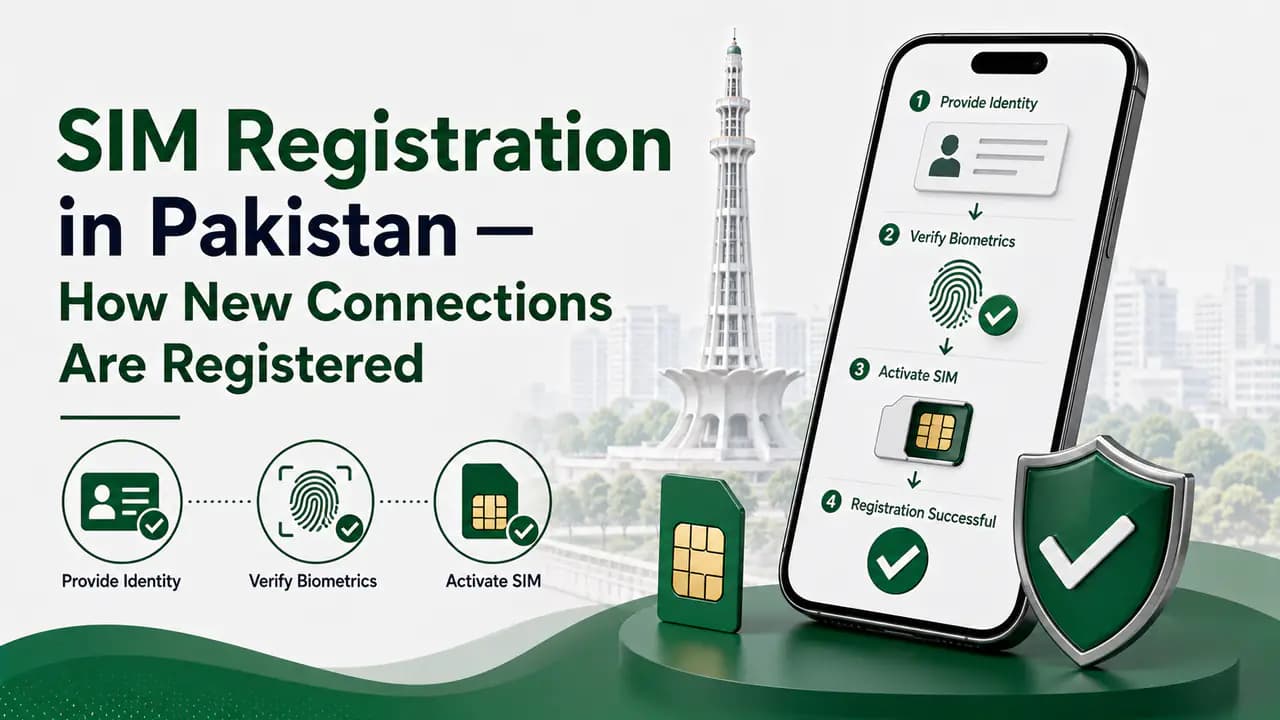
SIM Registration in Pakistan — How New Connections Are Registered
Learn SIM registration in Pakistan, including CNIC requirements, biometric verification, authorized franchises, SIM limits and registration problems.
PTA SIM Information in Pakistan — Official Channels & Services
Find official PTA SIM information services in Pakistan, including CNIC SIM checks, SMS 668, PTA complaints, helplines and SIM verification guidance.
How to Block a Lost or Stolen SIM in Pakistan
Learn how to block a lost or stolen SIM in Pakistan using operator helplines and official channels, then secure your number, accounts and device.
How to Protect Your CNIC From SIM Fraud in Pakistan
Protect your CNIC from SIM fraud in Pakistan with secure biometric practices, official SIM checks, fraud prevention tips and unknown SIM reporting.
About the author
Bottom Line
There is no single Ufone SIM check that answers every question.
If you only need to know your own Ufone number, use the Ufone number-checking service or the UPTCL App.
If you want to verify the subscriber information associated with the Ufone SIM in your possession, the MNP service through 667 is relevant.
If you want to know how many SIMs are registered against your CNIC across all Pakistani networks, use the official nationwide CNIC SIM check.
For registration problems, SIM replacement, ownership issues, biometric services, or complaints, contact Ufone through its official customer-care and service-centre channels.
Most importantly, keep your CNIC, OTPs, biometric information, and SIM-related credentials private, and avoid unofficial websites claiming to provide private Ufone subscriber databases.