How to Update CNIC for a SIM in Pakistan
Learn how to update CNIC details for your SIM in Pakistan after renewal, expiry or correction, including documents and biometric verification.
Quick answer
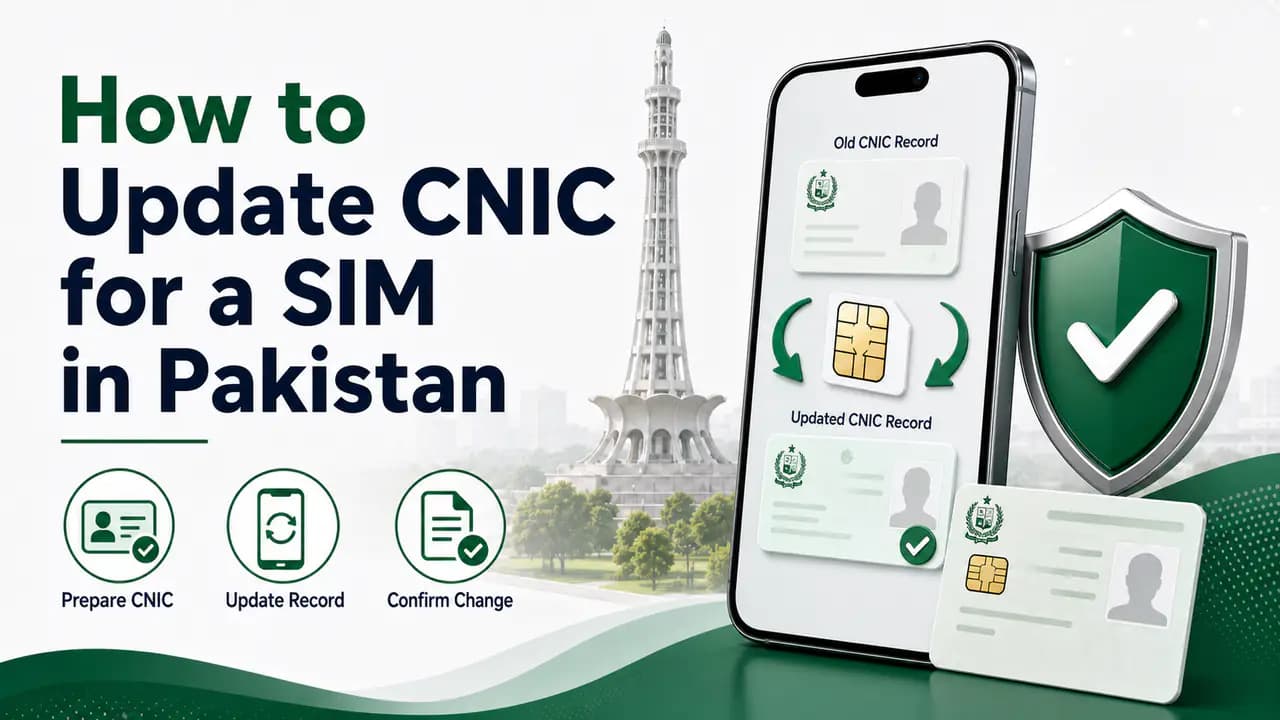
If your CNIC has been renewed, modified, or replaced, you may need to update the identity information associated with your mobile SIM. Keeping the SIM registered with your current and valid CNIC is important because the SIM is linked to your identity through the operator's subscriber verification process.
A common situation is when someone has an old CNIC linked to a SIM and later receives a renewed CNIC. Another situation is when the information associated with a mobile connection needs to be corrected or updated.
The exact procedure can vary between mobile operators, but the safest approach is to deal directly with the network that issued your SIM through its official customer service center or franchise.
What Does "Update CNIC for SIM" Mean?
Updating the CNIC for a SIM generally means updating or correcting the identity information associated with an existing mobile connection.
It does not necessarily mean changing the mobile number.
For example, you may continue using the same Jazz, Zong, Ufone, or Telenor number while completing the required identity verification with your current CNIC.
SIM-related services in Pakistan use identity and biometric verification. Operator terms state that customer eligibility and identity information are checked and that biometric information may be verified with NADRA before a SIM is activated or related ownership procedures are completed.
When Should You Update the CNIC for Your SIM?
You may need to contact your network if:
- your CNIC has been renewed
- your old CNIC has expired
- your identity document has been modified
- information associated with your SIM needs correction
- you have been instructed by the operator to update your subscriber information
- you are facing a verification problem because the identity information does not match
- you have changed from an old identity document to a newer valid document
If your CNIC has expired, you should not expect to be able to open a new SIM using that expired document. Operators require a valid identity document for SIM-related services. For example, Ufone's current online SIM terms specifically require an original and valid CNIC, while Jazz's SIM information also requires an original CNIC for Pakistani citizens.
What Should You Do If Your CNIC Has Expired?
If your CNIC has expired, the first step is to renew it through the appropriate NADRA process.
After receiving your valid CNIC, contact your mobile operator if the SIM's subscriber information needs to be updated.
A valid CNIC is important not only for opening a new connection but also for many SIM-related services that require biometric verification.
How to Update CNIC Information for a SIM
The safest general procedure is straightforward.
1. Visit Your Mobile Network's Official Franchise or Service Center
Go to an official customer service center, franchise, or another authorized outlet of the network that issued your SIM.
For example, if you have a Jazz SIM, use an official Jazz service point. For Zong, use an authorized Zong customer service center or franchise. Similar procedures apply to other operators.
Operators themselves provide SIM-related services through their authorized outlets. Jazz, for example, lists retailers, franchise centers, and experience centers for SIM services.
2. Take Your Original Valid CNIC
Take your original, valid CNIC with you.
Do not rely only on a photocopy if the operator requires the original document for verification.
Your mobile number and CNIC information will be checked against the operator's records.
If the CNIC is expired, renew it first rather than attempting to complete the procedure using an expired document.
3. Take the SIM or Mobile Number With You
It is useful to have the SIM with you and know the mobile number that needs to be updated.
The operator may need to verify that you are the legitimate subscriber before processing the request.
Keep the SIM active if possible until you have confirmed what procedure the operator requires.
4. Complete Biometric Verification
You may be required to complete biometric verification.
The operator uses the biometric process to verify your identity. Zong's published SIM activation procedure, for example, describes scanning the customer's thumb/finger and sending the information with the CNIC number for verification from NADRA. Ufone describes a similar biometric verification procedure.
This is why simply giving a CNIC number to an unofficial shopkeeper is not an appropriate substitute for the official process.
5. Ask the Representative to Confirm the Update
After completing the verification, ask the representative whether the CNIC information associated with the SIM has been updated successfully.
If there is a mismatch, biometric failure, expired document, or another problem, ask what needs to be corrected.
Do not leave the outlet assuming everything has been updated unless the representative confirms the status.
What If the SIM Is Still Registered With Your Old CNIC?
If you have received a new CNIC but your SIM was originally issued using an older identity document, the operator can tell you whether any update is required.
Do not automatically assume that every renewed CNIC requires a completely new SIM.
The important thing is that the subscriber record and identity verification remain valid and correctly associated with you.
If the operator says that an update or re-verification is necessary, complete it through the official channel.
Can You Update a SIM's CNIC Online?
In many cases, you should not expect a complete CNIC update to be handled simply by entering a new CNIC number on a website.
SIM identity and ownership procedures can require biometric verification.
For example, Jazz states that biometric verification is mandatory for several SIM-related services, and its current SIM information requires the customer's presence and original CNIC for new SIM procedures.
Therefore, if your operator asks you to visit a franchise or customer service center for biometric verification, follow that procedure rather than looking for an unofficial online method.
What If Your Biometric Verification Fails?
Sometimes the problem is not the SIM itself but the biometric verification.
If your fingerprint does not verify successfully, ask the operator for the reason and the next step.
Operator procedures state that failed biometric verification may require further assistance. Jazz's published SIM terms, for example, state that when NADRA does not verify the customer's fingerprint, the customer may need to contact NADRA for further support.
What If Your CNIC Information Has Changed?
If the information on your CNIC has changed, such as after a correction or modification, first make sure you have the valid updated identity document.
Then contact the operator if the subscriber record associated with your SIM needs to be updated.
Take the original CNIC and the relevant SIM with you.
The operator can determine whether the requested change requires a simple record update, biometric re-verification, ownership procedure, or another service.
What If the SIM Is Not Registered in Your Name?
This is a different situation from simply updating an expired or renewed CNIC.
If the SIM belongs to another person, you generally should not try to change the CNIC information yourself as though it were your own existing record.
You may need a formal change-of-ownership procedure.
The registered subscriber may need to participate in the process, and biometric verification may be required.
For this reason, if you bought a SIM from someone else or are using a number that was originally registered to another person, contact the operator and ask specifically about SIM ownership transfer.
See how to transfer SIM ownership for the full procedure.
What Documents Should You Take?
For a straightforward CNIC update request, it is sensible to take:
- your original valid CNIC
- the SIM or mobile number concerned
- any relevant operator documents or previous information if available
Additional documentation may be required depending on the reason for the update.
If the operator has specifically asked you to bring another document, follow its current requirements.
Can an Expired CNIC Be Used to Open a New SIM?
Generally, you should use a valid CNIC for a new SIM.
An expired CNIC should not be treated as an acceptable replacement for a current identity document.
For example, Ufone's current SIM terms require an original and valid CNIC for purchasing a SIM.
If your CNIC has expired, renew it first and then complete the SIM-related process.
This can also prevent problems later when you need to perform another service that requires identity verification.
For new SIM registration, see how to register a SIM.
Check Your SIMs After Updating Your CNIC
After completing an important SIM registration or identity-related procedure, it is a good idea to check the SIMs associated with your identity.
Pakistan's official SIM Information System provides a way to check the number of SIMs associated with an identity and shows the count by operator.
The online system is particularly useful for checking whether the number of connections associated with your identity matches your own records.
For example, the result can show separate counts for networks such as Jazz, Telenor, Ufone and Zong.
Remember that this is a SIM-count service, not a public database containing every subscriber's private information.
Use the Official SIM Information System
You can use the official SIM Information System to check the number of SIMs registered against your identity.
The result is a network-wise count rather than a public list of mobile numbers.
This can be useful after an identity update because you can make sure that the number of connections associated with your CNIC still looks correct.
If the result shows a connection that you do not recognize, contact the relevant operator and ask for an investigation.
See also how to check SIMs registered on a CNIC.
What About the 668 SMS Service?
The 668 SMS service is another commonly used method for checking SIMs associated with your CNIC.
It is useful when you want to check your registered SIM count through SMS rather than the web.
SMS charges may apply, so check the current applicable charges before using the service.
The important point is that 668 should not be confused with a service for updating your CNIC. It is a checking method.
What If You Are a Foreign National?
The process can be different for foreign nationals because they may use documents other than a Pakistani CNIC.
The official SIM Information System provides a Foreign ID option for checking registered SIM counts.
Mobile operators also publish separate requirements for foreign customers. For example, Zong's current procedure for foreign customers refers to documents such as an original valid passport and valid visa or other applicable documentation.
If you are a foreign national, take the identity documents requested by your particular operator rather than trying to use a Pakistani CNIC procedure that does not apply to you.
Don't Give Your CNIC to an Unofficial SIM Seller
Your CNIC and biometric information are sensitive.
Use official operator franchises, customer service centers, or authorized outlets for SIM-related procedures.
Jazz has specifically warned customers about unauthorized SIM sales and advises customers to purchase SIMs only from authorized retail outlets and franchise partners.
This is especially important when someone offers to update your SIM information, issue a replacement SIM, or change ownership outside the normal biometric process.
Be Careful With Repeated Biometric Requests
Do not allow unknown people to perform unnecessary biometric transactions against your CNIC.
If you need a SIM service, clearly tell the representative what service you require and verify the information before completing the transaction.
Afterward, check your SIM count if the procedure could affect the connections associated with your identity.
Keeping a record of your own active numbers also makes unexpected changes easier to identify.
What If Your SIM Information Still Has Not Been Updated?
If the operator says the update was completed but you continue to face a problem, contact the operator again through an official customer service channel.
Explain exactly what happened:
- your CNIC was renewed or changed
- you completed biometric verification
- the SIM is still showing an old or incorrect record
- and you need the subscriber information checked
If the operator cannot resolve the matter, you can escalate a telecom complaint through the appropriate PTA complaint mechanism.
Keep any reference number, receipt, or complaint information given to you by the operator.
See PTA SIM information for complaint channels.
CNIC Update vs SIM Ownership Transfer
These two procedures should not be confused.
CNIC update generally concerns keeping the subscriber's identity information current or correcting the record associated with a connection.
SIM ownership transfer concerns changing the registered subscriber from one person to another.
If you are using a SIM registered to your brother, father, friend, employee, or another person, simply updating your own CNIC does not automatically make the number yours.
In that situation, ask the operator specifically about ownership transfer.
CNIC Update vs Getting a New SIM
Updating CNIC information does not necessarily require changing your mobile number.
If your existing number is important—for example, because it is connected to WhatsApp, banking, email accounts, social-media accounts, or other services—ask the operator whether the existing connection can be retained.
Do not purchase a new SIM unnecessarily before understanding the available procedure.
Why Keeping SIM Information Updated Matters
Your mobile number is increasingly connected to important accounts and services.
A correctly registered SIM makes it easier to prove that the connection belongs to you when you need customer support or another identity-based service.
It also helps you keep track of the mobile connections associated with your CNIC.
If you notice a number of SIMs that you do not recognize, do not ignore it.
Contact the relevant operator and investigate the connection.
Quick Checklist
Before visiting a mobile network's franchise or service center, make sure you have:
- Original CNIC
- Valid CNIC, not an expired one
- The SIM/mobile number that needs attention
- Any documents previously provided by the operator
- Enough time to complete biometric verification
- A clear explanation of why you need the CNIC information updated
After the procedure:
- Ask the representative to confirm the update
- Keep any receipt or reference number
- Check that the SIM continues to work
- Check your registered SIM count when appropriate
- Report anything you do not recognize
Frequently Asked Questions
Related articles
How to Transfer SIM Ownership in Pakistan
Learn how to transfer SIM ownership in Pakistan, including required documents, biometric verification, operator procedures and ownership checks.
How to Check SIM Registration Status in Pakistan
Check SIM registration status in Pakistan and learn how CNIC registration, biometric verification and official mobile operator verification work.
How to Register a SIM in Pakistan
Learn how to register a SIM in Pakistan with CNIC and biometric verification, authorized franchises, SIM limits and post-registration checks.
How to Check SIMs Registered on Your CNIC in Pakistan
Learn how to check SIMs registered on your CNIC in Pakistan using cnic.sims.pk and SMS 668, understand network counts and identify unknown SIMs.
How to Verify a SIM in Pakistan
Learn how to verify a SIM in Pakistan using biometric verification, CNIC SIM checks and official operator channels, plus what to do if verification fails.

How to Check SIMs Registered on Your CNIC in Pakistan
Check SIMs registered on your CNIC in Pakistan using the official SIM Information System and SMS 668. Find your network-wise SIM count safely.
About the author
Bottom Line
If your CNIC has been renewed, expired, modified, or replaced, do not ignore the identity information associated with your mobile SIM.
Start by making sure you have a valid CNIC, then contact your network through an official franchise, customer service center, or authorized channel. Take your original CNIC and complete biometric verification if required.
Most importantly, avoid unofficial sellers who offer to change SIM information without following the proper verification process.
Once the procedure is complete, keep an eye on the SIMs associated with your CNIC. A quick check can help you spot an unexpected connection before it becomes a bigger problem.