Mobile Number Portability in Pakistan: How to Change Your Network Without Changing Your Number
Learn Mobile Number Portability in Pakistan: switch Jazz, Zong, Ufone or Telenor without changing your number, with MNP requirements and steps.
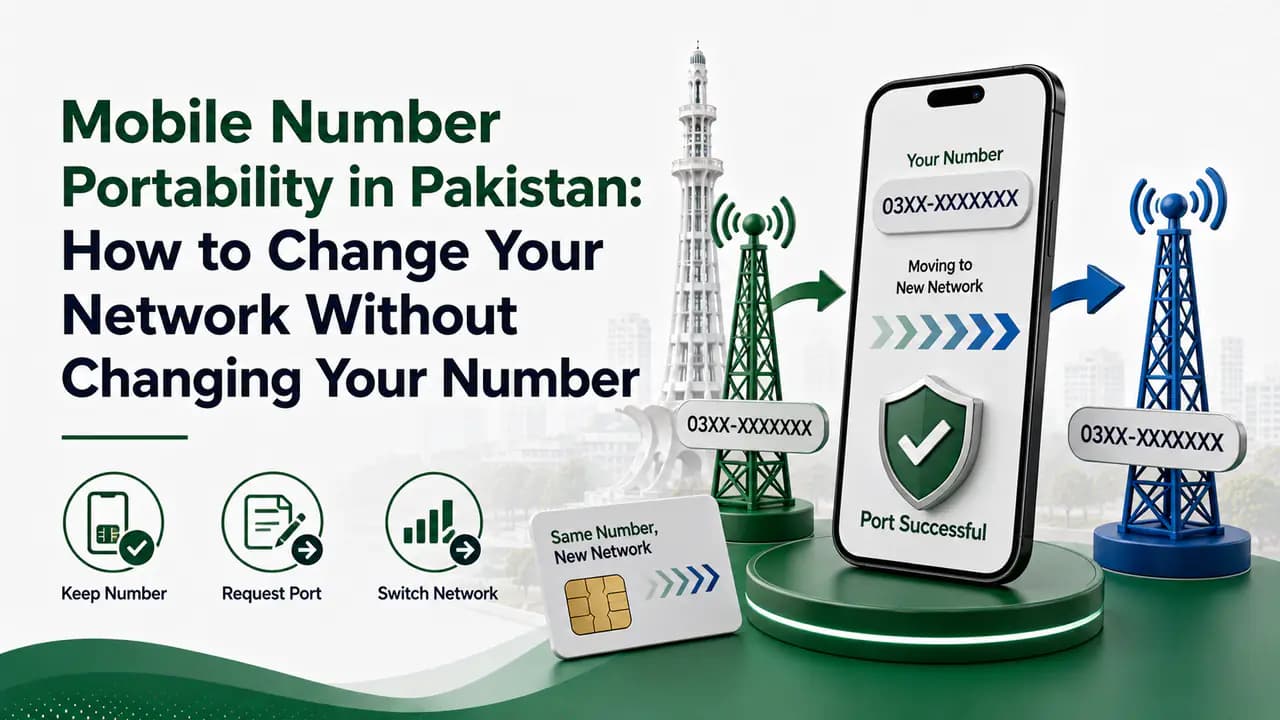
If you are unhappy with your current mobile network but do not want to give up your existing mobile number, Mobile Number Portability (MNP) can be a useful option.
MNP allows you to move your mobile number from one network to another while keeping the same number. For example, if your number is currently on Jazz, you can port it to Ufone, Zong, or another participating network without getting a completely different mobile number.
This can be especially useful when you have been using the same number for years and it is linked with your bank account, WhatsApp, social media accounts, business contacts, or other services.
In this guide, we explain what MNP is, how MNP works in Pakistan, how to port your number, what documents and verification are required, how long the process takes, possible charges, and what you should check before switching networks.
30 sec readQuick answer
What is Mobile Number Portability (MNP)?
Mobile Number Portability, commonly called MNP, is a service that allows a customer to change their mobile network while keeping their existing mobile phone number.
For example:
- Your number is currently on Jazz.
- You want to use Ufone instead.
- You request an MNP transfer to Ufone.
- Your number is moved to Ufone.
- You continue using the same mobile number.
The important part is that your phone number does not change.
Jazz describes MNP in the same basic way: customers can change their mobile network while retaining their existing number.
This means MNP is different from simply purchasing a new SIM. With a normal new SIM, you receive a new mobile number. With MNP, your existing number moves to another network.
Why Do People Use MNP?
There can be many reasons for changing a network.
1. Better coverage
Your current network may work poorly in your home, workplace, village, university or another location you frequently visit.
If another network provides better coverage in those areas, MNP allows you to switch without abandoning your number.
2. Better internet performance
One network may provide faster mobile internet in your area than another.
However, network performance can vary considerably from one location to another. A network that works very well in one city may not necessarily provide the same experience in another area.
3. Better packages
Customers may also switch because another operator offers packages that better suit their usage.
For example, you may want:
- More internet data
- More on-net minutes
- More off-net minutes
- Better international calling options
- Better postpaid plans
- More suitable business packages
4. Poor customer experience
Some customers switch networks because of repeated service problems, billing issues or customer-support experiences.
5. Business requirements
Businesses sometimes prefer one network because of coverage, corporate packages, customer support or other telecom services.
Does MNP Change Your Mobile Number?
No.
That is the main purpose of Mobile Number Portability.
Suppose your existing number is:
0300-1234567
If you move the number from one network to another through MNP, the number remains:
0300-1234567
The network serving the number changes, but the number itself remains with you.
This is also why you should not assume that the first digits of a Pakistani mobile number always tell you its current network.
A number can originally have been issued by one operator and later moved to another operator through MNP.
How to Port Your Number to Another Network in Pakistan
The exact procedure can vary slightly between operators, but the general process involves obtaining your existing SIM information, submitting an MNP request, biometric verification and receiving/activating the new network's SIM.
A common starting point is:
Send MNP to 667 from the number you want to port.
Ufone's current published procedure says that the customer writes MNP and sends it to 667. The response contains information such as the mobile number, name, CNIC and SIM number. The customer then forwards that information to Ufone's MNP shortcode, 76333, to continue the request.
Jazz similarly instructs customers to send MNP to 667, receive the information from their existing operator and forward the received information to 76300 when porting to Jazz. Jazz also states that biometric verification is required at its office or retailer before the new SIM is issued.
Because short codes and charges can change, it is sensible to confirm the current instructions with the network you are moving to before starting the process.
Step-by-Step MNP Process
Step-by-Step MNP Process
Step 1: Decide Which Network You Want
Before starting MNP, decide which network you want to use. Do not choose a network only because a package looks cheap. First consider coverage in your area, 4G/5G availability, internet speed, call quality, indoor coverage, network performance at your workplace and home, package prices, customer service, and availability of franchise or service centers. A network can perform differently in different parts of Pakistan, so checking with people who actually use the network in your area can be more useful than relying only on advertisements.Step 2: Make Sure Your Existing Number Is Active
Your existing number generally needs to be active for an MNP request. For example, Jazz currently states that the number must be active and that 60 days must have passed after activation or a change of ownership before porting to Jazz. This is important if you recently purchased the SIM, changed SIM ownership, received a replacement SIM, or recently completed another relevant SIM transaction. The exact eligibility conditions can depend on the receiving operator, so check its current MNP requirements.Step 3: Send MNP to 667
From the mobile number you want to transfer, open your SMS application. Type MNP and send it to 667. You should receive information relating to the number and its registration. Ufone's current MNP instructions specifically state that the response includes the mobile number, customer's name, CNIC and SIM number. This step is useful because the MNP system needs to establish the details of the existing connection before the porting request can continue.Step 4: Forward the Received Information
The next step depends on the network you are joining. For example, Ufone currently instructs customers to forward the SMS received from 667 to 76333. Jazz currently instructs customers porting to Jazz to forward the information received from 667 to 76300. Therefore, don't blindly use the same shortcode for every operator. The receiving network's official MNP instructions should be followed.Step 5: Visit the Network's Franchise or Retailer
After beginning the MNP request, you may need to visit the receiving operator's authorized outlet. Take your original CNIC with you. Biometric verification is an important part of SIM-related processes in Pakistan. PTA lists Mobile Number Portability among the services covered by biometric verification. At the outlet, the operator can process your MNP request and provide the new SIM associated with your existing number. Some operators may also offer online ordering or delivery options. For example, Jazz currently advertises online MNP ordering and biometric verification through its delivery process.Step 6: Complete Biometric Verification
The customer whose name is registered against the existing connection needs to complete the required verification. Bring your original CNIC and follow the instructions given by the authorized operator representative. Do not allow an unknown person to perform biometric verification on your behalf. Your biometric information is highly sensitive. Use an official franchise, business center, experience center or another authorized channel rather than an unknown street seller. PTA's cybersecurity guidance has specifically advised consumers to purchase SIMs from cellular franchises rather than informal kiosks, portable vans, standalone booths or door-to-door sellers.Step 7: Wait for the Porting Process
MNP is not necessarily instantaneous. The exact time depends on the operator and circumstances. For example, Jazz currently states that porting to Jazz takes 4 working days. Therefore, don't assume that sending the first SMS means the number will immediately appear on the new network. Follow the instructions from the receiving operator and wait for the porting process to complete.
How Long Does MNP Take in Pakistan?
The processing time can vary.
Jazz currently publishes 4 working days for porting to Jazz.
Other operators may provide different processing times or update their procedures.
So if you are searching for:
- MNP time in Pakistan
- How many days does MNP take?
- How long does it take to port Jazz to Ufone?
- How long does Ufone MNP take?
- How long does Zong MNP take?
the safest approach is to check the current information from the network you are joining.
How Much Does MNP Cost?
MNP charges are not necessarily identical across operators.
For example, Jazz currently lists a prepaid MNP charge of Rs. 300, while its FAQ also states that sending MNP-related SMS can incur Rs. 2 + tax per SMS.
These prices can change, and additional charges may apply depending on the plan or service.
For this reason, check the receiving operator's current pricing before completing your port-in request.
Can You Port a Prepaid Number?
Yes.
Mobile Number Portability can be used for prepaid connections.
Jazz currently states that customers can port into Jazz from another network as both prepaid and postpaid users.
The exact charges and requirements can differ depending on whether the number is prepaid or postpaid.
Can You Port a Postpaid Number?
Yes, MNP can also apply to postpaid numbers.
However, postpaid customers should be particularly careful about outstanding bills or deposits.
Before moving, check that:
- Your bill is paid
- There are no outstanding dues
- Any required security deposit has been handled
- There is no unresolved account issue
The receiving operator may have its own requirements.
What Happens to Your SIM During MNP?
Your old SIM does not simply become a SIM for the new network.
The receiving operator provides the SIM associated with the porting process.
The important thing is that your mobile number remains the same.
Once the porting process is completed, the number becomes associated with the new operator.
Can I Keep WhatsApp and Other Accounts?
Generally, changing the network through MNP does not mean you have to change the phone number itself.
Because the number remains the same, services that are linked to the number can continue to use that same number.
However, individual services have their own rules, so you should make sure your important accounts remain accessible before making major changes.
Your mobile banking, email recovery number, WhatsApp, social media accounts and other services should be checked before starting any major SIM-related change.
Does MNP Change the SIM Owner?
No.
MNP is primarily a network change.
It does not mean that the number is automatically transferred to another person.
If the number is registered in your name, the MNP process is for moving that connection to another network.
A separate change-of-ownership process is required if you want the SIM to be registered under another person's CNIC.
MNP and SIM Ownership Are Different
This is an important distinction.
MNP
Changes the mobile network.
Example:
Jazz → Ufone
while keeping the same number.
Change of ownership
Changes the person under whose identity the connection is registered.
Example:
Person A → Person B
These are different processes.
Do not confuse porting your number with transferring ownership of the SIM.
Can a Number Be Ported More Than Once?
A number can potentially be ported again, but operators may impose eligibility restrictions.
For example, Jazz currently states that 60 days must have passed after activation or change of ownership before porting to Jazz.
So if you recently activated or transferred a number, you may need to wait before requesting another MNP.
Always check the current conditions of the network you are joining.
How to Check the Current Network of a Mobile Number
One important thing to understand about MNP is that the number's prefix does not necessarily tell you its current operator.
A number that originally belonged to one operator can later be ported to another.
If you need to identify the current network, use an official network-checking method rather than assuming it from the first four digits.
The commonly used SMS method is to send:
N 03XXXXXXXXX
to:
76367
Charges may apply.
This type of check is useful when you want to know the current running network, rather than simply identifying the network that originally issued the number.
MNP vs Buying a New SIM
Which option is better depends on your situation.
If your number has been in use for many years, MNP can be much more convenient because you don't have to tell everyone that your number has changed.
Things to Check Before Porting Your Number
Before submitting an MNP request, take a few minutes to check your account.
Check your current network
Make sure you know which network currently serves the number.
This is particularly important if the number has already been ported in the past.
Check your SIM ownership
Make sure the SIM is registered under your own CNIC.
If there is an ownership problem, resolve it before attempting to port.
Check outstanding payments
Postpaid users should clear outstanding bills before beginning the process.
Check your important accounts
Make sure your number is correctly registered with important services.
These may include:
- Banking apps
- Mobile wallets
- WhatsApp
- Email recovery
- Social media
- Business accounts
- Government services
Check the new network's coverage
Don't port simply because someone tells you that a network is excellent.
Check it where you actually use your phone.
Your home, office, university, village, travel route and other regular locations matter more than general nationwide claims.
Check Your SIMs After MNP
After your number has been successfully ported, it is a good idea to periodically check the SIM connections registered against your CNIC.
PTA provides its SIM Information System for checking the numbers of SIMs issued against a CNIC. PTA has specifically promoted SMS to 668 as a way to find out the number of SIMs issued in a person's name.
You can also use the official SIM Information System at PTA SIM Information System.
The purpose is not to use MNP to obtain somebody else's private information. Instead, use official channels to manage and verify your own connections.
If you notice a connection that you do not recognize, contact the relevant operator and PTA rather than ignoring it.
Is MNP Safe?
Yes, MNP is an official telecom process.
The important thing is to use the official channels and complete the required biometric verification.
Avoid giving your CNIC information or biometric verification to random people claiming that they can "port your SIM instantly."
Use:
- Official franchises
- Authorized retailers
- Operator business centers
- Official operator websites
- Official operator apps
- Official customer-support channels
PTA's guidance on SIM-related security also warns about unauthorized SIM issuance and recommends checking SIMs issued in your name.
Common MNP Problems
Sometimes an MNP request may not proceed as expected.
Possible reasons can include:
Recently activated number
The number may not have been active long enough to meet the receiving operator's eligibility requirements.
Recent ownership change
A recently transferred number may be subject to a waiting period.
Incorrect registration information
The CNIC or subscriber information may not match the operator's records.
Outstanding postpaid bill
Unpaid dues can create problems for postpaid connections.
Biometric verification issue
The required biometric verification may not be completed successfully.
Number is not active
An inactive connection may not qualify for porting.
Incorrect MNP procedure
The SMS or forwarding process may not have been completed correctly.
If an MNP request fails, contact the receiving operator's official customer service or visit its authorized franchise.
MNP for Jazz, Ufone, Zong and Telenor
The basic idea of MNP is the same: move your existing number to another network.
However, the exact SMS shortcodes, charges, processing time and requirements can differ.
Porting to Jazz
Jazz currently says that customers can port active prepaid and postpaid numbers from other networks to Jazz.
Its published procedure includes:
Porting to Jazz
Send MNP to 667
From the number you want to port, send MNP to 667 to receive your subscriber information from your current operator.Receive the information from your current operator
Wait for the SMS response containing your mobile number, name, CNIC, and SIM number.Forward the received information to 76300
Send the information received from 667 to Jazz's MNP shortcode 76300.Complete biometric verification
Visit a Jazz office or authorized retailer to complete the required biometric verification.Receive the Jazz SIM
The operator issues the new Jazz SIM associated with your existing number.Wait for the porting process to complete
Jazz currently lists approximately 4 working days for the porting process.
For the latest requirements and charges, check Jazz's official MNP information before submitting your request.
Porting to Ufone
Ufone currently provides an MNP process beginning with:
MNP → 667
After receiving the response, Ufone instructs customers to forward the information to:
76333
Ufone also provides online MNP facilities and directs customers to its support channels for assistance.
Porting to Zong
If you want to move your number to Zong, check Zong's current official MNP instructions before starting the process.
Because operator procedures and charges can be updated, use Zong's official website or customer service rather than relying on an old shortcode published on an unofficial website.
Porting to Telenor
The same principle applies when moving your number to Telenor.
Start the process using Telenor's current official MNP instructions and complete any required verification at an authorized Telenor outlet.
Do not rely on old SMS shortcodes or charges found in random social-media posts because telecom procedures can change.
Telenor Pakistan official website
What If I Change My Mind After Starting MNP?
If you change your mind after starting the process, contact the operator handling the request as soon as possible.
The ability to cancel an MNP request and the procedure for doing so can depend on the stage reached in the porting process.
Don't simply ignore the request.
Contact the relevant operator through an official customer-service channel and ask about cancellation.
Can I Port a Number That Is Not in My Name?
MNP is tied to subscriber information and biometric verification.
If a number is registered to another person, you should not assume that you can simply port it into your own name.
If you need the number registered under your own identity, the appropriate ownership-transfer procedure may need to be completed.
The exact requirements depend on the circumstances and the operator.
What About an Expired CNIC?
Your CNIC status matters for SIM-related transactions.
If your CNIC is expired or your subscriber information needs updating, resolve the identity-document issue before attempting a telecom transaction that requires verification.
Do not assume that MNP can bypass CNIC or biometric requirements.
MNP Does Not Mean You Get Someone Else's Number
Mobile Number Portability is designed for the legitimate subscriber to move an existing connection between networks.
It should not be used as a way to obtain another person's number or subscriber information.
Never attempt to obtain another person's CNIC details, SIM ownership information or private telecom records without authorization.
Use MNP only for your own number and through official channels.
Frequently Asked Questions About MNP in Pakistan
Related articles
How to Choose a SIM Network in Pakistan
Learn how to choose the best SIM network in Pakistan by comparing coverage, mobile data, 4G/5G, network congestion, packages and reliability.
Prepaid vs Postpaid SIM in Pakistan: Which One Should You Choose?
Compare prepaid vs postpaid SIMs in Pakistan, including costs, billing, packages, advantages, disadvantages and which SIM type is best for you.

How to Check SIMs Registered on Your CNIC in Pakistan
Check SIMs registered on your CNIC in Pakistan using the official SIM Information System and SMS 668. Find your network-wise SIM count safely.
Jazz SIM Information in Pakistan
Find Jazz SIM information in Pakistan, including number check, SIM ownership, verification, replacement, Jazz codes, SIMOSA and official support.
Ufone SIM Information in Pakistan: Number, Ownership, Verification and Registration Guide
Find Ufone SIM information in Pakistan, including number and ownership checks, SIM verification, registration, replacement and official support.
Zong SIM Information in Pakistan
Find Zong SIM information in Pakistan, including *8# number check, SIM registration, biometric verification, replacement, eSIM and official support.
Telenor SIM Information in Pakistan
Find Telenor SIM information in Pakistan, including number and ownership checks, SIM verification, replacement, USSD codes and official support.
About the author
Bottom Line
Mobile Number Portability in Pakistan makes it possible to change your mobile network without giving up your existing number.
If you have used the same number for years, this can save you from the trouble of informing every contact about a new number and updating every account connected to it.
The process generally involves starting an MNP request, obtaining your subscriber information, following the receiving operator's SMS instructions, completing biometric verification and waiting for the porting process to finish.
Before switching, don't look only at package prices. Check the network's performance in the places where you actually use your phone, especially your home and workplace.
Most importantly, use an official operator channel or authorized franchise, keep your original CNIC with you for required verification, and avoid giving your biometric information to unauthorized SIM sellers.
After the porting process is complete, it is also a good habit to check the SIMs registered against your CNIC periodically. This helps you notice unauthorized connections and keep your telecom records under control.