How to Choose a SIM Network in Pakistan
Learn how to choose the best SIM network in Pakistan by comparing coverage, mobile data, 4G/5G, network congestion, packages and reliability.
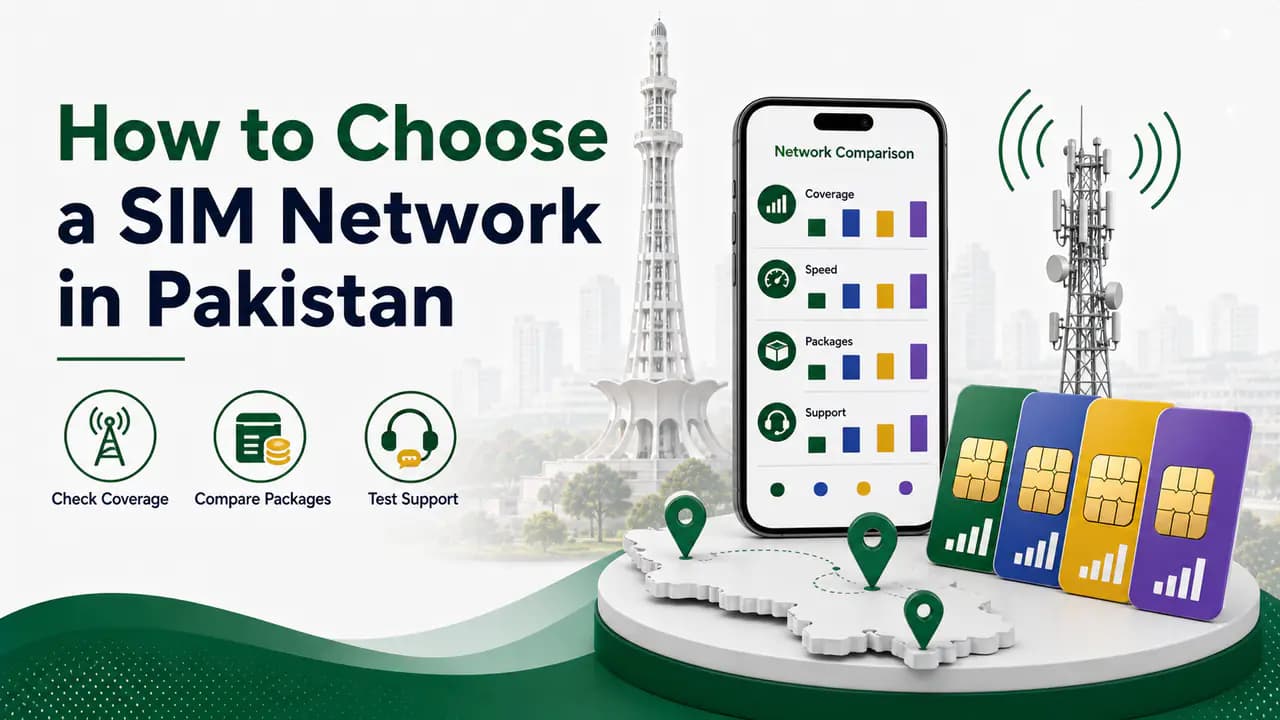
Quick answer
Choosing a SIM network in Pakistan is not simply a matter of asking someone, “Which network is best?” The network that works extremely well for one person may perform poorly for another person living only a few kilometers away.
Your location, nearby mobile tower, building structure, network traffic, phone, SIM type, and the services you use all affect your experience.
Pakistan has several major cellular networks, including Jazz, Zong, Ufone, and Telenor. With 4G widely used and 5G now being introduced in selected areas, choosing the right SIM network has become even more important for people who depend on mobile internet for work, study, calls, online payments, video calls, streaming, and social media.
The easiest way to choose the right network is to check your own area first and then compare the networks available there.
What Should You Consider Before Choosing a SIM Network?
There is no single network that is automatically the best everywhere in Pakistan. Instead, look at these factors before buying a SIM or switching your existing number.
1. Check Which Network Works Best in Your Area
This should be your first step.
A network may have excellent coverage across a city but still have weak signal inside your particular house. Similarly, a network that works perfectly in one part of a district may be weak in another part.
Before choosing a network, check it at the places where you actually spend most of your time:
- Your home
- Workplace
- University or school
- Village or hometown
- Main roads you regularly travel
- Markets
- Basement or indoor areas
- Areas you frequently visit
Ask people who already use different networks in your area about their experience. It is often more useful to ask a neighbor about their signal than to rely only on a nationwide advertisement.
You can also use official coverage maps. For example, Jazz provides a coverage map but explains that its maps are approximate and mainly represent predicted outdoor coverage rather than guaranteeing service at every exact location. Ufone similarly explains that its coverage maps are predictive and that buildings, hills, trees, distance from a base station, and network usage can affect actual service.
This is why local testing is more important than a general “best network” ranking.
2. Find Out Which Mobile Tower Is Near You
The distance and direction of a cellular base station can have a major effect on your signal, although being physically closest to a tower does not automatically mean you will receive the best service.
Your phone connects to a particular cell or sector rather than simply choosing the tower that looks closest on a map. Network configuration, frequency bands, obstacles, tower load, and antenna direction can all affect the connection.
For people who want to investigate their local network more deeply, services such as CellMapper provide crowd-sourced cellular tower and coverage information. CellMapper collects network measurements from users and can display information about mapped towers, antennas, coverage, and signal strength.
You can use a tower map to investigate questions such as:
- Which operator has a nearby mapped site?
- Where are the cellular sites around my area?
- Which network does my phone currently connect to?
- Is another network's coverage stronger nearby?
- Does the network have mapped coverage around my home?
However, remember that crowd-sourced tower maps are not official operator records and their coverage depends on available user-collected data. A tower shown on a map may also not represent the complete current network configuration.
So use tower maps as a helpful investigation tool, not as the only reason to select a network.
3. Compare 4G Coverage
For most Pakistani users, 4G coverage is still one of the most important things to check.
A strong 4G connection can provide a much better experience for:
- YouTube
- WhatsApp calls
- Video calls
- Online classes
- Web browsing
- Social media
- Online banking
- Downloads
- Mobile hotspots
- Remote work
Do not judge 4G simply by the number of signal bars on your phone.
Two networks may both show several bars but provide very different internet speeds.
For example, one network may give you good signal strength but become extremely slow during the evening because many users are connected to the same cell. Another network may show slightly fewer bars but provide better usable speed.
That is why you should test both signal strength and actual internet performance.
4. Check 5G Availability in Your Area
5G is now becoming part of Pakistan's mobile network landscape.
In March 2026, the Pakistan Telecommunication Authority authorized cellular operators including Jazz, Ufone, and Zong to begin 5G services through a phased rollout. PTA also noted that availability would depend on location, network readiness, and device compatibility.
This means you should not buy a SIM simply because a company advertises 5G.
First check:
- Is 5G available in your area?
- Does your phone support the required 5G bands?
- Is your SIM compatible?
- Does the operator provide 5G at your particular location?
- Is 5G actually useful for your daily usage?
For example, Zong currently provides an official 5G coverage map and reports active 5G sites across multiple Pakistani cities.
Jazz also provides official coverage information and has been expanding its next-generation network infrastructure.
If 5G is not available where you live, a reliable 4G network may be much more important than the advertised 5G capability.
5. Test Internet Speed Yourself
Never choose a network entirely from advertisements claiming the fastest internet.
Instead, test the SIM yourself.
A useful test is to compare the networks at the same location and approximately the same time.
For example, test each SIM:
- In the morning
- In the afternoon
- During evening peak hours
- At night
Check:
- Download speed
- Upload speed
- Ping/latency
- Stability
- Video loading
- Website loading
- WhatsApp call quality
The evening test is particularly useful because cellular networks can become busier when many people are using mobile data.
A SIM that gives excellent speed at 3 AM but becomes unusable at 8 PM may not be the best choice for your daily routine.
6. Consider Network Congestion
Network congestion is one of the most overlooked factors when choosing a SIM.
Imagine that a mobile tower provides service to a large number of users. During quiet hours, your internet may be fast. During busy hours, many people may be using the same network resources.
As a result, you may experience:
- Slow downloads
- Videos buffering
- Higher ping
- Slow websites
- Poor video calls
- Difficulty uploading files
This is why asking someone, “Does this network work here?” is not always enough.
Ask them:
How does it work during the evening?
That answer can be much more useful.
7. Check Call Quality
If you mainly use your phone for calls, internet speed should not be your only consideration.
Check whether the network provides reliable calling in:
- Your home
- Office
- Village
- Workplace
- Areas where you regularly travel
Pay attention to:
- Dropped calls
- Calls failing to connect
- Voice breaking
- Indoor signal
- Call quality while moving
Some people need a SIM mainly for mobile data, while others need reliable voice calls. Your choice should reflect your actual usage.
8. Check Indoor Coverage
A network that works well outside may perform differently inside a house.
Concrete walls, metal structures, underground rooms, tinted windows, and other obstacles can weaken cellular signals.
This is especially important if you use your phone indoors most of the day.
Before switching networks, test the SIM:
- Outside your house.
- Near a window.
- Inside your normal room.
- In the place where you usually make calls.
- In the room where you normally use mobile internet.
If a network works outside but becomes extremely weak inside your home, it may not be the right choice for you.
9. Compare Packages and Prices
After checking coverage, compare the packages.
Look at what you actually receive rather than simply choosing the cheapest package.
Compare:
- Internet data
- All-network minutes
- On-network minutes
- SMS
- Package validity
- Daily, weekly, and monthly options
- Social-media bundles
- Regional offers
- Extra charges
- Recharge requirements
Package prices change frequently, so always check the operator's current official offers before making a decision.
Ufone, for example, currently provides regional offers that vary by district, showing why local pricing and packages can also be relevant when choosing a network.
A cheap package is not necessarily a good deal if the network is too weak to use the included data. If you are comparing payment models as well, see our guide to prepaid vs postpaid SIM options.
10. Think About Your Main Usage
Different users need different things from a SIM.
If you mainly use WhatsApp
You may care more about stable data and reliable calling than extremely high download speeds.
If you watch YouTube or stream videos
You should prioritize consistent 4G/5G performance and sufficient data.
If you play online games
Ping and stability can be more important than maximum download speed.
If you work online
Look for reliable data, upload speed, and good performance during working hours.
If you mainly make calls
Voice coverage and indoor signal should receive more attention.
If you travel frequently
Choose a network with dependable coverage along your normal routes rather than only at your home.
11. Check Coverage Along Your Travel Routes
Do not test a network only at home if you travel regularly.
A SIM can work perfectly in your neighborhood but become weak when you travel to another city, village, or mountainous area.
Think about your normal route:
Home → Work → Market → Family home → Other cities
Ask people who travel on the same route which networks work reliably.
This is especially important for people who travel through rural or mountainous areas, where terrain can create significant coverage differences.
12. Don't Judge a Network by One Location
One of the biggest mistakes people make is saying:
Network X is the best.
A better statement is:
Network X works best for me in my area.
Mobile networks are location-dependent.
For example, a network may be excellent in one neighborhood and weaker in another. Even within the same city, performance can change because of terrain, buildings, tower placement, spectrum, congestion, and network configuration.
Government and regulatory documents also show that network infrastructure and performance can vary significantly between districts and operators.
So avoid choosing a SIM solely because a friend in another city recommends it.
13. Use Official Coverage Maps
The safest starting point is to check the operator's own coverage information.
Jazz has an official coverage map, while Zong provides both general coverage information and a dedicated 5G coverage map. Ufone also publishes its LTE/4G coverage information.
These maps are useful for answering:
- Is the operator available in my city?
- Does the operator cover my district?
- Is 4G available?
- Is 5G available?
- Is coverage available along a particular area?
But remember that a coverage map is not a guarantee that every room of every building will have the same signal.
14. Check Real-World Coverage Maps
Official operator maps are useful, but independent coverage information can provide another perspective.
For example, nPerf publishes coverage maps based on measurements collected from users. Its maps include networks such as Ufone, Telenor, Zong, and Jazz and provide a view of real-world network measurements.
CellMapper is another useful option for people who want to investigate cellular coverage and mapped tower information. Its data is crowd-sourced from users rather than directly supplied by every operator.
Using more than one source can help you build a better picture of your area.
15. Check the Network Your Phone Actually Connects To
If you already have a SIM, your phone can provide useful information about the network connection.
Depending on your phone model and Android version, network information may show details such as:
- Network type
- LTE/4G
- 5G
- Signal strength
- Cell information
- Band information
Some Android phones provide more technical information than others.
You can also use specialist network-analysis applications to investigate the serving cell and signal information.
This can help you understand why two SIMs behave differently in the same phone.
16. The Nearest Tower Is Not Always the Best Tower
This is an important point.
You might find that one network tower is physically closer to your home, but that does not automatically mean that network will give you the best service.
A mobile tower can have multiple sectors and frequencies. Your phone may connect to a different cell depending on network configuration, signal conditions, and capacity.
A nearby tower can also be heavily loaded.
Meanwhile, a tower farther away may provide better service because of its configuration or because it has less congestion.
Therefore, use tower distance as one clue, not as the final decision.
17. Try the SIM Before Completely Switching
If you are unsure which network is best, do not immediately port your main number.
Instead, consider getting a SIM from another network and testing it for several days.
Use it in the places that matter most to you.
For example:
Multi-day SIM testing plan
Day 1
Test at home.Day 2
Test at work or university.Day 3
Test during evening hours.Day 4
Test while travelling.Day 5
Test calls, internet, and video.
After several days, you will have much better information than you would get from a simple advertisement.
18. Consider Keeping Two Networks
If you frequently travel or live in an area where coverage is inconsistent, using two different networks can be practical.
For example, you might use:
- One SIM as your primary number.
- Another SIM mainly for mobile data or backup coverage.
A dual-SIM phone makes this easier.
If one network becomes weak in a particular location, you can switch to the other SIM.
This can be especially useful for people who travel between cities, rural areas, and mountainous regions.
Which Network Is Best in Pakistan?
There is no universal answer.
Jazz, Zong, Ufone, and Telenor can all be suitable depending on your location and requirements.
Instead of asking:
“Which is the best SIM network in Pakistan?”
ask:
“Which network gives the best coverage, speed, and reliability where I live and travel?”
That is a much better question.
Pakistan's mobile industry is also changing with the introduction and expansion of 5G. The major operators are developing their next-generation networks, so a network that performs differently today may improve as infrastructure expands.
For this reason, old opinions about which network is “always best” should not be treated as permanent facts.
A Simple Way to Choose Your Network
If you don't want to spend hours researching networks, use this simple process.
Seven-step network selection process
Step 1: List your important locations
Write down home, work, school or university, village, and frequently visited areas.Step 2: Check coverage
Look at the official coverage maps for the networks you're considering.Step 3: Check nearby towers
Use available tower and coverage maps to investigate the cellular sites around your area.Step 4: Ask local users
Ask people who live or work near you about their actual experience.Step 5: Test the SIM
Test calls and mobile data at different times.Step 6: Compare packages
Once you know which networks actually work well, compare their current packages and prices.Step 7: Choose based on your usage
If you need data, prioritize data performance. If you need calls, prioritize voice coverage. If you travel, prioritize geographical coverage. If you need 5G, check actual 5G availability in your area and device compatibility.
Common Mistakes When Choosing a SIM Network
Choosing based only on advertisements
Advertisements show what a network can offer but cannot guarantee how it will perform inside your house.
Choosing because a friend recommends it
Your friend's location may have completely different coverage.
Looking only at signal bars
Signal bars do not tell the whole story. Speed, latency, congestion, and stability also matter.
Looking only at maximum speed
A network advertising extremely high speeds may still perform poorly at your location.
Ignoring evening performance
A SIM may be fast during quiet hours but slow when the network is busy.
Ignoring indoor coverage
Always test the SIM where you actually use your phone.
Assuming the closest tower is automatically best
Tower distance is useful information, but network configuration, antenna sectors, frequency, and congestion also matter.
Choosing a package before testing the network
A large data package is useless if the network cannot provide reliable service in your area.
Final Advice
The best SIM network is not necessarily the network with the biggest advertisement, the most expensive package, or the highest claimed speed.
The best network for you is the one that performs reliably in the places where you actually use your phone.
Start with your area. Check coverage. Look at nearby cellular sites. Ask local users. Test the SIM at different times of day. Compare internet speed, calls, indoor coverage, and congestion. Then compare packages and prices.
If you are deciding between Jazz, Zong, Ufone, and Telenor, don't make the decision based only on nationwide rankings. Your own street and your own building matter much more. For operator-specific details, see Jazz SIM information, Zong SIM information, Ufone SIM information, and Telenor SIM information.
And remember: the nearest tower is not always the best tower, and the network with the strongest signal is not always the fastest network.
Your real-world test is the final judge.
Frequently Asked Questions
Related articles
Jazz SIM Information in Pakistan
Find Jazz SIM information in Pakistan, including number check, SIM ownership, verification, replacement, Jazz codes, SIMOSA and official support.
Zong SIM Information in Pakistan
Find Zong SIM information in Pakistan, including *8# number check, SIM registration, biometric verification, replacement, eSIM and official support.
Ufone SIM Information in Pakistan: Number, Ownership, Verification and Registration Guide
Find Ufone SIM information in Pakistan, including number and ownership checks, SIM verification, registration, replacement and official support.
Telenor SIM Information in Pakistan
Find Telenor SIM information in Pakistan, including number and ownership checks, SIM verification, replacement, USSD codes and official support.
Prepaid vs Postpaid SIM in Pakistan: Which One Should You Choose?
Compare prepaid vs postpaid SIMs in Pakistan, including costs, billing, packages, advantages, disadvantages and which SIM type is best for you.
SIM Card Types in Pakistan: Physical SIM, eSIM, Prepaid, Postpaid and Data SIMs
Compare SIM card types in Pakistan — physical SIM, eSIM, prepaid, postpaid, data SIMs, sizes, IoT options, and how to choose the right one for your phone.
About the author
Bottom Line
The best SIM network for you is the one that works reliably where you actually live, work, and travel — not the one with the loudest advertisement or the biggest data bundle.
Test coverage at your own locations, compare performance during busy evening hours, check indoor signal, and only then compare packages. Your street matters more than nationwide rankings.
If you are still unsure, try another operator's SIM for several days before porting your main number. Your real-world test is the final judge.